
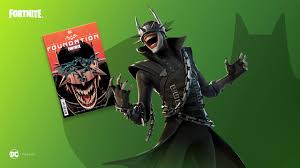
How to Unblock Batman on Fortnite: A Step-by-step Guide
Are you a fan of the iconic character, Batman? Do you want to join the Dark Knight in the world of Fortnite? Look no further! In this article, we will guide you through the process of unblocking Batman on Fortnite.
Introduction
Fortnite has become a cultural phenomenon, and its collaborations with popular franchises have taken it to new heights. The recent partnership between Fortnite and DC Comics has brought some of the most iconic characters from the world of comics into the game. One such character is Batman, and in this article, we will show you how to unblock him on Fortnite.
Why Unblocking Batman Matters
Batman is one of the most recognizable superheroes in the world, and his presence in Fortnite is a significant addition to the game. Not only does it bring a new layer of excitement to players who love both Batman and Fortnite, but it also offers a unique opportunity for fans to experience their favorite character in a new way.
The Process of Unblocking Batman
To unblock Batman on Fortnite, you will need to follow these steps:
- Access The Shop: The first step is to access the shop on Fortnite. You can do this by navigating to the “Shop” tab on the main menu.
- Look For Batman’s Skin: Once in the shop, look for Batman’s skin. It should be listed under the “DC Comics” section.
- Purchase The Skin: If you see the skin available, purchase it using V-Bucks or by completing a challenge.
Alternative Methods
While purchasing the skin is the most straightforward way to unblock Batman on Fortnite, there are alternative methods as well:
- Completing Challenges: You can also earn Batman’s skin by completing specific challenges in the game.
- Using Codes: If you have a code for Batman’s skin, you can enter it into the shop to receive the reward.
Other Methods
While unblocking Batman on Fortnite is relatively straightforward, there are some additional methods that might be helpful:
- Seasonal Events: Keep an eye out for seasonal events where Batman’s skin might be available as a reward.
- Limited-time Offers: Fortnite often offers limited-time promotions and discounts on skins, including Batman’s.
How to Use The Skin
Once you have unblocked Batman on Fortnite, you can use him in various ways:
- Battle Royale Mode: You can use Batman as your character in Battle Royale mode.
- Creative Mode: In Creative mode, you can create and customize maps with Batman as your character.
Tips And Tricks
Here are some additional tips and tricks to keep in mind when unblocking Batman on Fortnite:
- Stay Up-to-date: Keep an eye out for new updates and events that might bring new skins or challenges.
- Communicate With Friends: Share your experience with friends who also want to unblock Batman.
The History of Batman And Fortnite
Batman’s appearance in Fortnite is a result of the game’s ongoing efforts to collaborate with popular franchises. This move has brought excitement to fans of both Batman and Fortnite, and it continues to shape the gaming landscape.
Frequently Asked Questions (FAQs)
Q: How do I unblock Batman on Fortnite?
A: To unblock Batman on Fortnite, follow the steps outlined above or use alternative methods such as completing challenges or using codes.
Q: Can I earn Batman’s skin by completing challenges?
A: Yes, you can earn Batman’s skin by completing specific challenges in the game.
Q: Are there any limited-time offers for Batman’s skin?
A: Yes, Fortnite often offers limited-time promotions and discounts on skins, including Batman’s.
Q: How do I use Batman as my character in the game?
A: To use Batman as your character in Battle Royale mode or Creative mode, simply select him from the available characters.
Q: What is the significance of Batman’s appearance on Fortnite?
A: Batman’s appearance on Fortnite marks a significant collaboration between the two franchises and offers fans a new way to experience their favorite character.


