
Unlocking Secrets: How to Crack a Pdf With Password
Are you stuck with a password-protected PDF file that refuses to open? Don’t worry, we’ve got the solution for you! In this article, we’ll explore the world of PDF cracking and show you how to unlock your encrypted files using various methods.
What is Pdf Cracking?
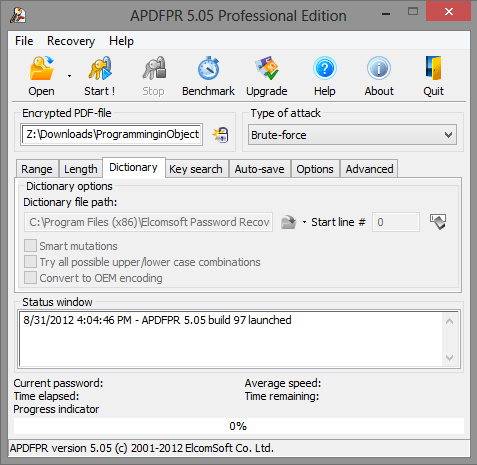
PDF cracking refers to the process of bypassing a password-protected PDF file’s encryption. This can be done using specialized software or online services that attempt to guess the correct password by trying out all possible combinations. The goal is to obtain the original, unencrypted PDF file without needing the password.
Why Do Pdf Files Get Password Protected?
PDF files often get password protected for security reasons. You might have created a confidential document and wanted to share it with someone while keeping its contents hidden from others. Password protection ensures that only authorized individuals can access the file’s content.
Methods to Crack a Pdf File With Password
Now, let’s dive into the various methods to crack a PDF file with password:
1. Using Pdfcrack
PDFCrack is a free, open-source program available for Windows, macOS, and Linux. It uses brute-force attacks to try out all possible combinations of characters until it finds the correct password.
How to Use Pdfcrack on Windows:
- Download PDFCrack from the official website.
- Extract the contents into a folder.
- Open the Command Prompt and navigate to the folder containing PDFCrack.
- Type
pdfcrack -u "rows.Pdf"(replacerows.Pdfwith your file’s name). - Wait for PDFCrack to attempt all possible combinations.
How to Use Pdfcrack on Macos:
- Download PDFCrack from SourceForge.
- Extract the contents into a folder.
- Open the Terminal and navigate to the folder containing PDFCrack.
- Type
cd [Folder PDFCrack](replace[Folder PDFCrack]with your folder’s path). - Type
make -f Makefile. - Wait for PDFCrack to attempt all possible combinations.
2. Using Ilovepdf
ILovePDF is an online service that offers various functions, including password removal from PDF files. You can use their free version to unblock one file per day, but be aware of the 80MB size limit.
How to Use Ilovepdf:
- Visit the iLovePDF website.
- Click on “Unblock PDF” and select your file.
- Wait for the file to be unlocked.
3. Using Qpdf
QPDF is a free, open-source software compatible with Windows, macOS, and Linux. It uses command-line interface only and can be tricky to use.
How to Use Qpdf on Windows:
- Download QPDF from SourceForge.
- Extract the contents into a folder.
- Open the Command Prompt and navigate to the folder containing QPDF.
- Type
qpdf --decrypt input.Pdf output.Pdf(replaceinput.Pdfwith your file’s name).
How to Use Qpdf on Macos:
- Install Xcode and its related command-line tool using the Mac App Store.
- Install Homebrew using the following command:
/Usr/bin/ruby -e "$(/curl -fsSL https://Raw.Githubusercontent.Com/Homebrew/install/master/install)". - Type
brew install qpdfto install QPDF. - Open the Terminal and navigate to the folder containing QPDF.
- Type
qpdf --decrypt input.Pdf output.Pdf(replaceinput.Pdfwith your file’s name).
Important Note:
Before attempting to crack a PDF file, ensure you have the necessary permissions and authorization. Remember that unblocking a password-protected file can compromise sensitive information.
Conclusion:
Cracking a password-protected PDF file may seem daunting, but using specialized software or online services like PDFCrack, iLovePDF, or QPDF can make it manageable. Be aware of the potential risks involved and follow the necessary precautions to avoid any security breaches.
Frequently Asked Questions (FAQs):
- What is Pdf Cracking?
PDF cracking refers to the process of bypassing a password-protected PDF file’s encryption. - Why do Pdf Files Get Password Protected?
PDF files often get password protected for security reasons, such as keeping confidential information hidden from others. - Which Methods Can I Use to Crack a Pdf File With Password?
You can use PDFCrack, iLovePDF, or QPDF to crack a password-protected PDF file. - Is it Safe to Crack a Password-protected Pdf File?
No, cracking a password-protected PDF file can compromise sensitive information and may lead to security breaches.


