
How to Erase Your Whatsapp Account: A Step-by-step Guide
Are you tired of using WhatsApp and want to erase your account? Or perhaps you’re considering switching to another messaging service like Telegram? Whatever the reason, we’ve got you covered with this comprehensive guide on how to erase your WhatsApp account.
Why Erase Your Whatsapp Account?
Before we dive into the steps, let’s quickly discuss why you might want to erase your WhatsApp account. Maybe you’ve switched phones and don’t want to carry over old conversations. Perhaps you’re concerned about data privacy or security issues. Whatever your reason, erasing your account will delete all your chat history, media, and other associated data.
Pre-erasing Operations: Creating a Backup
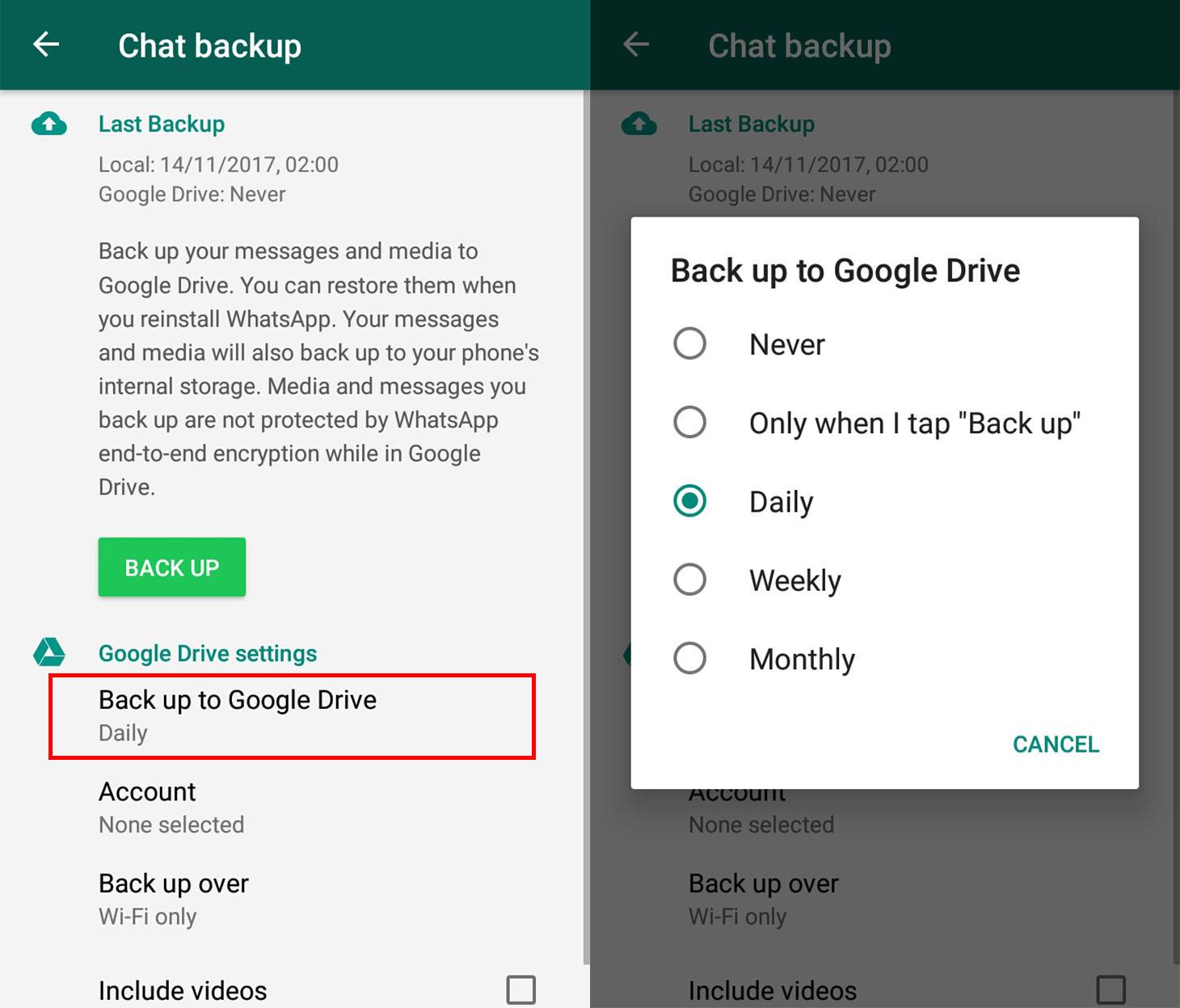
Before proceeding with the deletion process, it’s essential to create a backup of your WhatsApp chats. This way, you’ll have a copy of your conversations and can recover them if needed later. Here’s how:
- Open WhatsApp on your phone.
- Tap on three dots (⋯) and select “Settings.”
- Choose “Chats” and then “Backup chat.”
- Tap on the “Execute backup” button to initiate the backup process.
How to Erase Your Whatsapp Account
Now that you’ve backed up your chats, it’s time to delete your account:
- Open WhatsApp on your phone.
- Go to Settings (Android: ⋯ > Settings; iPhone: ⏪ > Settings).
- Tap on “Account.”
- Select “Delete account” from the menu.
What Happens When You Delete Your Account
When you delete your WhatsApp account, all associated data will be deleted, including:
- Chat history
- Media (photos and videos)
- Contact list
Note that if you’ve created a backup of your chats, you can recover them by reinstalling WhatsApp on the same phone number.
Disabling Whatsapp Instead of Deleting It
Maybe you’re not ready to delete your account but want to disable it temporarily. In this case, follow these steps:
- Go to Settings (Android: ⋯ > Settings; iPhone: ⏪ > Settings).
- Tap on “Account.”
- Select “Delete account” from the menu.
Erasing Whatsapp From Another Phone
If you’ve used WhatsApp on another phone and want to erase it, follow these steps:
- Create a backup of your chats on the original phone.
- Disregard the backup on Google Drive or iCloud.
- Delete the WhatsApp app from the second phone.
- Reinstall WhatsApp on the new phone using the same account.
Erasing a Cluster of Whatsapp Chats
If you have multiple clusters (groups) in WhatsApp, follow these steps to delete one:
- Open the chat cluster you want to erase.
- Tap on three dots (⋯) and select “Leave group” or “Abandon cluster.”
How to Erase an Administrator Account on Whatsapp
If you’re an administrator of a WhatsApp group and want to remove yourself from this role, follow these steps:
- Open the chat cluster where you’re an admin.
- Tap on three dots (⋯) and select “Info.”
- Tap on “Settings cluster” and then “Modification administrators.”
Conclusion
Erasing your WhatsApp account is a relatively simple process that involves backing up your chats, deleting the app, and confirming deletion. Remember to always create a backup of your data before proceeding with erasure or deletion. If you’re unsure about any part of this guide, feel free to ask in the comments below.
Frequently Asked Questions (FAQs)
- Q: Can I erase my WhatsApp account from another phone?
A: Yes, but only by reinstalling WhatsApp on the new phone using the same account. - Q: Will erasing my WhatsApp account delete all my chats and media?
A: Yes, all associated data will be deleted when you delete your account. - Q: Can I disable WhatsApp instead of deleting it?
A: Yes, follow the steps above to temporarily disable WhatsApp. - Q: How do I create a backup of my WhatsApp chats?
A: Follow the pre-erasing operations section above. - Q: Will erasing my account delete my contact list?
A: No, your contact list will remain unaffected. - Q: Can I recover deleted chats if I reinstall WhatsApp on the same phone number?
A: Yes, as long as you’ve created a backup of your chats beforehand. - Q: How do I remove myself from being an administrator on WhatsApp?
A: Follow the steps in the “How to Erase an Administrator Account” section above.
Stay informed and stay secure!


