
How to Boost Your Old Pc’s Performance: A Comprehensive Guide
Are you tired of your old PC slowing down, but hesitant to buy a new one? Well, you’re in luck! With some basic knowledge and a bit of tinkering, you can breathe new life into your trusty machine. In this article, we’ll explore the best ways to boost your old PC’s performance without breaking the bank.
Understanding Your Old PC
Before we dive into the nitty-gritty, it’s essential to understand what makes your old PC tick (or not). Most modern PCs have a hard disk drive (HDD) as their primary storage device. However, these days, solid-state drives (SSDs) are the norm. An SSD is like a super-quick HDD that boots up and loads programs in a fraction of the time.
Upgrading to an Ssd
If your old PC still has a mechanical hard disk drive, it’s likely time to consider upgrading to an SSD. This simple swap can make a significant difference in your PC’s performance. When choosing an SSD, look for one with a capacity that matches or exceeds your current hard drive’s storage.
Some top-rated SSDs include:
- Kingston A400 480GB SSD
- Samsung 870 EVO 1TB SSD
Adding More Ram
RAM (Random Access Memory) is like the short-term memory of your PC. The more RAM you have, the more programs and data your computer can handle without slowing down. As a general rule, aim for at least 16GB of DDR4 RAM or better.
Some top-rated RAM options include:
- Corsair Vengeance LPX 16GB (2x8GB) DDR4 3000MHz
- G.Skill F4-3200C16D-16GIS Aegis 16GB (2x8GB) DDR4 3200MHz
Upgrading Your Graphics Card
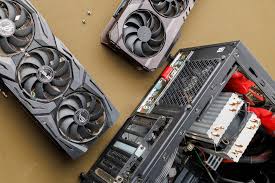
If you’re a gamer or video editor, your graphics card might be the bottleneck holding back your PC’s performance. Consider upgrading to a more powerful GPU that can handle demanding tasks.
Some top-rated graphics cards include:
- ASUS NVIDIA GeForce GT 710
- Gigabyte NVIDIA GeForce RTX 4060
Upgrading Your Processor
Your processor (CPU) is the brain of your computer, handling all calculations and data processing. While upgrading your CPU can be a complex process, it’s still an option if you’re comfortable with the risks.
Some top-rated CPUs include:
- AMD Ryzen 9 5900X
- Intel Core i9-11900K
Other Tips to Enhance Your Pc’s Performance
- Clean up Your Hard Drive: Delete unnecessary files and consider upgrading to a faster SSD.
- Disable Startup Programs: Some programs might be launching in the background, slowing down your PC.
- Keep Your Software Up-to-date: Ensure all programs and operating systems are running with the latest updates.
- Use a System Cleanup Tool: Tools like BleachBit or CleanMyMac X can help optimize your computer’s performance.
- Consider Adding an External Hard Drive: If you need more storage, consider adding an external HDD to free up space on your primary drive.
Conclusion
Boosting your old PC’s performance doesn’t have to break the bank. With a little knowledge and some basic upgrades, you can breathe new life into your trusty machine. Remember to always follow proper safety precautions when working with electrical components, and consider seeking professional help if you’re unsure about any of these steps.
Frequently Asked Questions (FAQs)
- What is The Best Way to Upgrade my Pc’s Performance?
- The best way to upgrade your PC’s performance is to start with a simple SSD swap or add more RAM.
- How do I Know if my Hard Drive Needs Upgrading?
- If your hard drive is mechanical and you’re experiencing slow loading times, it might be time to consider an SSD.
- Can I Still Use my Old PC With These Upgrades?
- Yes, most of the upgrades mentioned in this article can be done without requiring a complete system overhaul.
- Are There Any Risks Involved With Upgrading my Pc’s Components?
- As with any electronic upgrade, there is some risk involved. Be sure to follow proper safety precautions and seek professional help if needed.
References
- Kingston A400 480GB SSD
- Samsung 870 EVO 1TB SSD
- Corsair Vengeance LPX 16GB (2x8GB) DDR4 3000MHz
- G.Skill F4-3200C16D-16GIS Aegis 16GB (2x8GB) DDR4 3200MHz
- ASUS NVIDIA GeForce GT 710
- Gigabyte NVIDIA GeForce RTX 4060
- AMD Ryzen 9 5900X
- Intel Core i9-11900K
I hope this comprehensive guide has been helpful in boosting your old PC’s performance. Remember to always follow proper safety precautions and seek professional help if needed.


