
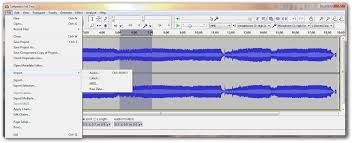
Unlocking The Power of Audacity: A Comprehensive Guide
Are you a music enthusiast, podcast creator, or audio engineer looking for an affordable and user-friendly way to edit your audio files? Look no further than Audacity! This free, open-source software has been a game-changer in the world of audio editing, offering a wide range of features that cater to both beginners and experts. In this article, we’ll delve into the world of Audacity, exploring its key features, benefits, and how to use it effectively.
What is Audacity?
Audacity is a free, open-source digital audio workstation (DAW) that allows users to record, edit, and mix audio files. With its user-friendly interface and extensive feature set, Audacity has become a popular choice among audio professionals and hobbyists alike. Developed by Dominic Mazzetti, Audacity was first released in 2000 and has since undergone numerous updates, making it one of the most reliable and efficient audio editing software available.
Key Features of Audacity
Audacity offers a plethora of features that make it an ideal choice for audio editing. Some of its key features include:
- Multi-track Recording: Audacity allows users to record multiple tracks simultaneously, making it perfect for podcasting, voiceovers, and music production.
- Editing Tools: With a range of editing tools at your disposal, you can trim, cut, copy, and paste audio files with ease.
- Effects And Plugins: Audacity comes with a variety of built-in effects, such as reverb, echo, and compression, which can be used to enhance the quality of your recordings.
- Support For Multiple Formats: Audacity supports various file formats, including WAV, MP3, OGG, and more, making it easy to import and export audio files.
Getting Started With Audacity
Before diving into the world of Audacity, ensure that your computer meets the minimum system requirements. Here are the specifications you’ll need:
- Windows: Windows 10 or later, 2GB RAM (4GB recommended), and a 1GHz processor.
- Macos: MacOS High Sierra or later, 2GB RAM (4GB recommended), and a 2GHz processor.
- Linux: The latest version of GNU/Linux, 1GB RAM, and a 2GHz processor.
Step-by-step Guide to Downloading And Installing Audacity
To get started with Audacity, follow these simple steps:
- Visit the official Audacity website (www.Audacityteam.Org) and click on the download link.
- Select the correct version of Audacity for your operating system (Windows, macOS, or Linux).
- Once the download is complete, run the installer file and follow the prompts to install Audacity.
- After installation, launch Audacity and familiarize yourself with its interface.
How to Use Audacity For Recording
Recording audio in Audacity is a straightforward process:
- Choose your input device (e.G., Microphone) by clicking on the “Device” menu and selecting the correct option.
- Set the recording format and quality according to your preferences.
- Click on the “Record” button to start capturing audio.
Using Audacity For Editing
Audacity offers a range of editing tools that allow you to trim, cut, copy, and paste audio files with ease:
- Select the portion of audio you want to edit by clicking and dragging your mouse.
- Use the “Edit” menu to access various editing options, such as trimming, cutting, copying, and pasting.
Tips For Improving Your Audacity Experience
To get the most out of Audacity, keep these tips in mind:
- Experiment With Different Effects: Audacity offers a range of built-in effects that can enhance your recordings.
- Use The “Effects” Menu to Access Additional Plugins: You can download and install third-party plugins to expand Audacity’s capabilities.
- Join Online Communities For Support And Resources: Connect with other Audacity users to share tips, tricks, and best practices.
Conclusion
Audacity is an incredibly powerful tool for audio editing and production. With its user-friendly interface, extensive feature set, and compatibility with multiple operating systems, it’s no wonder why many professionals and hobbyists swear by this software. By following the steps outlined in this guide, you’ll be well on your way to unlocking Audacity’s full potential.
Frequently Asked Questions
Q: What is Audacity?
A: Audacity is a free, open-source digital audio workstation (DAW) that allows users to record, edit, and mix audio files.
Q: What Are The System Requirements For Audacity?
A: The minimum system requirements for Audacity include Windows 10 or later, macOS High Sierra or later, or the latest version of GNU/Linux, along with 2GB RAM (4GB recommended) and a 1GHz processor.
Q: How do I Download And Install Audacity?
A: Visit the official Audacity website, select the correct version for your operating system, run the installer file, and follow the prompts to install Audacity.
Q: What Are Some Tips For Improving my Audacity Experience?
A: Experiment with different effects, use the “Effects” menu to access additional plugins, and join online communities for support and resources.


