
The Ultimate Guide to Using Avast Antivirus: A Comprehensive Review
As a leading antivirus software, Avast has been a popular choice among computer users worldwide. With its user-friendly interface and robust features, it’s no wonder why millions of people trust Avast to protect their devices from malware and other online threats. In this article, we’ll delve into the world of Avast antivirus, exploring its various features, how to use it on different platforms, and what sets it apart from other security software.
What is Avast Antivirus?
Avast antivirus is a powerful software that scans your device for malware, viruses, and other online threats. It’s designed to protect your computer, phone, or tablet from malicious attacks, ensuring your personal data remains safe and secure. With its advanced scanning technology, Avast detects and removes even the most sophisticated threats, keeping you protected from cyber-attacks.
Using Avast on Windows
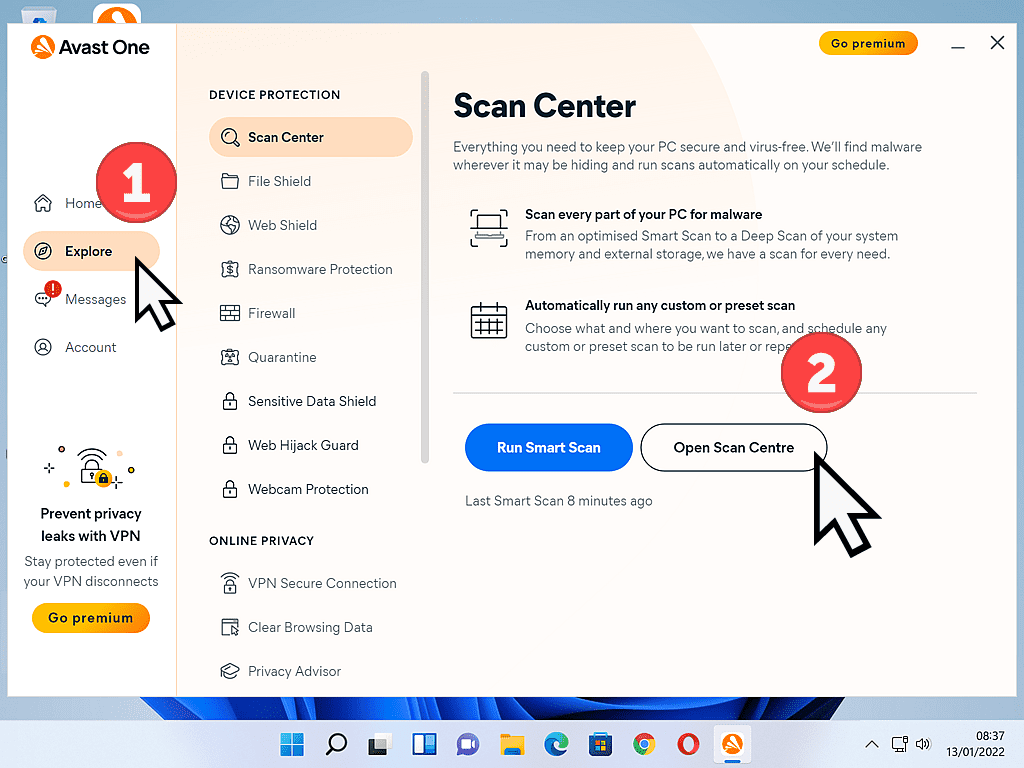
To use Avast antivirus on your Windows device, follow these simple steps:
- Download And Install: Visit the official Avast website and click on the “Download” button to install the software.
- Launch Avast: Once installed, launch the Avast software by clicking on its icon in the system tray or searching for it in the Start menu.
- Scanning: Click on the “Scan” button to initiate a full scan of your device. This may take some time, depending on the size of your hard drive and the complexity of the scan.
Using Avast on Mac
To use Avast antivirus on your Mac, follow these steps:
- Download And Install: Visit the official Avast website and click on the “Download” button to install the software.
- Launch Avast: Once installed, launch the Avast software by clicking on its icon in the Dock or searching for it in Spotlight.
- Scanning: Click on the “Scan” button to initiate a full scan of your device.
Using Avast on Android
To use Avast antivirus on your Android device, follow these steps:
- Download And Install: Visit the Google Play Store and search for Avast Free Antivirus. Download and install the software.
- Launch Avast: Once installed, launch the Avast software by clicking on its icon on your home screen or searching for it in your app drawer.
- Scanning: Click on the “Scan” button to initiate a full scan of your device.
Using Avast on Iphone And Ipad
To use Avast antivirus on your iPhone or iPad, follow these steps:
- Download And Install: Visit the App Store and search for Avast Free Antivirus. Download and install the software.
- Launch Avast: Once installed, launch the Avast software by clicking on its icon on your home screen or searching for it in your app drawer.
- Scanning: Click on the “Scan” button to initiate a full scan of your device.
Key Features of Avast Antivirus
Avast antivirus offers a range of features that make it one of the most effective security software available. Some of its key features include:
- Real-time Protection: Avast scans your device in real-time, detecting and removing malware and other online threats as they occur.
- Scanning: Avast’s advanced scanning technology detects even the most sophisticated threats, keeping you protected from cyber-attacks.
- Firewall: Avast’s firewall feature blocks malicious activity, preventing hackers from accessing your device or data.
- Password Protection: Avast’s password protection feature secures your passwords and sensitive data, ensuring they remain safe and secure.
Conclusion
Avast antivirus is a powerful software that provides robust protection against online threats. With its user-friendly interface and advanced features, it’s no wonder why millions of people trust Avast to protect their devices. Whether you’re using Avast on Windows, Mac, Android, or iPhone, following the simple steps outlined in this article will ensure your device remains safe and secure.
Frequently Asked Questions
- Q: What is Avast Antivirus?
A: Avast antivirus is a powerful software that scans your device for malware, viruses, and other online threats. - Q: How do I Use Avast on Windows?
A: To use Avast on Windows, download and install the software from the official Avast website, then launch it and click on the “Scan” button to initiate a full scan of your device. - Q: Can I Use Avast on Mac?
A: Yes, you can use Avast on Mac by downloading and installing the software from the official Avast website, then launching it and clicking on the “Scan” button to initiate a full scan of your device. - Q: How do I Use Avast on Android?
A: To use Avast on Android, download and install the software from the Google Play Store, then launch it and click on the “Scan” button to initiate a full scan of your device. - Q: Can I Use Avast on Iphone And Ipad?
A: Yes, you can use Avast on iPhone and iPad by downloading and installing the software from the App Store, then launching it and clicking on the “Scan” button to initiate a full scan of your device.


