
Avg Free: A Comprehensive Guide to Protection And Safety
Are you looking for a reliable antivirus solution that can protect your devices from various threats? Look no further than AVG Free, a robust and user-friendly security software developed by AVG Technologies. In this article, we will delve into the world of AVG Free, exploring its features, benefits, and installation procedures on Windows, Mac, Android, and iOS devices.
What is Avg Free?
AVG Free is a free antivirus solution designed to protect your devices from various types of threats, including viruses, malware, ransomware, and spyware. This software offers a range of features that cater to different needs, making it an ideal choice for individuals and businesses alike.
Features of Avg Free
The key features of AVG Free include:
- Real-time Protection: AVG Free provides real-time protection against threats, ensuring that your devices are always secure.
- Virus Scanning: The software performs regular virus scans, detecting and removing malware from your devices.
- Firewall Protection: AVG Free’s firewall feature protects your devices from unauthorized access and malicious attacks.
- Web And Email Protection: The software’s web and email protection features prevent you from accessing malicious websites and emails.
- Password Management: AVG Free offers a password manager that securely stores your login credentials.
Installing Avg Free on Windows
To install AVG Free on your Windows device, follow these steps:
- Visit the official AVG website and download the AVG Antivirus Free setup file.
- Run the downloaded file and follow the installation wizard to install the software.
- Wait for the installation process to complete, which may take a few minutes.
- Once installed, launch the AVG Free application and follow the on-screen instructions to activate it.
Installing Avg Free on Mac
To install AVG Free on your Mac device, follow these steps:
- Visit the official AVG website and download the AVG Antivirus Free dmg file.
- Open the downloaded file and double-click on the executable package to start the installation process.
- Follow the on-screen instructions to complete the installation.
- Once installed, launch the AVG Free application and follow the on-screen instructions to activate it.
Installing Avg Free on Android
To install AVG Free on your Android device, follow these steps:
- Visit the Google Play Store and download the AVG Antivirus Free app.
- Open the downloaded app and tap on the “Get started” button to initiate the installation process.
- Follow the on-screen instructions to complete the installation.
- Once installed, launch the AVG Free application and follow the on-screen instructions to activate it.
Installing Avg Free on Ios
To install AVG Free on your iOS device, follow these steps:
- Visit the App Store and download the AVG Antivirus Free app.
- Open the downloaded app and tap on the “Get” button to initiate the installation process.
- Follow the on-screen instructions to complete the installation.
- Once installed, launch the AVG Free application and follow the on-screen instructions to activate it.
Using Avg Free
Once installed, using AVG Free is relatively straightforward:
- Launch the AVG Free application and click on the “Scan now” button to perform a virus scan.
- Click on the “Settings” icon to access the software’s settings menu, where you can customize your protection preferences.
- Click on the “Protection” tab to view the status of your device’s protection.
Benefits of Avg Free
The benefits of using AVG Free include:
- Free Antivirus Solution: AVG Free is a free antivirus solution that offers robust protection against various threats.
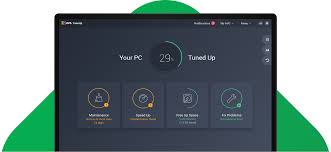
- User-friendly Interface: The software has an intuitive and user-friendly interface, making it easy to navigate and use.
- Real-time Protection: AVG Free provides real-time protection, ensuring that your devices are always secure.
Conclusion
AVG Free is a reliable and effective antivirus solution that offers a range of features to protect your devices from various threats. With its user-friendly interface and free pricing, AVG Free is an ideal choice for individuals and businesses alike. Whether you’re using Windows, Mac, Android, or iOS devices, AVG Free has got you covered.
Frequently Asked Questions (FAQs)
- Q: Is Avg Free a Reliable Antivirus Solution?
A: Yes, AVG Free is a reliable antivirus solution that offers robust protection against various threats. - Q: Does Avg Free Offer Real-time Protection?
A: Yes, AVG Free provides real-time protection, ensuring that your devices are always secure. - Q: Can I Install Avg Free on Multiple Devices?
A: Yes, you can install AVG Free on multiple devices, including Windows, Mac, Android, and iOS devices. - Q: Is Avg Free a Free Antivirus Solution?
A: Yes, AVG Free is a free antivirus solution that offers robust protection against various threats. - Q: Does Avg Free Offer Password Management Features?
A: Yes, AVG Free offers a password manager that securely stores your login credentials. - Q: Can I Customize my Protection Preferences in Avg Free?
A: Yes, you can customize your protection preferences in AVG Free by accessing the software’s settings menu. - Q: Does Avg Free Offer Firewall Protection Features?
A: Yes, AVG Free offers firewall protection features that protect your devices from unauthorized access and malicious attacks. - Q: Is Avg Free Compatible With Multiple Operating Systems?
A: Yes, AVG Free is compatible with multiple operating systems, including Windows, Mac, Android, and iOS devices.
Recommendation
AVG Free is an excellent choice for individuals and businesses seeking a reliable antivirus solution that offers robust protection against various threats. With its user-friendly interface and free pricing, AVG Free is an ideal choice for those looking to safeguard their devices from malware, viruses, and other online threats.


