
How to Use Facebook: A Comprehensive Guide
Are you tired of using social media platforms without knowing their full potential? Look no further! In this article, we will guide you through the basics of Facebook, one of the most popular social networking sites in the world.
Getting Started With Facebook
Before we dive into the features and functions of Facebook, let’s cover the basics. To get started, you need to create a profile on the platform. Don’t worry; it’s easy and free! You can sign up using your smartphone or computer by downloading the Facebook app or accessing the website directly.
Creating a Profile
To create a profile, follow these steps:
- Download the Facebook app or access the website
- Tap on “Create new account” and fill in the required information (name, surname, email address, password)
- Verify your account through SMS or email
- Add your date of birth and gender
- Choose a profile picture
Understanding Facebook’s Main Functions
Now that you have created a profile, let’s explore the main functions of Facebook.
Friend Requests And Posts
The first thing you’ll notice when using Facebook is the ability to send friend requests to people you know. You can search for friends by name or use the “Add Friends” feature to suggest friends based on your contacts list.
To post an update, tap on the “What’s on your mind?” box at the top of your newsfeed and write your thoughts. You can also add photos, videos, or links to make your post more engaging.
Commenting And Liking
When you see a post from someone else, you can comment or like it by tapping on the respective buttons below the post.
Creating Events
Facebook allows you to create events for various occasions such as birthdays, weddings, or business meetings. To do this, go to your timeline, tap on “Events,” and follow the prompts to create a new event.
Using Facebook Like a Pro
Now that we’ve covered the basics, let’s dive into some advanced features that will help you use Facebook like a pro!
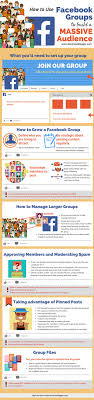
Facebook Groups
Facebook Groups are a great way to connect with people who share similar interests or work in the same industry. To join a group, search for it by name and request membership.
Facebook Live
Facebook Live is a feature that allows you to broadcast live video to your friends and followers. You can use this feature to share events, thoughts, or even host Q&A sessions.
Facebook Watch
Facebook Watch is a platform that allows you to watch videos directly from Facebook. You can search for videos by name, browse through recommended content, or follow specific creators.
Using Facebook For Business
If you’re looking to use Facebook for business purposes, there are several features and tools available to help you achieve your goals!
Facebook Business Manager
Facebook Business Manager is a tool that allows businesses to manage their advertising campaigns and track the performance of their ads. To access this feature, go to your Facebook page, tap on “Business,” and follow the prompts.
Facebook Ads
Facebook Ads is an advertising platform that allows businesses to create targeted ad campaigns. You can use this feature to reach specific audiences based on demographics, interests, or behaviors.
Using Facebook Dating
Are you tired of using dating apps like Tinder? Try Facebook Dating! This feature allows you to find potential matches based on your shared interests and activities.
How to Use Facebook Dating
To use Facebook Dating, follow these steps:
- Have a verified Facebook profile
- Access the Facebook app or website
- Tap on “Dating” at the bottom of the screen
- Follow the prompts to create a dating profile
Using Facebook Without an Account
If you don’t want to create a personal account but still want to use some features, Facebook allows you to access certain functions without signing up!
How to Use Facebook Without an Account
To use Facebook without an account, follow these steps:
- Access the Facebook website or app
- Tap on “Watch” at the top of the screen
- Browse through recommended videos or search for specific content
Conclusion
Using Facebook can be a rewarding experience when you know how to use its various features and functions. Whether you’re looking to connect with friends, find business opportunities, or simply pass the time, Facebook has something to offer.
Faqs:
- Q: How do I Create a Facebook Account?
A: To create a Facebook account, download the app or access the website, tap on “Create new account,” and fill in the required information. - Q: What Are Facebook Groups?
A: Facebook Groups are a feature that allows you to connect with people who share similar interests or work in the same industry. - Q: How do I Use Facebook Live?
A: To use Facebook Live, go to your timeline, tap on “Live,” and follow the prompts to broadcast live video. - Q: What is Facebook Watch?
A: Facebook Watch is a platform that allows you to watch videos directly from Facebook. - Q: How do I Use Facebook Business Manager?
A: To access Facebook Business Manager, go to your Facebook page, tap on “Business,” and follow the prompts. - Q: What Are Facebook Ads?
A: Facebook Ads is an advertising platform that allows businesses to create targeted ad campaigns. - Q: How do I Use Facebook Dating?
A: To use Facebook Dating, have a verified Facebook profile, access the app or website, and tap on “Dating” at the bottom of the screen. - Q: Can I Use Some Features Without Creating an Account?
A: Yes! You can access certain functions like watching videos or browsing through recommended content without signing up for a personal account.
We hope this comprehensive guide has helped you understand how to use Facebook to its full potential!


