
Unlocking The Power of Video Editing: A Comprehensive Guide to Powerdirector
Introduction
In today’s digital age, video editing has become an essential skill for both personal and professional use. With the rise of social media platforms, YouTube, and online content creation, the demand for high-quality videos has never been higher. One powerful tool that stands out in the world of video editing is PowerDirector. In this comprehensive guide, we will delve into the features, functionalities, and benefits of using PowerDirector for creating stunning videos.
Understanding Powerdirector
PowerDirector is a feature-rich video editing software developed by CyberLink. It is available for Windows PC, smartphones, and tablets, making it accessible to users across various platforms. With its user-friendly interface and robust set of tools, PowerDirector has become a popular choice among content creators, videographers, and filmmakers.
Key Features of Powerdirector
1. User-friendly Interface
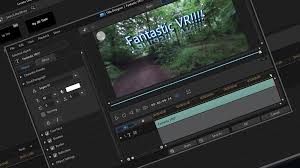
PowerDirector boasts an intuitive interface that makes it easy for users to navigate and edit their videos. The software’s drag-and-drop functionality allows you to add media files, transitions, effects, and more without needing extensive technical knowledge.
2. Advanced Editing Capabilities
With PowerDirector, you can perform advanced editing tasks such as chroma keying, color grading, and audio ducking. The software also supports multi-camera editing, making it ideal for filmmakers who need to synchronize multiple camera angles.
3. Ai-powered Video Creation
PowerDirector’s AI-powered video creation feature allows users to generate stunning videos with ease. Simply upload your footage, select a template, and let the AI do the rest. You can then customize the output to suit your needs.
4. 360-Degree Video Editing
PowerDirector supports 360-degree video editing, making it an ideal choice for VR content creators. The software’s advanced features enable you to edit and render 360-degree videos with ease.
Downloading Powerdirector
To get started with PowerDirector, download the software from its official website. There are various versions available, including a free trial version that allows you to test the software’s capabilities before committing to a purchase.
1. Downloading The Free Trial Version
The free trial version of PowerDirector is available for Windows PC and allows users to test the software’s features for 30 days. During this period, you can create videos with limited resolution and add effects, transitions, and other media files.
2. Upgrading to a Paid Version
Once you’ve familiarized yourself with PowerDirector’s features, you can upgrade to a paid version by purchasing a license or subscription. The software offers various pricing plans, including annual and monthly subscriptions.
Creating a New Blueprint With Powerdirector
To create a new blueprint with PowerDirector, follow these steps:
1. Launching The App
Launch PowerDirector on your device and sign in to your account.
2. Choosing The Project Settings
Select the project settings by choosing the resolution, aspect ratio, and other parameters.
3. Adding Media Files
Add media files such as videos, photos, audio clips, and more to your project using the drag-and-drop functionality.
4. Editing Your Video
Use PowerDirector’s advanced editing tools to trim, split, merge, and color grade your video.
Using Powerdirector on Smartphone And Tablet
PowerDirector is available for smartphones and tablets, making it easy to create videos on-the-go. The app offers a user-friendly interface and robust set of features that make it ideal for content creators and videographers.
1. Downloading The App
Download the PowerDirector app from your device’s app store.
2. Launching The App
Launch the app and sign in to your account.
3. Creating a New Project
Select the project settings by choosing the resolution, aspect ratio, and other parameters.
Actuating Powerdirector Premium
PowerDirector Premium offers advanced features such as AI-powered video creation, 360-degree video editing, and more. To activate PowerDirector Premium:
1. Purchasing a Subscription
Purchase a subscription to PowerDirector Premium using your device’s app store or the official website.
2. Activating The Subscription
Activate the subscription by signing in to your account and following the on-screen instructions.
Creating a New Blueprint With Powerdirector
To create a new blueprint with PowerDirector, follow these steps:
1. Launching The App
Launch PowerDirector on your device and sign in to your account.
2. Choosing The Project Settings
Select the project settings by choosing the resolution, aspect ratio, and other parameters.
3. Adding Media Files
Add media files such as videos, photos, audio clips, and more to your project using the drag-and-drop functionality.
Conclusion
PowerDirector is a powerful video editing software that offers advanced features, AI-powered video creation, and robust editing capabilities. With its user-friendly interface and availability on multiple platforms, PowerDirector has become an essential tool for content creators, videographers, and filmmakers. By following this comprehensive guide, you can unlock the full potential of PowerDirector and create stunning videos like a pro.
Frequently Asked Questions
Q: What is PowerDirector?
A: PowerDirector is a feature-rich video editing software developed by CyberLink.
Q: Is PowerDirector available on multiple platforms?
A: Yes, PowerDirector is available for Windows PC, smartphones, and tablets.
Q: What are the key features of PowerDirector?
A: The key features of PowerDirector include user-friendly interface, advanced editing capabilities, AI-powered video creation, 360-degree video editing, and more.
Q: Can I create a new blueprint with PowerDirector?
A: Yes, you can create a new blueprint with PowerDirector by launching the app, choosing project settings, adding media files, and editing your video.
Q: How do I activate PowerDirector Premium?
A: To activate PowerDirector Premium, purchase a subscription using your device’s app store or the official website, and follow the on-screen instructions.
Q: Is PowerDirector available for free download?
A: Yes, PowerDirector offers a free trial version that allows you to test its features for 30 days.
Q: Can I export my video in various formats with PowerDirector?
A: Yes, PowerDirector allows you to export your video in various formats such as MP4, AVI, and more.
Q: Can I share my video on social media platforms with PowerDirector?
A: Yes, PowerDirector allows you to share your video on social media platforms such as Facebook, YouTube, and more.


