
How to Watch Movies on Ps4: A Step-by-step Guide
Are you a movie buff looking to explore the world of cinema on your PlayStation 4? Look no further! In this article, we’ll guide you through the various ways to watch movies on PS4, from streaming services to DVD/Blu-ray playback.
Table of Contents
- Watching Movies on Ps4 Using Usb
- Streaming Services on Ps4: Netflix, Amazon Prime Video, And More
- PS Store: Renting And Buying Movies
- Playing Blu-ray/dvd on Ps4
- Watching 4K Movies on Ps4
- Watching VR Movies on Ps4 With Playstation VR
- Troubleshooting Tips
1. Watching Movies on Ps4 Using Usb
To watch movies stored on a USB drive, follow these steps:
- Connect your USB drive to the PS4 console.
- Go to the “Video” section of the PS4 menu.
- Select the movie you want to play from the list.
- Press the X button to start playback.
2. Streaming Services on Ps4: Netflix, Amazon Prime Video, And More
The PS4 has a range of streaming services available, including:
- Netflix: A vast library of movies and TV shows available for streaming.
- Amazon Prime Video: Thousands of movies and TV shows, including exclusive content from Amazon Studios.
- Now TV: Access to Sky’s best programming, including movies and sports events.
- Disney+: A new streaming service offering a wide range of Disney, Pixar, Marvel, and Star Wars content.
To access these services, follow the steps below:
- Download and install the respective apps from the PS Store.
- Launch the app and sign in to your account.
- Browse the library and select the movie or TV show you want to watch.
3. PS Store: Renting And Buying Movies
The PS Store offers a range of movies for rent or purchase, including:
- New Releases: The latest movies available for rent or buy.
- Classic Films: A selection of older movies available for rent or buy.
- Exclusive Content: Original movies and TV shows produced exclusively for the PS4.
To rent or buy a movie from the PS Store:
- Launch the PS Store app on your PS4.
- Browse the movie library and select the title you want to watch.
- Choose the rental or purchase option, depending on your preference.
4. Playing Blu-ray/dvd on Ps4
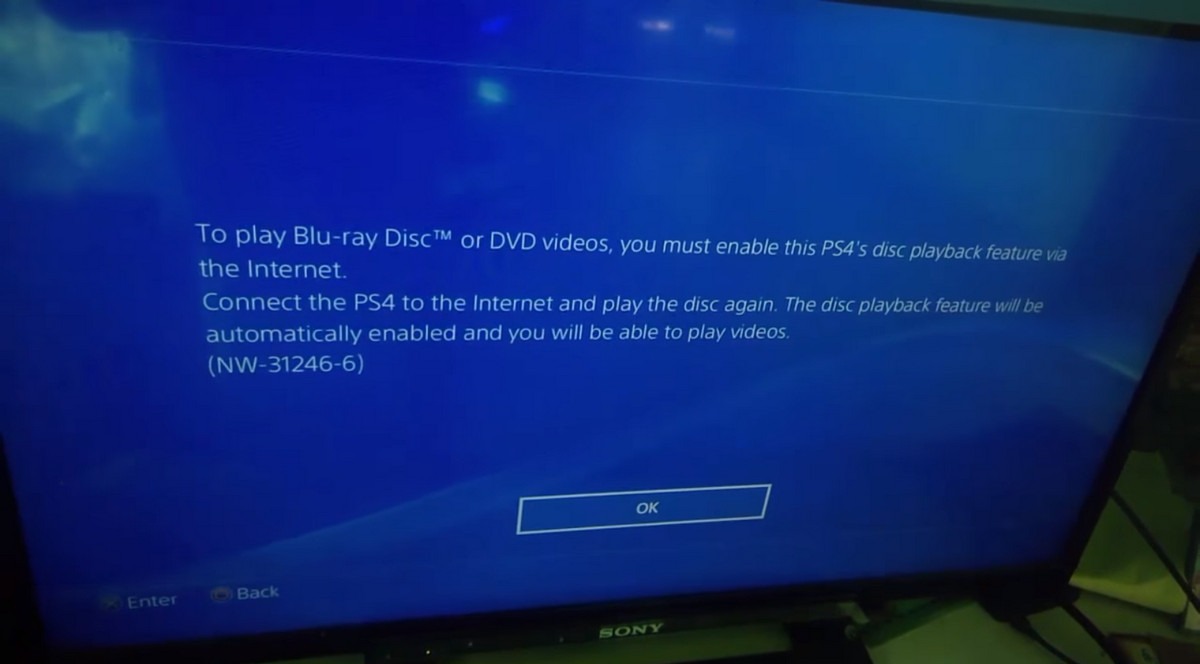
The PS4 can play Blu-ray discs and DVDs using the built-in Blu-ray drive. To play a Blu-ray or DVD:
- Insert the disc into the Blu-ray drive.
- Go to the “Video” section of the PS4 menu.
- Select the movie you want to play from the list.
5. Watching 4K Movies on Ps4
The PS4 Pro can play 4K movies, but only through certain streaming services or by using a USB drive with 4K content. To watch 4K movies on your PS4:
- Check that your PS4 is connected to the internet.
- Ensure you have a 4K-capable TV and HDMI cable.
- Launch the relevant app (e.G., Netflix, Amazon Prime Video) or insert a 4K-enabled USB drive.
6. Watching VR Movies on Ps4 With Playstation VR
The PSVR headset allows you to experience immersive VR movies directly on your PS4. To watch a VR movie:
- Ensure you have a PSVR headset and controller.
- Launch the Littlstar VR Cinema app or another compatible VR app.
- Select the movie you want to play from the library.
7. Troubleshooting Tips
If you’re experiencing issues while watching movies on your PS4, try these troubleshooting tips:
- Restart your console.
- Check that your internet connection is stable.
- Ensure that the movie file is in a compatible format (e.G., MP4, MKV).
- Update your PS4 software to the latest version.
Conclusion
Watching movies on PS4 has never been easier! With this guide, you should be able to explore all the various ways to enjoy cinema on your console. From streaming services to DVD/Blu-ray playback, we’ve covered it all. If you have any further questions or issues, don’t hesitate to reach out.
Frequently Asked Questions
Q: Can I watch 4K movies on my PS4?
A: Yes, but only through certain streaming services or using a 4K-enabled USB drive.
Q: How do I access the PS Store from my PS4?
A: Launch the PS Store app and sign in to your account to browse and purchase movies.
Q: Can I watch VR movies on my PS4?
A: Yes, with the Littlstar VR Cinema app or other compatible VR apps.
Q: What is the best streaming service for movies on PS4?
A: It depends on personal preference; Netflix, Amazon Prime Video, and Disney+ are popular options.
Q: Can I play Blu-ray discs on my PS4?
A: Yes, using the built-in Blu-ray drive.
Q: How do I troubleshoot issues while watching movies on my PS4?
A: Restart your console, check internet connectivity, ensure compatible file formats, and update software to the latest version.


