
How to Watch Netflix Offline: A Step-by-step Guide
Are you tired of having to rely on a stable internet connection to watch your favorite shows and movies on Netflix? Do you want to be able to enjoy Netflix content offline, without worrying about buffering or slow loading times? Look no further! In this article, we’ll show you how to watch Netflix offline, using our step-by-step guide.
What You Need to Know Before Getting Started
Before we dive into the nitty-gritty of watching Netflix offline, there are a few things you need to know. Firstly, not all Netflix content is available for download, so make sure you check which titles are available in your region before proceeding. Secondly, you’ll need to have a stable internet connection to download content initially.
Devices Compatible With Offline Viewing
Not all devices are compatible with offline viewing on Netflix. However, if you have an Android device running 4.4.2 Or later, or an iOS device running 9 or later, you should be good to go. Additionally, some tablets and smartphones may also support offline viewing.
How to Watch Netflix Offline on Smartphones And Tablets
Watching Netflix offline on your smartphone or tablet is a straightforward process. Here’s how to do it:
- Download The Netflix App: First, make sure you have the latest version of the Netflix app installed on your device.
- Log In to Your Account: Next, log in to your Netflix account using your email and password.
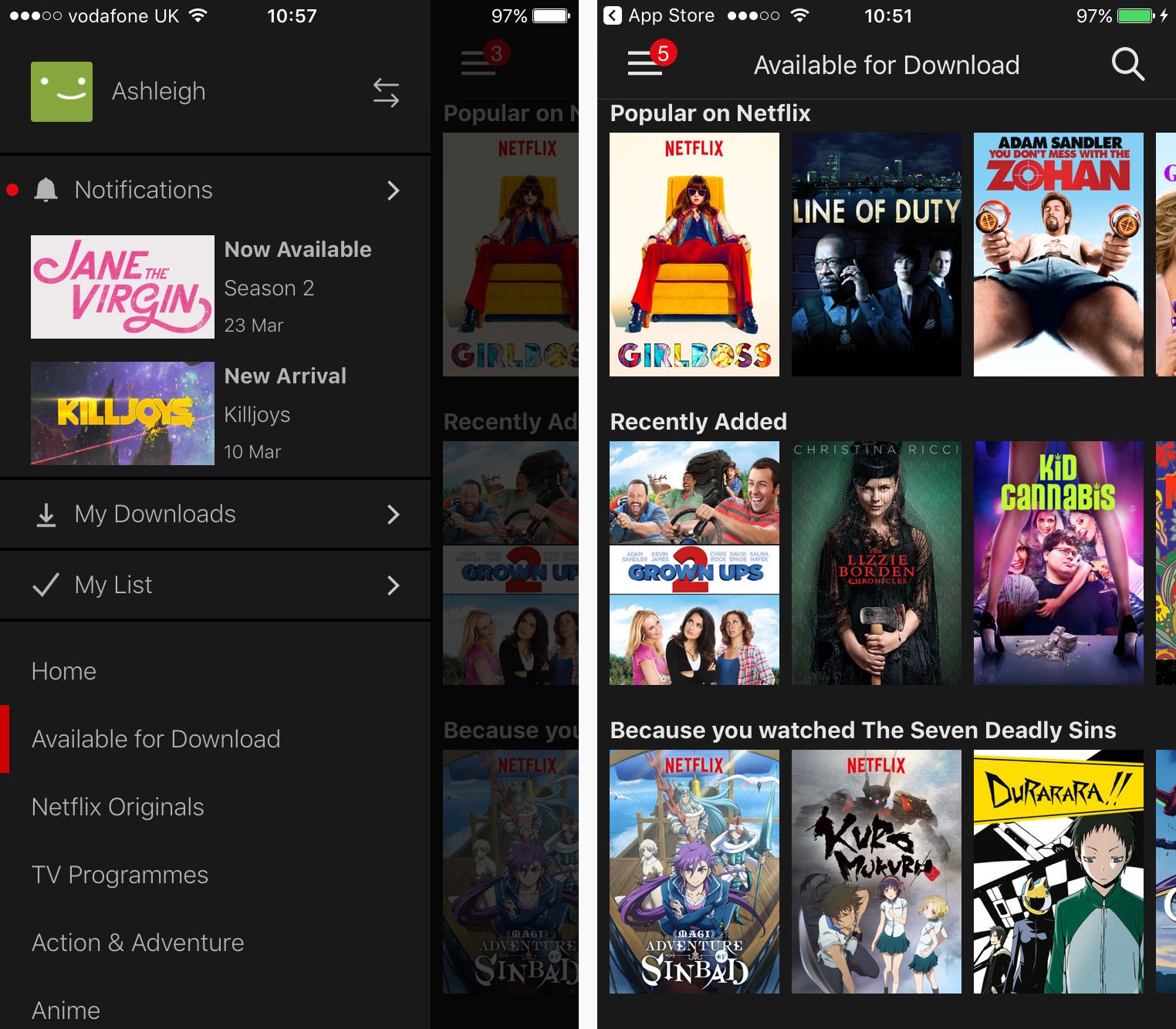
- Access The Download Section: Once logged in, tap on the “Downloads” icon at the bottom of the screen to access the download section.
- Choose a Title: Browse through the available titles and choose one that you want to download.
- Start The Download: Tap on the “Download” button to start the download process.
How to Watch Netflix Offline on PC
Unfortunately, it’s not possible to watch Netflix offline directly on your PC using the browser or desktop app. However, there are other ways to access Netflix content on your PC:
- Use a Streaming Device: You can use a streaming device like Roku, Chromecast, or Amazon Fire TV to stream Netflix content from your PC.
- Cast From Your Mobile Device: Alternatively, you can cast Netflix content from your mobile device to your PC using the Google Chromecast or Apple AirPlay.
How to Watch Netflix Offline on Mac
Sadly, it’s not possible to watch Netflix offline directly on a Mac. The Netflix app is not available for download on Macs, and streaming content from the browser is not supported.
Tips And Tricks
Here are some additional tips and tricks to keep in mind when watching Netflix offline:
- Use a Stable Internet Connection: Make sure you have a stable internet connection to download content initially.
- Choose High-quality Content: If you’re planning to watch content offline, it’s best to choose titles with high-quality video and audio.
- Check Your Storage Space: Ensure you have enough storage space on your device to store downloaded content.
Conclusion
Watching Netflix offline is a convenient way to enjoy your favorite shows and movies without worrying about buffering or slow loading times. By following our step-by-step guide, you should be able to watch Netflix offline on your smartphone or tablet with ease. Just remember to check which titles are available for download in your region and have a stable internet connection to download content initially.
Frequently Asked Questions
Here are some frequently asked questions about watching Netflix offline:
- Q: Is All Netflix Content Available For Download?
A: No, not all Netflix content is available for download. - Q: Do I Need a Stable Internet Connection to Watch Netflix Offline?
A: Yes, you’ll need a stable internet connection to download content initially. - Q: Which Devices Are Compatible With Offline Viewing on Netflix?
A: Android devices running 4.4.2 Or later and iOS devices running 9 or later are compatible with offline viewing. - Q: Can I Watch Netflix Offline Directly on my Pc?
A: No, it’s not possible to watch Netflix offline directly on your PC using the browser or desktop app. - Q: Is There a Limit on How Many Titles I Can Download at Once?
A: Yes, there is a limit on how many titles you can download at once, depending on your subscription plan.
Additional Resources
For more information about watching Netflix offline, be sure to check out the following resources:
- Netflix Support: Visit the Netflix support page for more information about offline viewing.
- How to Watch Netflix Offline: Check out this article from our blog for a step-by-step guide to watching Netflix offline.


