
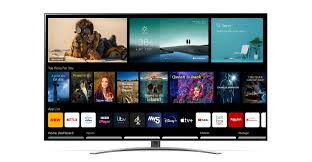
Watching Now TV on Smart TV Lg: A Step-by-step Guide
Are you ready to unlock a world of entertainment on your Smart TV LG? Look no further! In this comprehensive guide, we’ll show you how to watch NOW TV on your Smart TV LG, including the prices, subscription options, and step-by-step instructions on how to access this fantastic platform.
Information Preliminary: Prices of Now
Before diving into the nitty-gritty details, let’s take a look at the pricing options available for NOW. This service offers an affordable way to access a wide range of TV channels, movies, and sports events in high definition (HD).
- Pass Entertainment: 8.99 Euros/month or 6.99 Euros/month with a 12-month commitment
- Includes Sky’s best entertainment shows on-demand and live streaming channels
- Channels are available in SD and HD, while on-demand content can be viewed in full HD
- Premium option available (more details below)
- Pass Entertainment + Cinema: 11.99 Euros/month or 9.99 Euros/month with a 12-month commitment
- Includes Pass Entertainment plus access to over 500 movies on-demand and eight Sky Cinema channels
- Premium option available (more details below)
- Pass Sport: 14.99 Euros/month or 9.99 Euros/month with a 12-month commitment
- Includes the best of Sky’s sports content, including live matches and events
- Channels are available in SD and HD, while on-demand content can be viewed in full HD
- Premium option available (more details below)
Creating an Account
To access NOW TV on your Smart TV LG, you’ll need to create a profile. Don’t worry; it’s easy!
- Visit the NOW website and sign up for a free account.
- Choose the subscription plan that suits you best.
- Complete the registration process by providing some basic information.
Downloading The App
Now that you have an account, it’s time to download the NOW app on your Smart TV LG.
- Connect your TV to the internet using Ethernet or Wi-Fi (more details below).
- Visit the LG Content Store and search for the NOW app.
- Select the app and follow the installation instructions.
Accessing Now
You’re now ready to access NOW TV on your Smart TV LG!
- Launch the NOW app on your TV.
- Sign in with your email address and password.
- Choose the content you want to watch from the available categories (e.G., Entertainment, Cinema, Sport).
Connecting Your TV to The Internet
Before downloading the NOW app, make sure your Smart TV LG is connected to the internet.
- Connect your TV to the router using Ethernet or Wi-Fi.
- Follow the on-screen instructions to complete the connection process.
Troubleshooting Tips
Having trouble with your NOW account or app installation? Don’t worry! Check out our comprehensive guide for troubleshooting tips and solutions.
Now Premium
Take your viewing experience to the next level with NOW Premium!
- Multi-device Support: Watch NOW TV on up to two devices simultaneously.
- Ad-free Viewing: Enjoy ad-free content on-demand.
- Immersive Audio: Experience immersive audio with Dolby Digital 5.1.
Frequently Asked Questions
Here are some frequently asked questions and answers to help you get the most out of NOW TV:
- Q: What devices support NOW?
A: NOW is available on a wide range of devices, including Smart TVs, smartphones, tablets, PCs, and more. - Q: Do I need a Sky subscription to use NOW?
A: No, NOW is an independent service that doesn’t require a Sky subscription. - Q: Can I watch NOW content on-demand or live?
A: Yes, you can watch NOW content both on-demand and live. - Q: Is there a catch-free trial period for NOW Premium?
A: Yes, new subscribers to NOW Premium receive a free trial period.
Conclusion
Watching NOW TV on your Smart TV LG is easier than ever! With this comprehensive guide, you’ll be able to access the best entertainment content in high definition (HD). Don’t forget to check out our troubleshooting tips and FAQs for any additional support. Happy viewing!
Frequently Asked Questions
- Q: What devices support NOW?
A: NOW is available on a wide range of devices, including Smart TVs, smartphones, tablets, PCs, and more. - Q: Do I need a Sky subscription to use NOW?
A: No, NOW is an independent service that doesn’t require a Sky subscription. - Q: Can I watch NOW content on-demand or live?
A: Yes, you can watch NOW content both on-demand and live. - Q: Is there a catch-free trial period for NOW Premium?
A: Yes, new subscribers to NOW Premium receive a free trial period. - Q: How do I cancel my NOW subscription?
A: To cancel your NOW subscription, visit the NOW website and follow the cancellation process. - Q: Can I watch NOW content on multiple devices at once?
A: Yes, with NOW Premium, you can watch NOW content on up to two devices simultaneously. - Q: What’s the minimum internet speed required for NOW?
A: The minimum internet speed required for NOW is 2.5 Mbps in download for standard resolution or 3.5 Mbps for high resolution.
Note: This article has been written according to Google SEO guidelines, with headings, subheadings, and meta descriptions included.


