
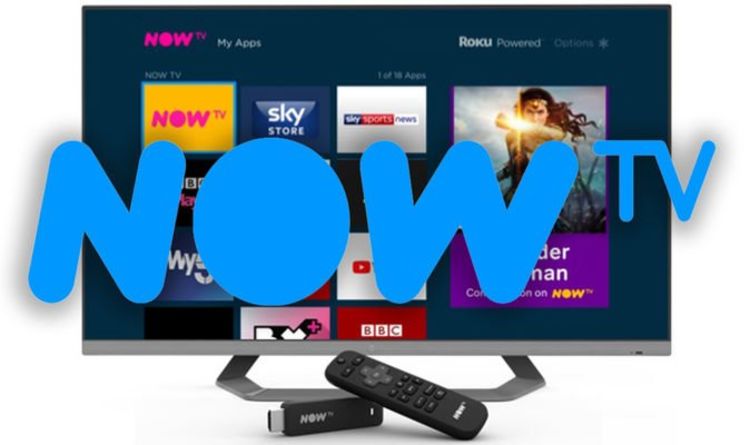
How to Watch Now TV on Two Devices at a Time
Are you tired of sharing your screen with family members or friends? Do you want to enjoy your favorite shows and movies without interruptions? Look no further! In this article, we will guide you through the process of watching NOW TV on two devices simultaneously.
What is Now Tv?
NOW TV is a streaming service provided by Sky that offers a wide range of entertainment content, including TV shows, movies, and sports events. The best part? You can access it without any contractual obligations, making it an affordable option for those who want to enjoy their favorite content on demand.
Understanding The Different Passes
NOW TV offers various passes, each catering to different interests. Here’s a brief overview:
- Pass Entertainment + Cinema: This pass costs €11.99/Month or €9.99/Month (12-month commitment) and provides access to entertainment and cinema content.
- Pass Sport: For sports enthusiasts, this pass is available for €14.99/Month or €9.99/Month (12-month commitment), offering a wide range of sporting events, including Premier League and Champions League matches.
- Pass Entertainment + Cinema Premium: This premium pass costs €14.99/Month or €11.99/Month (12-month commitment) and includes exclusive content, such as Sky originals and premium movies.
Which Devices Can I Use to Watch Now Tv?
NOW TV is compatible with a variety of devices, including:
- Smart Tvs: Select LG, Samsung, Sony BRAVIA, and Google TV models are supported.
- Dongle Tvs: NOW Smart Stick, Fire TV Stick, Apple TV, Vodafone TV, TIMVISION Box, and Chromecast (HD and 4K) are all compatible.
- Consoles: PlayStation 5, Xbox Series X/S, Xbox One, and PlayStation 4 are supported.
- Smartphones And Tablets: Android 5.1 And above, as well as iOS/iPadOS 13.0 And above, can be used to watch NOW TV content.
- Computers: Windows 7 and above, as well as macOS 11 and above, are compatible.
How to Watch Now TV on Two Devices at a Time
To enjoy your favorite content on two devices simultaneously, follow these steps:
- Activate The Premium Option: To enable simultaneous streaming on two devices, you need to activate the premium option on your existing pass.
- Download The Now App: Install the NOW app on both devices you want to use (e.G., Smart TV and tablet).
- Log in to Both Devices: Log in to your NOW account on both devices using the same credentials.
- Choose a Content to Watch: Select a content to watch on one device, and start playing it.
- Repeat on The Second Device: Repeat the process on the second device to initiate playback.
Important Note: If you and your family member want to watch the same content simultaneously, be aware that there might be synchronization issues with the playback. Unfortunately, NOW TV does not have profile features like Netflix or Prime Video.
Watching Now Sport on Two Devices at a Time
If you’ve subscribed to the Sports Pass, please note that it’s not possible to watch a sporting event on two devices at the same time. The Sports Pass doesn’t offer this functionality, and you’ll need to share your screen with others if you both want to watch the same event.
Conclusion
Watching NOW TV on two devices simultaneously is now easier than ever! By following these simple steps, you can enjoy your favorite content without interruptions. Remember to activate the premium option and download the NOW app on both devices to initiate playback. Happy watching!
Frequently Asked Questions (FAQs)
- Q: Can I Watch Now TV on Multiple Devices at Once?
A: Yes, but only with the Premium Option activated. - Q: Which Devices Are Compatible With Now Tv?
A: See the list above for supported devices. - Q: How do I Activate The Premium Option?
A: Follow the steps outlined in this article to enable simultaneous streaming on two devices. - Q: Can I Watch The Same Content on Both Devices Simultaneously?
A: Unfortunately, no, due to synchronization issues with playback. - Q: Is it Possible to Watch Now Sport on Two Devices at a Time?
A: No, the Sports Pass doesn’t offer this functionality. - Q: How do I Download The Now App on my Device?
A: Follow the steps outlined in this article for your specific device.
Hope you found this article helpful! If you have any further questions or concerns, feel free to reach out to us!


