
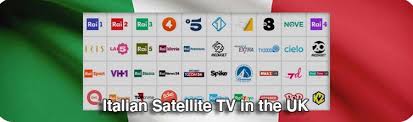
How to See Rai on Sky: A Step-by-step Guide
Are you a Sky subscriber looking to access Rai channels? Look no further! This guide will walk you through the process of seeing Rai on your Sky decoder or Sky Glass.
Why Can’t I See Rai on My Sky Decoder?
If you’re experiencing issues accessing Rai channels, it’s likely due to compatibility issues with your decoder. Older decoders may not be compatible with the new digital TV standard, which could be preventing you from viewing Rai channels.
What Are The Requirements For Viewing Rai Channels on Sky?
To view Rai channels on your Sky decoder or Sky Glass, you’ll need:
- A Sky Q decoder or a Sky Glass television
- A working internet connection
- The ability to connect your decoder or TV to digital terrestrial TV (DTT)
How to Connect Your Sky Decoder or TV to Dtt
If you haven’t already connected your Sky decoder or TV to DTT, follow these steps:
- Locate the antenna input on the back of your Sky Glass TV or the RF IN connector on the back of your Sky Q decoder.
- Insert the coaxial cable from your antenna into the input.
- Make sure the connectors are not deformed.
How to Synchronize Your Sky Decoder or TV With Dtt
To sync your Sky decoder or TV with DTT, follow these steps:
- Press the Home button on your telecomando Sky.
- Select Settings > Enquiry channels > Type channels on Channels in clear.
- Choose the option Create new list of the named menu Modality enquiry.
- Select Initiate enquiry and wait for the channels to load.
- Once the procedure is complete, press the Exit button on your telecomando.
How to Access Rai Play on Sky Q And Sky Glass
If you’re used to watching Rai programs on RaiPlay, don’t worry! You can still access the app on your Sky decoder or TV:
- Ensure your Sky decoder or TV is connected to the internet.
- Press the Home button on your telecomando.
- Select Settings > Configure > Net.
- If you’re using Wi-Fi, select Connect in Wi-Fi and enter your password.
- If you’re using a cable connection, select Connect with cable Ethernet and follow the prompts.
How to Use Raiplay on Sky Q And Sky Glass
Once you’ve connected your device to the internet, you can initiate the RaiPlay app:
- Press the Home button on your telecomando.
- Select My Q (if using a Sky Q decoder) or App > Input and digital terrestrial (if using a Sky Glass TV).
- Highlight the icon of RaiPlay and press OK.
Troubleshooting Tips
If you’re experiencing issues with accessing Rai channels or RaiPlay, try:
- Checking your internet connection
- Synchronizing your device with DTT again
- Using a different browser or app to access RaiPlay
Frequently Asked Questions (FAQs)
- Q: Can I still see Rai channels on my old Sky decoder?
A: Unfortunately not. You’ll need to upgrade to a new Sky Q decoder or use a compatible TV. - Q: Do I need to subscribe to RaiPlay separately?
A: No, the app is included in your Sky subscription. - Q: Can I access RaiPlay using voice commands on Sky Glass?
A: Yes! Use the command “ciao Sky, open RaiPlay” or simply say “open RaiPlay”. - Q: What are the system requirements for running RaiPlay on Sky Q and Sky Glass?
A: Ensure your device meets the minimum requirements specified by Rai.
Conclusion
Accessing Rai channels on your Sky decoder or TV is easier than you think! By following these steps, you’ll be able to enjoy your favorite Rai programs in no time. If you’re still experiencing issues, don’t hesitate to contact us for further assistance.
Frequently Asked Questions (FAQs)
- Q: Can I see Rai channels on Sky without a decoder?
A: Yes! You can access Rai channels directly on your TV using the Sky Glass or by purchasing a separate digital terrestrial TV. - Q: Do I need to have a subscription to watch RaiPlay?
A: No, the app is included in your Sky subscription, but you’ll still need to maintain an active internet connection. - Q: Can I access Rai channels on other devices, such as smartphones or tablets?
A: Yes! You can download the RaiPlay app and enjoy their content on a variety of devices. - Q: What are the benefits of using Sky Glass for accessing Rai channels?
A: Sky Glass offers seamless integration with your TV, voice control capabilities, and easy access to multiple apps, including RaiPlay.
Bonus Tips
- Make sure you’re running the latest software update on your Sky decoder or TV.
- Clear any cache or temporary files that may be causing issues with accessing Rai channels.
- If you’re experiencing persistent problems, try resetting your device to its factory settings and starting again from scratch.


