
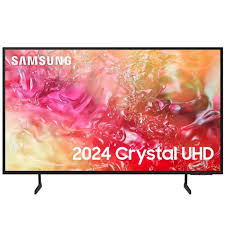
How to See Rai Replay on Smart TV
Are you tired of missing your favorite Rai programs? Do you wish you could rewatch them at a later time? Look no further! In this article, we will guide you through the steps to see Rai replay on your smart TV.
Why Can’t I See Rai Replay on My Smart Tv?
Before we dive into the solution, let’s talk about why you might not be able to see Rai replay on your smart TV. The main reason is that Rai Play, the official app for watching Rai content, may not be available on your device or may require a separate registration.
What Is Rai Play?
Rai Play is an online service that allows you to watch Rai programs on demand. It’s available on various devices, including smart TVs, smartphones, and tablets. With Rai Play, you can rewatch your favorite shows, discover new ones, and enjoy exclusive content from Rai.
How Do I See Rai Replay on My Smart Tv?
Now that we’ve covered the basics, let’s get to the steps!
Step 1: Download And Install Rai Play
To start, you’ll need to download and install the Rai Play app on your smart TV. The process varies depending on your device, so we’ll cover each option below:
Philips Smart Tv
- Connect your Philips smart TV to the internet by going to Settings ⚙ > All settings > Wireless and nets > Road cable or Wi-Fi > Connect to net.
- Choose the voice Wireless, select the network you want to connect to, and enter the password using the keyboard on the monitor.
- Once connected, go to the Play Store and search for Rai Play. Download and install the app.
Samsung Smart Tv
- Go to Settings > General menus > Net > Open settings of net > Wireless > Connect to net.
- Select the network you want to connect to and enter the password using the keyboard on the monitor.
- Once connected, go to the Samsung Hub and select the Rai Play icon. Download and install the app.
LG Smart Tv
- Go to Settings ⚙ or Menu > All settings of the menu in overprint that comes up on the right side of the window > Net > Connection Wi-Fi/Wi-Fi.
- Select the network you want to connect to, enter the password using the keyboard on the monitor, and confirm the connection.
- Once connected, go to the LG Content Store and search for Rai Play. Download and install the app.
Step 2: Register With Rai Play
To access Rai Play, you’ll need to register with the service. You can do this directly on your smart TV or using a computer or mobile device. Here’s how:
Using a Computer
- Go to the Rai Play website and click on the ☰ icon in the top-right corner.
- Select Recorded and enter your login credentials (Facebook, Google, Twitter, or email).
- Accept the terms of use and complete the registration process.
Using a Mobile Device
- Open the Rai Play app on your smartphone or tablet and sign up using Facebook, Google, Twitter, or email.
- Enter your login credentials and follow the prompts to complete the registration process.
Step 3: Access Rai Replay on Your Smart Tv
Now that you’ve registered with Rai Play and downloaded the app on your smart TV, it’s time to access Rai replay! Follow these steps:
Philips Smart Tv
- Launch the Rai Play app and sign in using your login credentials.
- Select Recorded and browse through the available programs.
Samsung Smart Tv
- Launch the Rai Play app and sign in using your login credentials.
- Select Recorded and browse through the available programs.
LG Smart Tv
- Launch the Rai Play app and sign in using your login credentials.
- Select Recorded and browse through the available programs.
Alternative Options: Using Hbbtv or External Devices
If you’re unable to download the Rai Play app on your smart TV, don’t worry! You can still access Rai content using alternative methods:
Using Hbbtv
- Ensure that your TV is connected to the internet and that the HbbTV option is enabled.
- Go to an Rai channel (e.G., Rai 1) and press the blue button on your remote control.
- After a few seconds, the Rai Play app should appear.
Using External Devices (Chromecast, Fire TV Stick, Etc.)
- Connect your external device (e.G., Chromecast, Fire TV Stick) to your TV using HDMI.
- Download and install the Rai Play app on your device.
- Sign in with your login credentials and browse through the available programs.
Conclusion
In conclusion, seeing Rai replay on your smart TV is a straightforward process. By following these steps, you’ll be able to access your favorite Rai programs at any time. Remember to register with Rai Play using a computer or mobile device if necessary, and don’t hesitate to contact their support team for assistance.
Frequently Asked Questions (FAQs)
Q: What is Rai Play?
A: Rai Play is an online service that allows you to watch Rai programs on demand.
Q: Can I See Rai Replay on my Smart TV Without Downloading The App?
A: Yes, you can use HbbTV or external devices like Chromecast or Fire TV Stick to access Rai content.
Q: How do I Register With Rai Play?
A: You can register using a computer or mobile device by going to the Rai Play website and following the prompts.
Q: Can I Watch Rai Programs on my Tablet or Smartphone?
A: Yes, you can download and install the Rai Play app on your tablet or smartphone to access Rai content.
Q: What Devices Are Compatible With Rai Play?
A: Rai Play is available on various smart TVs (Philips, Samsung, LG), smartphones, tablets, and external devices like Chromecast and Fire TV Stick.


