
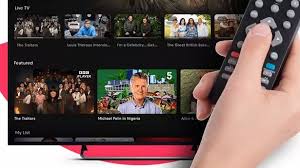
Watching TV on The Internet For Free: A Comprehensive Guide
Are you tired of missing your favorite TV shows because they’re not available online? Do you want to know how to watch TV on the internet for free without breaking any laws or compromising your security? Look no further! In this article, we’ll explore the various ways to watch TV on the internet for free, including official services, alternative solutions, and how to use Kodi and other IPTV software.
Understanding The Basics
Before we dive into the specifics, let’s cover some basic concepts. Watching TV on the internet is a complex issue that involves multiple parties, technologies, and laws. To avoid any confusion or legal issues, it’s essential to understand what you’re doing and why.
In this guide, we’ll focus on official services provided by TV channels themselves, as well as alternative solutions like Kodi and other IPTV software. We’ll also cover some popular TV channels that offer free streaming services.
Official Services: Raiplay And Mediaset Infinity
One of the most straightforward ways to watch TV on the internet for free is through official services offered by TV channels themselves. Two prominent examples are RaiPlay and Mediaset Infinity.
- Raiplay: This service, provided by Italy’s public broadcaster RAI, allows you to watch live TV channels in direct streaming, as well as access a vast library of on-demand content.
- You can access RaiPlay directly through their website or download the app for Android and iOS devices.
- Once logged in, select “Channels Direct” and choose your preferred channel. Be aware that some programs may be unavailable due to copyright restrictions.
Mediaset Infinity: This service, provided by Mediaset, allows you to watch live TV channels in direct streaming, as well as access a vast library of on-demand content.
* You can access Mediaset Infinity directly through their website or download the app for Android and iOS devices.
* Once logged in, select “Direct” and choose your preferred channel. Be aware that some programs may be unavailable due to copyright restrictions.
Alternative Solutions: Kodi And Other Iptv Software
For those who want more flexibility and control over their TV viewing experience, alternative solutions like Kodi and other IPTV software are available.
Kodi is a popular media player app that allows users to stream various types of content, including TV channels. It’s free, open-source, and can be installed on multiple devices.
Here’s how to get started with Kodi:
- Download Kodi: You can download Kodi from their official website or through the Microsoft Store.
- Configure Kodi: Once installed, configure Kodi by selecting “TV” in the top menu, then clicking “Add-on.” Choose an IPTV add-on (e.G., IPTV Simple Client) and install it.
- Add a Playlist: Select “Add configuration add-on,” then click on “URL Playlist M3U” and enter the URL of your desired playlist or import it from your local computer.
Other TV Channels: La7, Sky Tg24, Heaven, Pluto Tv, And Sportitalia
In addition to RaiPlay and Mediaset Infinity, there are several other TV channels that offer free streaming services:
- La7: This channel offers live TV channels in direct streaming, as well as a selection of on-demand content.
- You can access La7 directly through their website or download the app for Android and iOS devices.
Sky Tg24: This channel provides live news and current affairs programming, available to stream directly through their website or downloaded app for Android and iOS devices.
- Heaven: This channel offers a selection of TV shows, movies, and documentaries, available to stream directly through their website or download the app for Android and iOS devices.
- Pluto TV: This original platform provides a range of thematic channels, as well as on-demand content, all accessible for free without any recording requirements.
Sportitalia: This channel offers live sports programming, available to stream directly through their website or downloaded app for Android and iOS devices.


