
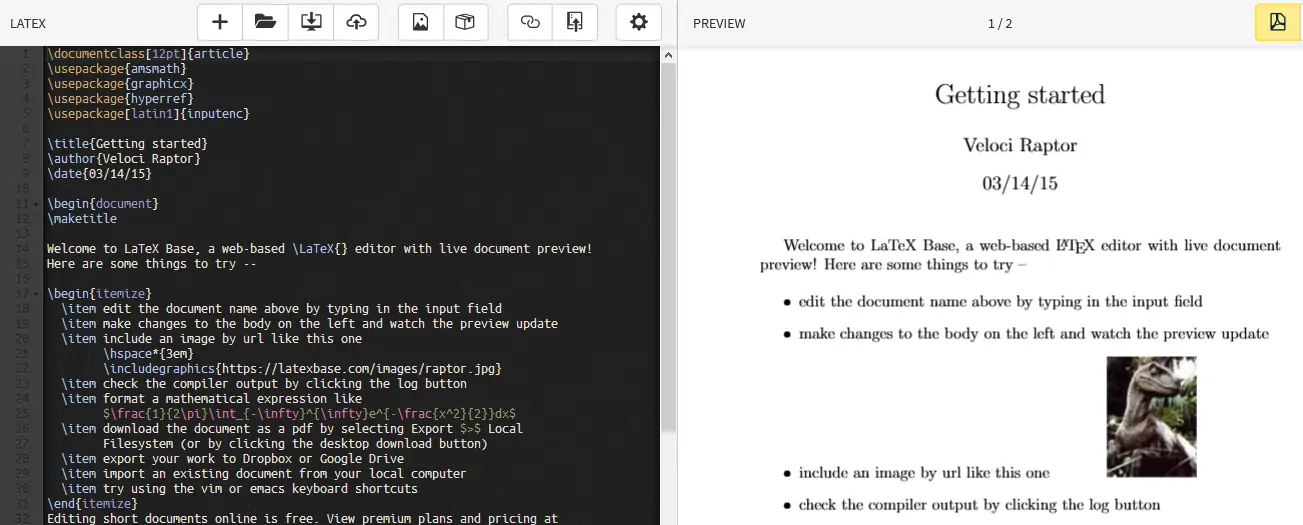
How to Type in Latex: A Beginner’s Guide
Are you a student or researcher who needs to write a thesis, report, or essay that includes mathematical formulas? Or perhaps you’re a professor who wants to create a document with precise formatting for your students? Look no further than LaTeX!
LaTeX is a markup language that allows you to type documents in a clear and ordered manner. It’s widely used in the scientific community for writing papers, articles, and books. But don’t worry if you’ve never heard of it before – this guide will show you how to get started with LaTeX.
What is Latex?
LaTeX is a document preparation system that uses markup tags to format text. Unlike traditional word processing programs like Microsoft Word, LaTeX doesn’t display the formatted text directly on your screen. Instead, it uses a set of rules and commands to create a typeset document.
Why Use Latex?
There are several reasons why you should use LaTeX for your writing needs:
- Precision: LaTeX allows you to control the formatting of your document with precision.
- Consistency: LaTeX ensures that your documents have a consistent look and feel, which is essential for scientific publications.
- Flexibility: LaTeX can handle complex mathematical formulas and equations with ease.
Basic Latex Commands
To get started with LaTeX, you’ll need to learn some basic commands. Here are a few to begin with:
- Document Class: To specify the type of document you’re writing, use the
\documentclasscommand followed by the name of your document (e.G.,Article,report, orbook). - Begin And End Commands: Use the
\begin{}and\end{}commands to delimit the content of your document. - Sectioning Commands: To create headings and subheadings, use the
\section,\subsection, and\subsubsectioncommands.
Typing in Latex
Now that you know some basic LaTeX commands, let’s talk about how to type in LaTeX. Here are a few tips:
- Use Markdown-style Formatting: You can use markdown-style formatting to create headings, bold text, italics, and more.
- Insert Mathematical Formulas: Use the
$symbol followed by your formula to insert mathematical equations into your document. - Create Tables And Figures: Use the
\begin{table}and\includegraphicscommands to add tables and figures to your document.
Latex Editors
LaTeX editors are specialized programs that allow you to edit LaTeX documents. Some popular LaTeX editors include:
- Texstudio: A feature-rich editor that includes syntax highlighting, code completion, and more.
- Lyx: A user-friendly editor that allows you to write LaTeX documents in a WYSIWYG (what-you-see-is-what-you-get) environment.
Latex on Smartphones And Tablets
Yes, you can even type in LaTeX on your smartphone or tablet! Some popular apps include:
- Verbtex: A feature-rich app that includes syntax highlighting, code completion, and more.
- Texpad: An intuitive app that allows you to write LaTeX documents directly on your iPad.
Typing in Latex on Microsoft Word
While it’s not possible to type directly in LaTeX within Microsoft Word, you can combine the two programs by using a LaTeX editor as a front-end. Here’s how:
- Install The Latex Plugin: Download and install the LaTeX plugin for Microsoft Word.
- Create a New Document: Create a new document using the LaTeX editor of your choice.
- Copy And Paste Into Word: Copy the content from your LaTeX editor and paste it into Microsoft Word.
Conclusion
LaTeX is a powerful markup language that allows you to write precise, consistent documents with ease. Whether you’re a student, researcher, or professor, LaTeX can help you create high-quality documents for your academic needs.


