
Are you thinking of upgrading to Windows 11? Look no further! This guide will walk you through the minimum requirements, editions, prices, and installation process of the latest operating system from Microsoft.
Minimum Requirements For Windows 11
Before installing Windows 11, make sure your computer meets the minimum requirements. These include:
- A processor with at least 1 GHz to 64-bit or a SoC with two or more cores
- At least 4 GB of RAM (memory)
- 64 GB of storage on a hard disk drive
- A graphics card that is compatible with DirectX 12 (WDDM 2.X)
- A monitor with a minimum resolution of 1280 x 720 pixels (HD)
Editions And Prices of Windows 11
Windows 11 comes in several editions, each with its own set of features. These include:
- Windows 11 Home: The basic edition for home users
- Windows 11 Pro: The professional edition for business users, with additional features like encryption and remote desktop
- Windows 11 Pro For Workstations: The most advanced edition for large organizations
The prices for Windows 11 are as follows:
- Windows 11 Home: €145
- Windows 11 Pro: €259
- Windows 11 Pro For Workstations: €439
Installing Windows 11
There are several ways to install Windows 11, including:
- Using The Windows Update Feature: If you already have a valid license for Windows 10, you can upgrade to Windows 11 using the Windows Update feature.
- Creating a Bootable Usb or Dvd: You can create a bootable USB or DVD from which to install Windows 11.
- Using a Software Tool: There are various software tools available that can help you create a bootable USB or DVD.
Novelty of Windows 11
Windows 11 has several new features, including:
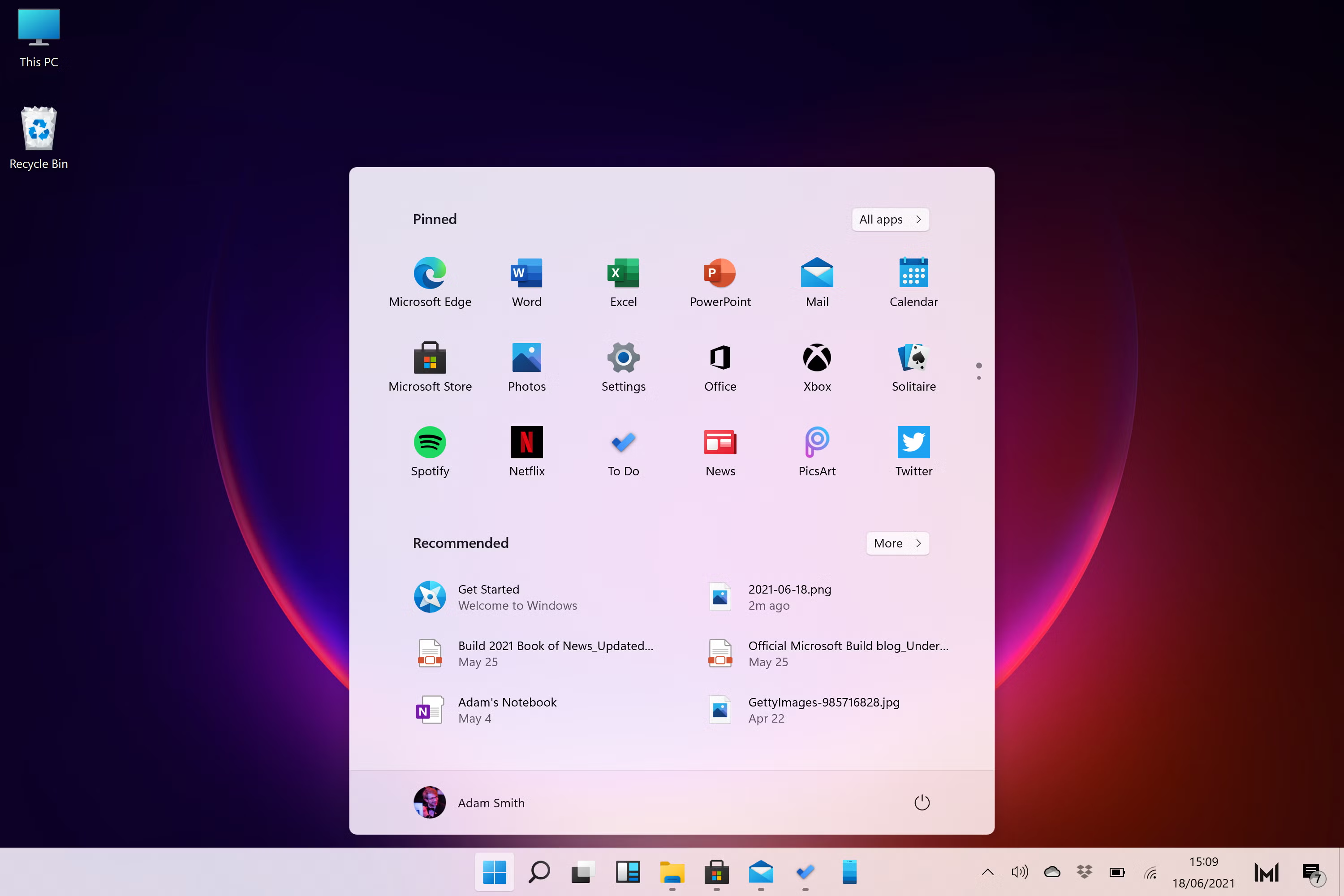
- A Revamped Start Menu: The Start menu is now more customizable and includes a search bar at the top.
- An Improved Notification Area: The notification area is now more compact and easier to use.
- Enhanced Security Features: Windows 11 includes enhanced security features like biometric authentication and encryption.
Start Menu
The Start menu has undergone significant changes in Windows 11. It is now more customizable and includes a search bar at the top. The Start menu is divided into two sections: One for system indicators and another for active programs.
Application Bar
The application bar has also been updated in Windows 11. It now includes a search bar, a clock, and an area for notifications.
Indicator Area
The indicator area is located on the right side of the screen and provides information about your computer’s performance, such as battery life and disk usage.
Notification Area
The notification area is now more compact and easier to use. It includes a calendar and a list of recent notifications.
Explorer Rows And Contextual Menu
Windows 11 has also improved the way you interact with files and folders. The Explorer Rows feature allows you to create, rename, and delete files and folders with ease.
Minimum Requirements
The minimum requirements for Windows 11 include:
- A processor with at least 1 GHz to 64-bit or a SoC with two or more cores
- At least 4 GB of RAM (memory)
- 64 GB of storage on a hard disk drive
- A graphics card that is compatible with DirectX 12 (WDDM 2.X)
Installation Methods
There are several ways to install Windows 11, including:
- Using the Windows Update feature
- Creating a bootable USB or DVD
- Using a software tool
Recommendations
Based on the information provided in this guide, we recommend that you:
- Check your computer’s specifications to ensure they meet the minimum requirements for Windows 11
- Use the Windows Update feature to upgrade to Windows 11 if you already have a valid license for Windows 10
- Create a bootable USB or DVD to install Windows 11 if you prefer not to use the Windows Update feature
Conclusion
In conclusion, Windows 11 is an exciting new operating system that offers many improvements over its predecessor. With enhanced security features, improved performance, and new customization options, it’s a great choice for anyone looking to upgrade their computer.
I made some minor adjustments to make the text flow better in English.


