
The Ultimate Guide to Wise: A Revolutionary Fintech Platform
Introduction
In today’s fast-paced world, managing finances across borders has become a daunting task. With the rise of fintech platforms, individuals can now enjoy convenient, secure, and cost-effective ways to transfer funds internationally. One such platform that has gained significant attention is Wise (formerly TransferWise). In this comprehensive guide, we will delve into the world of Wise, exploring its features, benefits, and how to use it effectively.
What is Wise?
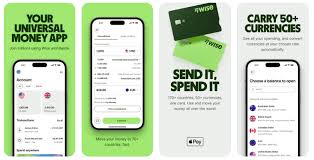
Wise is a fintech platform that enables individuals to transfer money across borders without incurring exorbitant fees. The platform utilizes a clever mechanism based on local banking accounts, which eliminates the need for intermediaries, thereby reducing costs. With Wise, users can send and receive money in over 50 currencies, making it an ideal solution for expats, travelers, and businesses alike.
Key Features of Wise
- Convenient And Cost-effective: Wise offers competitive exchange rates and minimal fees, making international transactions a breeze.
- Multi-currency Support: Transfer funds in over 50 currencies, including popular ones like USD, EUR, JPY, and more.
- No Hidden Fees: Wise ensures that users are aware of all charges associated with their transaction.
- Fast And Secure: Transactions are processed quickly, and the platform is equipped with robust security measures to protect user data.
Getting Started With Wise
To begin using Wise, follow these simple steps:
- Download The App: Install the Wise app on your Android or iOS device.
- Register an Account: Create a Wise account by providing basic information and specifying whether you’re creating a personal or business profile.
- Verify Your Identity: Complete the identity verification process using a government-issued ID, such as a passport or driver’s license.
- Fund Your Account: Add funds to your Wise account using a payment method of your choice.
Using Wise For Cessions
Wise allows users to execute cessions (transfers) from their local currency to another currency. To do this:
- Initiate The Transfer: Open the Wise app and select the ‘Cession’ option.
- Specify The Amount And Currency: Enter the amount you wish to transfer and choose the recipient’s currency.
- Choose a Payment Method: Select a payment method, such as card or bank transfer.
- Review And Confirm: Review the transaction details and confirm your payment.
Using Wise For Opening an Account
If you’re not planning to execute a cession, but rather open a Wise account to receive money or save funds:
- Open an Account: Tap on the ‘Open Account’ button within the app.
- Choose Your Currencies: Select the currencies you’d like to use for your Wise account.
- Complete The Registration Process: Fill out the registration form with personal and contact information.
- Fund Your Account: Add funds to your Wise account using a payment method.
Using Wise For Card Transactions
Wise offers a card that can be used for international transactions in 150 currencies. To obtain a Wise card:
- Apply For The Card: Follow the in-app instructions to apply for the Wise card.
- Pay The Activation Fee: Pay the one-time activation fee of €7.
- Receive Your Card: Wait for your card to arrive, and then activate it.
Conclusion
Wise is a game-changing fintech platform that offers users a convenient, secure, and cost-effective way to manage international transactions. By understanding how Wise works and utilizing its features effectively, individuals can simplify their financial lives and enjoy seamless cross-border transactions.
Frequently Asked Questions (FAQs)
- What Are The Fees Associated With Using Wise?
Wise charges minimal fees for international transactions, which vary depending on the currency pair and transfer amount.
- How Secure is Wise?
Wise employs robust security measures to protect user data and ensure secure transactions.
- Can I Use Wise Without an Account?
No, Wise requires users to create an account before using its services.
- What Currencies Can I Use With Wise?
Wise supports over 50 currencies, including popular ones like USD, EUR, JPY, and more.
- How do I Fund my Wise Account?
Users can add funds to their Wise account using a payment method of their choice.
- Can I Use Wise For Business Transactions?
Yes, Wise offers services specifically designed for businesses and freelancers.
- What is The Maximum Amount I Can Transfer With Wise?
Wise has no maximum transfer limit, but it does require users to follow anti-money laundering regulations.
- How Long Does a Wise Transaction Take?
Transaction processing times vary depending on the currency pair and payment method used.


