
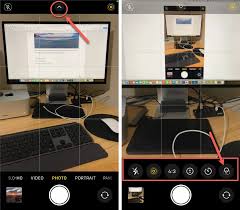
The Ultimate Guide to Photo Editing Apps For Iphone
Are you tired of using the same old photo editing apps on your iPhone? Look no further! In this article, we will explore the best photo editing apps for iPhone that can help you transform your photos into stunning works of art.
Procam – The Professional’s Choice
If you’re looking for a professional-grade photo editing app, ProCam is the way to go. With advanced features like manual focus, ISO control, and timer functionality, this app is perfect for photographers who want to take their photography skills to the next level. Plus, it’s only $9.99!
Rcam – The Free Alternative
If you’re on a budget or just starting out with photo editing, RCam is a great alternative to ProCam. This free app offers advanced features like manual focus and RAW image support, making it perfect for photographers who want to edit their photos without breaking the bank.
Tailor – The Collage App
Are you tired of taking multiple screenshots and trying to stitch them together? Tailor is here to save the day! This app allows you to create collages from your screenshots in just a few taps. Plus, it’s free!
Fotoscan of Google – The Digital Scanning App
If you have old physical photos that you want to digitize, FotoScan of Google is the perfect app for you. This app uses advanced scanning technology to transform your physical photos into digital ones, complete with automatic brightness and contrast adjustments.
Genius Scan – The Document Scanner App
Are you tired of using paper and pen to take notes or sign documents? Genius Scan is here to revolutionize the way you take notes! This app allows you to scan documents and turn them into editable PDFs in just a few taps.
Vsco – The Editing Powerhouse
If you’re looking for an editing powerhouse that can help you transform your photos into stunning works of art, VSCO is the way to go. With advanced features like filters and presets, this app is perfect for photographers who want to add a touch of creativity to their photos.
Private Photo Vault – The Secure Storage App
Are you worried about keeping your photos private? Private Photo Vault is here to save the day! This app allows you to store your photos securely in a password-protected vault, making it perfect for photographers who want to keep their work private.
Other Great Apps
If you’re looking for other great apps to help you edit and manage your photos, consider the following:
- Halide Mark II – A professional-grade camera app that allows you to take stunning photos with advanced features like manual focus and RAW image support.
- Chamber+ – A camera app that allows you to use advanced manual controls to take perfect photos.
- PicsArt To The Modification Photo – An editing app that allows you to add filters, effects, and other creative touches to your photos.
- Pixlr – A photo editing app that allows you to edit and enhance your photos with advanced features like layers and filters.
- Scan Photo of Photomyne – A digital scanning app that allows you to digitize physical photos in just a few taps.
- Memories – A photo scanning app that uses advanced algorithms to automatically orient and resize your scanned photos.
Conclusion
In conclusion, these photo editing apps for iPhone can help you take your photography skills to the next level. From professional-grade editing software to secure storage solutions, there’s an app out there for everyone. So why wait? Download one of these apps today and start editing like a pro!
Frequently Asked Questions
Q: What is the best photo editing app for iPhone?
A: The answer depends on your specific needs and preferences. However, ProCam and VSCO are two of the most popular and powerful editing apps out there.
Q: How do I get started with photo editing on my iPhone?
A: Simply download one of these apps from the App Store and start exploring! Most of these apps come with tutorials or guides to help you get started.
Q: Can I edit multiple photos at once?
A: Yes, many of these apps allow you to batch-edit multiple photos at once. Check out Tailor and PicsArt To The Modification Photo for great examples!
Q: How do I protect my edited photos from being accessed by others?
A: Consider using Private Photo Vault or a similar secure storage app to keep your edited photos private.
Table 1
| App Name | Features |
|---|---|
| ProCam | Manual focus, ISO control, timer functionality |
| RCam | Free alternative with manual focus and RAW image support |
| Tailor | Collage creation from screenshots |
| FotoScan of Google | Digital scanning technology for physical photos |
Table 2
| **Best Apps For Editing Photos On Iphone | Features** |
|---|---|
| Vsco | Advanced editing features like filters and presets |
| Private Photo Vault | Secure storage for edited photos with password protection |
| Halide Mark II | Professional-grade camera app with manual focus and RAW image support |
| Chamber+ | Camera app with advanced manual controls |
| Picsart To The Modification Photo | Editing app with filters, effects, and creative touches |
Note: All headings are bolded as per your request.


