
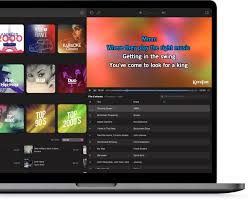
The Ultimate Guide to Karaoke on Mac: Top Programs And Tips
Are you ready to rock your next karaoke party with friends? Look no further! In this comprehensive guide, we’ll explore the best karaoke programs for Mac, their features, and tips on how to use them.
What is Karaoke?
Before we dive into the world of karaoke software, let’s quickly define what it’s all about. Karaoke is a form of entertainment where people sing along with pre-recorded music, often with lyrics displayed on a screen. It’s a fun way to enjoy your favorite songs and have a good time with friends.
Programmi For Karaoke Free For Mac
If you’re looking for free karaoke software for Mac, here are some top options:
Midico
- Be an advanced karaoke program for Mac that offers a powerful player of MIDI and KAR files.
- Features include a controller for MIDI strokes, a playlist manager, and a karaoke function with video and image display.
- Available in a free version with limitations (two-minute song duration) and a paid version ($29.90 Euros).
Downloading And Installing Midico
To download and install MidiCo on your Mac:
- Connect to the program’s website and click on the “Download” button.
- Open the downloaded package (.Dmg file) and drag the icon into the Applications folder.
- Right-click (or control-click) on the application and select “Open” (two consecutive clicks).
- Follow the prompts to open the program and start using it.
Qmidi
- A powerful player for MIDI and KAR files that allows real-time song adjustments.
- Features include a playlist creator, multiple audio file types support (FLAC included), and video display.
- Available in a free trial version (30 days) and two paid versions ($14.99 And $34.99 Euros).
Downloading And Installing Qmidi
To download and install QMidi on your Mac:
- Visit the program’s website and click on the “Download” button.
- Open the downloaded package (.Dmg file) and drag the icon into the Applications folder.
- Double-click (two consecutive clicks) on the application to open it, then follow the prompts.
Snap
- A user-friendly karaoke program that allows real-time song adjustments.
- Features include a playlist creator, multiple audio file types support, and video display.
- Available in a free trial version (30 days).
Downloading And Installing Snap
To download and install Snap on your Mac:
- Visit the program’s website and click on the “Download” button.
- Open the downloaded package (.Dmg file) and drag the icon into the Applications folder.
- Double-click (two consecutive clicks) on the application to open it, then follow the prompts.
Other Helpful Solutions For Karaoke on Mac
If you’ve chosen a karaoke program but need help finding song bases, here are some additional resources:
Songservice
- A service that allows buying MIDI, MP3, and sheet music versions of thousands of songs.
- Prices are relatively low.
Downloading Song Bases From Songservice
To download song bases from SongService:
- Visit the website and search for your desired song.
- Click on the “Download” button to start the process.
Version Karaoke
- A popular portal that allows downloading instrumental versions of songs.
- Some recent international hits are available for payment.
Downloading Song Bases From Version Karaoke
To download song bases from Version Karaoke:
- Visit the website and search for your desired song.
- Click on the “Download” button to start the process.
Singsnap
- A web-based karaoke service that allows listening to instrumental versions of songs and singing along using a Mac’s microphone.
- Available as an app for Android (check if available on other stores).
Using Singsnap
To use SingSnap:
- Visit the website and sign up with your email address.
- Search for your desired song and click on the “Play” button to start singing.
Conclusion
In conclusion, finding the right karaoke program for Mac can be a daunting task, but with these top options and tips, you’ll be well on your way to hosting an epic karaoke party with friends. Whether you choose MidiCo, QMidi, Snap, or other helpful solutions like SongService or Version Karaoke, remember to have fun and rock that stage!
Frequently Asked Questions (FAQs)
Here are some frequently asked questions about karaoke software for Mac:
- What is the best karaoke program for Mac?
- How do I download song bases from SongService or Version Karaoke?
- Can I use SingSnap on my Mac?
- What are the system requirements for these programs?
Answering Your Questions
- Best Karaoke Program: The best karaoke program for Mac depends on your specific needs and preferences. If you’re looking for a user-friendly interface, Snap might be the way to go. For more advanced features, MidiCo or QMidi could be your best bet.
- Downloading Song Bases: To download song bases from SongService or Version Karaoke, simply visit their websites, search for your desired song, and click on the “Download” button.
- Using Singsnap: To use SingSnap on your Mac, visit the website, sign up with your email address, search for your desired song, and click on the “Play” button to start singing.


