
Karaoke Software: A Guide to Singing Your Heart Out
Are you ready to belt out your favorite tunes and impress your friends? Karaoke is a fun way to enjoy music, and with the right software, you can sing like a pro from the comfort of your own home. In this article, we’ll explore the best karaoke software for Windows and macOS, as well as some useful alternatives.
What is Karaoke Software?
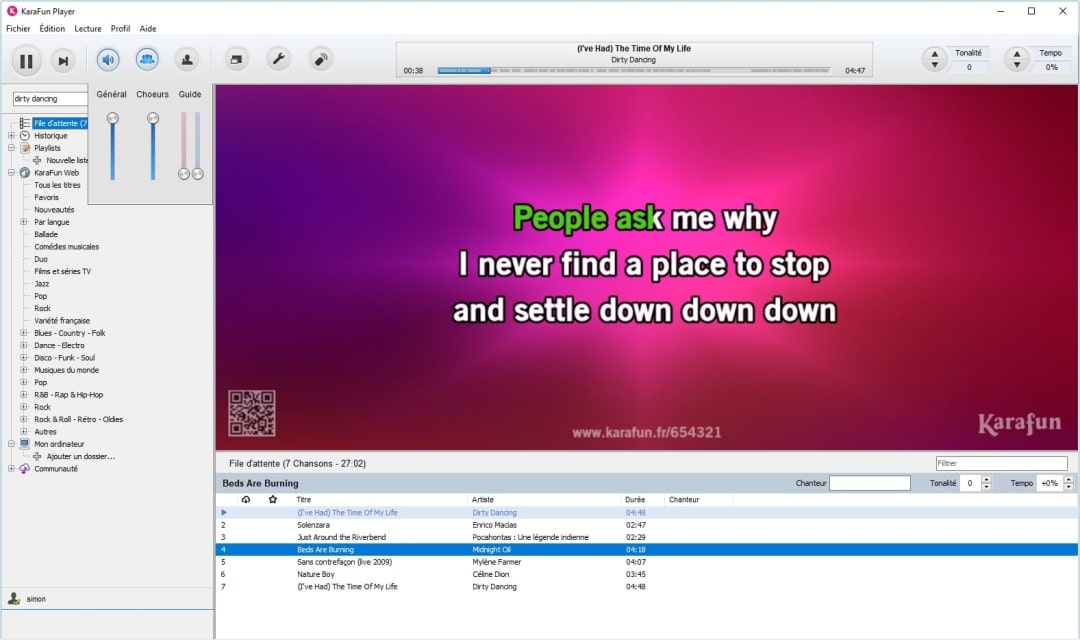
Karaoke software allows you to play musical tracks and display lyrics on screen. It’s perfect for parties, gatherings, and even solo singing sessions. With karaoke software, you can choose from a vast library of songs, adjust tempo and pitch to suit your voice, and even record yourself singing.
Programs For Karaoke: Free Options
If you’re looking for free karaoke software, we’ve got you covered. Here are some top options:
- Karaoke One (Windows/macOS): This is a popular free karaoke software that offers a vast library of songs, including hit singles and classic tracks. You can download it for free and access the complete catalog with a subscription.
- Kanto Karaoke (Windows/macOS): Another excellent option, Kanto Karaoke allows you to play various formats of audio files, including MIDI, KAR, MP3, CDG, and more. It’s available in both free and paid versions, offering unlimited playlist creation and voice recording features.
- Karafun Player (Windows/macOS): This software provides access to a vast library of karaoke songs, including popular hits and Christmas tracks. You can download it for free and upgrade to a subscription plan for unlimited access.
Programs For Karaoke: Paid Options
If you’re willing to invest in paid karaoke software, here are some top options:
- Midico (macOS): A powerful karaoke player with support for MIDI and KAR files, MidiCo is available in both free and paid versions. The paid version offers unlimited playlist creation, voice recording features, and more.
- Qmidi (macOS): Another excellent option, QMidi allows you to play various formats of audio files, including MIDI and KAR. It’s available in both standard and pro versions, offering advanced features like voice recording and pitch adjustment.
Other Useful Solutions
If you’re looking for alternative karaoke solutions, consider the following:
- Apple Music Sing: A built-in feature within Apple Music, Apple Music Sing allows you to sing along with your favorite songs using vocal settings and adjustable tempo. This feature is available on iOS/iPadOS 16.2 Or later versions.
Conclusion
Karaoke software can be a fun way to enjoy music and impress your friends. With so many options available, it’s easy to find the perfect software for your needs. Whether you’re looking for free or paid karaoke software, we’ve got you covered with our top recommendations.
Faqs
Q: What is karaoke software?
A: Karaoke software allows you to play musical tracks and display lyrics on screen.
Q: Are there any free karaoke software options?
A: Yes, there are several free karaoke software options available, including Karaoke One, Kanto Karaoke, and Karafun Player.
Q: Can I use paid karaoke software for a more enhanced experience?
A: Yes, there are several paid karaoke software options available, including MidiCo and QMidi.
Q: What are some alternative karaoke solutions?
A: Some alternative karaoke solutions include Apple Music Sing, which allows you to sing along with your favorite songs using vocal settings and adjustable tempo.
Q: Can I use karaoke software on my Mac or PC?
A: Yes, there are karaoke software options available for both Windows and macOS.


