
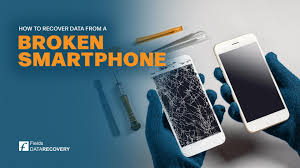
Recovering Lost Data From Your Smartphone: A Step-by-step Guide
Are you worried about losing important data on your smartphone? Whether it’s due to accidental deletion, phone damage, or water exposure, we’ve got you covered. In this article, we’ll guide you through the process of recovering lost data from your Android or iPhone.
Understanding Data Recovery: What You Need to Know
Before we dive into the nitty-gritty, let’s cover some basics:
- Data Recovery is Possible: While it’s not always guaranteed, there are various methods and tools that can help recover deleted files, contacts, photos, and other data from your smartphone.
- Time is of The Essence: The sooner you act, the better chance you have of recovering your lost data. Delaying can lead to irreparable losses.
- Prevention is Key: Regular backups, using cloud services like Google Drive or iCloud, and keeping a record of important contacts and files can help mitigate potential data loss.
Recovering Data From an Android Phone
If you’re an Android user, follow these steps:
- Check For Battery Life: Ensure your phone’s battery is above 50% to prevent any damage during the recovery process.
- Use a Recovery App: Download and install a reliable data recovery app like Recuva or DiskDigger. These apps can help you recover deleted files, contacts, photos, and other data from your Android device.
- Connect Your Phone to Your Computer: Use a USB cable to connect your Android phone to your computer. This will allow the recovery app to access your phone’s internal memory.
- Select The Type of Data to Recover: Choose the specific type of data you want to recover, such as photos or contacts.
Recovering Data From an Iphone
If you’re an iPhone user, follow these steps:
- Connect Your Iphone to Your Computer: Use a Lightning cable to connect your iPhone to your Mac or Windows PC.
- Open Easeus Mobisaver: Download and install the EaseUS MobiSaver app on your computer. This app is specifically designed for iPhone data recovery.
- Select The Type of Data to Recover: Choose the specific type of data you want to recover, such as contacts or photos.
- Recover Your Data: The EaseUS MobiSaver app will scan your iPhone’s internal memory and display a list of recoverable files.
Preventing Data Loss in The Future
To avoid losing important data in the future:
- Regularly Back up Your Phone: Use cloud services like Google Drive or iCloud to automatically sync your contacts, photos, and other data.
- Keep a Record of Important Contacts And Files: Make sure you have a physical copy of essential information, such as contact details and important documents.
Conclusion
Recovering lost data from your smartphone is possible with the right tools and knowledge. By following these steps and taking preventive measures, you can minimize the risk of losing valuable data. Don’t wait until it’s too late – take action today to safeguard your digital life!
Frequently Asked Questions (FAQs)
- Q: Can I Recover Deleted Files From my Android Phone?
A: Yes, there are various data recovery apps available for Android phones that can help you recover deleted files, contacts, and other data. - Q: How do I Prevent Data Loss in The Future?
A: Regularly backing up your phone using cloud services like Google Drive or iCloud, keeping a record of important contacts and files, and using data recovery apps can help minimize the risk of losing valuable data. - Q: Can I Recover Data From my Iphone if It’s Been Damaged?
A: Yes, there are various methods and tools available for recovering data from a damaged iPhone. However, this may require professional assistance or specialized equipment. - Q: How Long Does The Recovery Process Take?
A: The time required to complete the recovery process depends on several factors, including the type of data being recovered, the condition of your phone, and the complexity of the recovery method used.
[FAQs Continued Below]


