
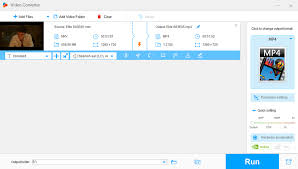
Converting Videos to Mp4: A Step-by-step Guide
Are you looking to convert your favorite videos to MP4 format so they can be easily played on your portable devices, such as iPhones, iPads, or Android terminals? Look no further! In this article, we will explore the best ways to convert videos to MP4, including software adapters for Windows, macOS, and Linux, online converters, and mobile apps.
Why Convert Videos to Mp4?
Converting videos to MP4 format offers several advantages. Firstly, MP4 is a widely supported format that can be played on most devices, making it an ideal choice for sharing and viewing videos. Secondly, MP4 files are generally smaller in size compared to other formats, which means they take up less storage space and can be easily transferred to portable devices.
Software Adapters For Windows, Macos, And Linux
If you’re looking for a reliable software adapter that can convert your videos to MP4 format, look no further than Adapter. This free program is available for Windows, macOS, and Linux and offers a user-friendly interface that makes it easy to use. With Adapter, you can convert videos from various formats to MP4, including AVI, MOV, and more.
Here’s how to download and install Adapter on your computer:
- Visit the official website of Adapter and click on the “Download” button.
- If you’re using Windows, open the downloaded file (EXE) and follow the prompts to install the software.
- If you’re using macOS or Linux, open the downloaded package (DMG or tar.Gz) and drag the icon to the Applications folder.
How to Use Adapter
To use Adapter, simply:
- Open the program and select the video file you want to convert.
- Choose the MP4 format as the output option.
- Select any additional settings you desire, such as bitrate, resolution, or audio frequency.
- Click on the “Convert” button to initiate the conversion process.
Other Software Converters
If Adapter doesn’t meet your needs, there are other software converters available that can also convert videos to MP4 format. Some popular options include:
- Handbrake: A free and open-source program that can convert video files from various formats to MP4.
- Mobile Media Converter: A free program for Windows, macOS, and Linux that can convert media files, including videos, to MP4 format.
- Video to Video Converter: A software converter specifically designed for Windows that can convert videos from one format to another.
Online Converters
If you don’t want to download and install any software on your computer, there are several online converters available that can also convert videos to MP4 format. Some popular options include:
- 123Apps Video Converter: A free online converter that can transform video files into various formats, including MP4.
- Media.Io: An online converter that can convert videos from one format to another, including MP4.
- Convertio: A free online converter that can convert video files to MP4 and other formats.
Mobile Apps
If you’re looking for a mobile app that can convert videos to MP4 format on the go, there are several options available. Some popular choices include:
- Media Converter (Android): A free mobile app that can convert videos from one format to another, including MP4.
- The Video Converter (iOS/iPadOS): A free mobile app specifically designed for iOS and iPadOS devices that can convert videos to MP4 format.
Faqs
Here are some frequently asked questions about converting videos to MP4 format:
Q: What is the best software converter for Windows?
A: The best software converter for Windows is Adapter, which offers a user-friendly interface and can convert video files from various formats to MP4.
Q: Can I convert videos to MP4 format on my mobile device?
A: Yes, there are several mobile apps available that can convert videos to MP4 format on Android and iOS devices, including Media Converter and The Video Converter.
Q: What online converters can I use to convert videos to MP4 format?
A: Some popular online converters include 123Apps Video Converter, Media.Io, and Convertio.
Q: Can I convert videos to other formats besides MP4?
A: Yes, many software converters and online converters offer the ability to convert video files to various formats, including AVI, MOV, and more.


