
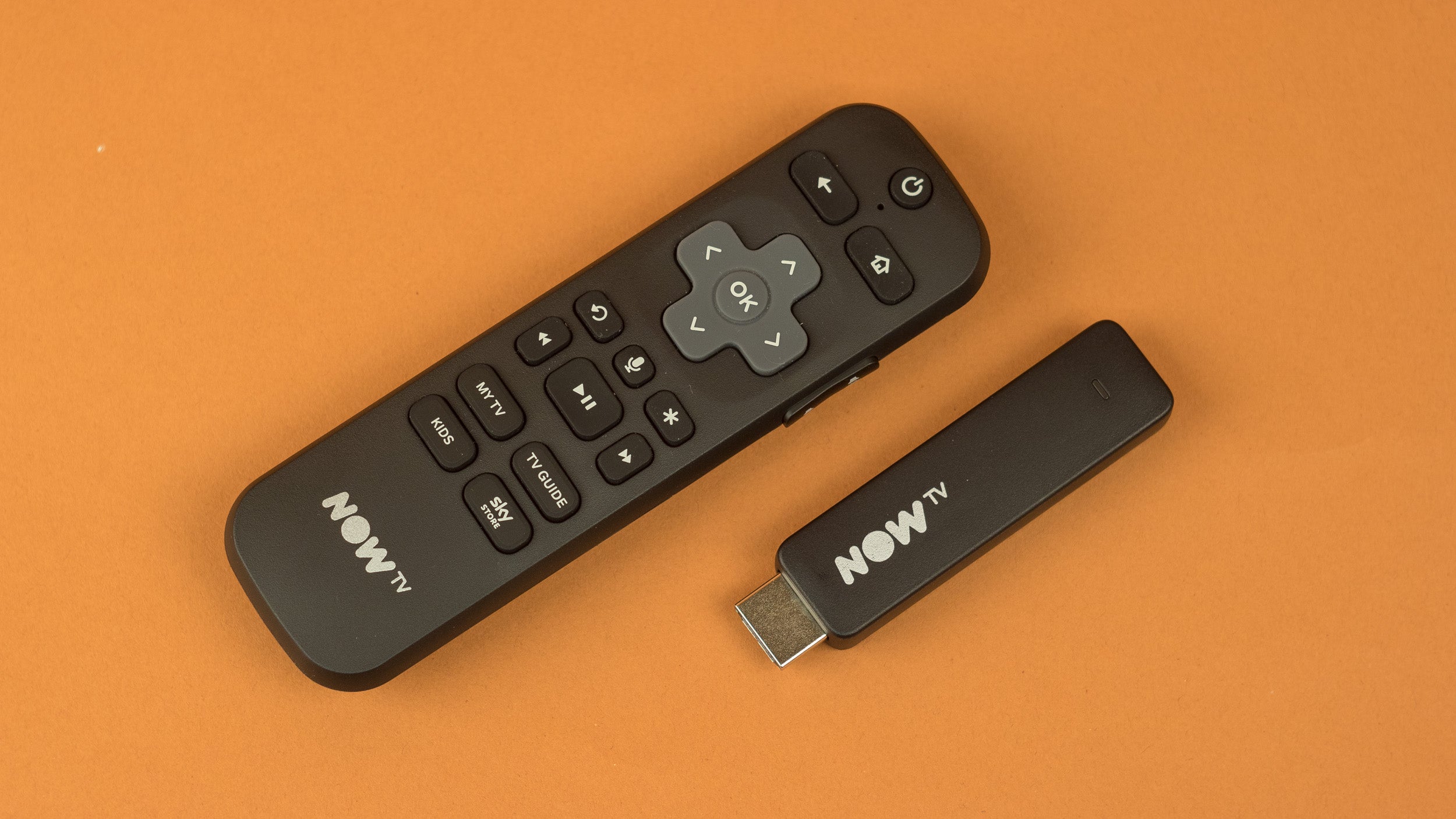
Now TV Smart Stick: What Is It And How Does It Function?
NOW TV is a streaming service offered by Sky Italia that provides flexibility and convenience. Unlike traditional contracted services, NOW TV offers thematic packs that can be activated or deactivated at any time without penalty, and are accessible on a wide range of devices.
Today, we want to talk about the NOW Smart Stick, a device produced by Roku that connects to your TV’s HDMI port and allows you to access all the contents included in your NOW subscription, as well as additional apps like Amazon Prime Video, YouTube, Vevo, and Vimeo. With its compact design and ease of use, the NOW Smart Stick is ideal for travel or carrying around with friends.
Minimum Requirements For Now Smart Stick
To use the NOW Smart Stick, you’ll need:
- A TV with an HDMI port (no smart TV required)
- An internet connection with at least 2.5 Mbps download speed (3.5 Mbps for HD content)
- A credit card or PayPal account to activate your NOW account
- A Wi-Fi router, as the device only supports wireless connectivity
Price of Now Smart Stick
The NOW Smart Stick can be purchased directly from the NOW website, leading electronics stores, or online marketplaces for 29 euros. It comes with a promotional code for 3 months of free access to your chosen ticket type (Cinema, Entertainment, or Sport). If you’re new to NOW, you can also enjoy 14 days of free viewing and three tickets.
How to Use Now Smart Stick
Here’s how to set up and use the NOW Smart Stick:
- Create a NOW account on the NOW website or redeem your promo code if you already have an existing account.
- Connect the NOW Smart Stick to your TV’s HDMI port and power it using the USB cable (or the provided adapter).
- Follow the setup process, which includes choosing your language, selecting a Wi-Fi network, and activating your NOW account.
- Browse through the available contents on your NOW ticket by selecting the “Top Picks” option or searching for specific titles.
Faqs
- Q: What is The Now Smart Stick?
A: The NOW Smart Stick is a streaming device produced by Roku that connects to your TV’s HDMI port and provides access to various streaming services, including NOW. - Q: Do I Need a Smart TV to Use The Now Smart Stick?
A: No, you can use it with any TV that has an HDMI port. - Q: How do I Activate my Now Account on The Now Smart Stick?
A: Follow the setup process on the device or redeem your promo code if you already have a NOW account. - Q: Can I Add Additional Apps to The Now Smart Stick?
A: Yes, you can install various apps from the app store, including popular services like YouTube and Vevo. - Q: How do I Modify The Settings on The Now Smart Stick?
A: You can adjust settings such as resolution, subheading display, and audio options through the device’s menu. - Q: Can I Use my Smartphone to Control The Now Smart Stick?
A: Yes, you can download the NOW app on your phone and use it to control the device, including casting content from your phone to the TV. - Q: What Are Some Potential Issues With Using The Now Smart Stick?
A: Some possible problems include connection issues, battery drain, or difficulties with setting up your NOW account.
Conclusion
The NOW Smart Stick is a convenient and user-friendly streaming device that provides access to various streaming services, including NOW. With its compact design and ease of use, it’s perfect for travel or carrying around with friends. While some potential issues may arise during setup or usage, these can be resolved by following the troubleshooting steps outlined in this article.
Additional Faqs
- Q: Can I Watch Live TV on The Now Smart Stick?
A: Yes, you can access live TV channels through your NOW ticket. - Q: How do I Add New Tickets to my Now Account on The Now Smart Stick?
A: You can purchase and activate additional tickets through the device’s menu or using the NOW app on your phone. - Q: Can I Use The Now Smart Stick With Other Streaming Devices?
A: Yes, you can connect multiple devices to your TV using HDMI ports.


