
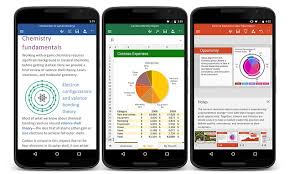
The Ultimate Guide to Office Suites For Android: Top Alternatives to Microsoft Office
Are you tired of using Microsoft Office on your computer? Do you want to experience the power of a mobile office suite on your Android device? Look no further! In this article, we will explore the top alternatives to Microsoft Office for Android, including their features, pros, and cons.
Why Choose an Office Suite For Android?
With an office suite for Android, you can work on-the-go without needing a laptop. You can create, edit, and view documents, spreadsheets, presentations, and more directly from your smartphone or tablet. This convenience and flexibility are hard to beat, especially when traveling or working remotely.
Top Office Suites For Android
1. Microsoft Office
While not exclusively an Android office suite, Microsoft Office is a powerful option that deserves mention. The app provides seamless compatibility with other Microsoft products and offers advanced features like collaboration tools and cloud storage integration.
- Pros: Compatibility with Microsoft products, advanced features, seamless collaboration
- Cons: Limited free version capabilities, subscription required for full functionality
2. Google Drive
While not an office suite per se, Google Drive is a powerful tool that allows you to create, edit, and view documents, spreadsheets, and presentations directly from your Android device. It also integrates seamlessly with other Google apps like Docs, Sheets, and Slides.
- Pros: Seamless integration with other Google apps, cloud storage capabilities
- Cons: Limited offline functionality, reliance on internet connection
3. Wps Office
WPS Office is a robust office suite that offers compatibility with Microsoft Office files. It includes features like document editing, spreadsheet creation, and presentation design.
- Pros: Compatibility with Microsoft Office files, comprehensive feature set
- Cons: Some users may find the interface cluttered or confusing
4. Polaris Office
Polaris Office is another popular office suite that offers a range of features like document editing, spreadsheet creation, and presentation design.
- Pros: Comprehensive feature set, compatibility with Microsoft Office files
- Cons: Some users may find the interface cluttered or confusing
5. Androopenoffice
AndroOpenOffice is a mobile version of the popular open-source office suite OpenOffice. It offers features like document editing, spreadsheet creation, and presentation design.
- Pros: Comprehensive feature set, compatibility with OpenOffice files
- Cons: Some users may find the interface cluttered or confusing
Comparison Table
| Office Suite | Compatibility | Features |
|---|---|---|
| Microsoft Office | Excellent | Advanced features, collaboration tools, cloud storage integration |
| Google Drive | Good | Cloud storage capabilities, seamless integration with other Google apps |
| WPS Office | Excellent | Compatibility with Microsoft Office files, comprehensive feature set |
| Polaris Office | Good | Comprehensive feature set, compatibility with Microsoft Office files |
| AndroOpenOffice | Excellent | Compatibility with OpenOffice files, comprehensive feature set |
Conclusion
In conclusion, the top office suites for Android offer a range of features and capabilities that cater to different user needs. Whether you’re looking for seamless integration with other Google apps or comprehensive feature sets, there’s an option available. Consider your specific requirements and preferences before choosing the best office suite for your Android device.
Frequently Asked Questions
-
What is The Difference Between Microsoft Office And Google Drive?
- Microsoft Office is a comprehensive office suite that offers advanced features like collaboration tools and cloud storage integration.
- Google Drive, on the other hand, is a cloud storage service that allows you to create, edit, and view documents, spreadsheets, and presentations directly from your Android device.
-
Which Office Suite is Best For Creating Microsoft Office Files?
- WPS Office and Polaris Office are both compatible with Microsoft Office files, making them suitable options for creating and editing Microsoft Office documents.
-
Is Androopenoffice a Good Option For Mobile Productivity?
- Yes, AndroOpenOffice is a comprehensive office suite that offers compatibility with OpenOffice files and comprehensive feature set, making it a great option for mobile productivity.
-
Can I Use Google Drive Without an Internet Connection?
- Unfortunately, no. Google Drive requires an internet connection to function effectively.
-
Which Office Suite Has The Best User Interface?
- This ultimately depends on personal preference. Some users may find WPS Office or Polaris Office more intuitive and user-friendly.
-
Are These Office Suites Available For Free?
- Yes, some of these office suites offer a free version with limited capabilities. However, subscription plans are often required for full functionality.
-
Can I Collaborate in Real-time Using These Office Suites?
- Yes, Microsoft Office and Google Drive both offer seamless collaboration tools that allow you to work on documents simultaneously with other users.


