
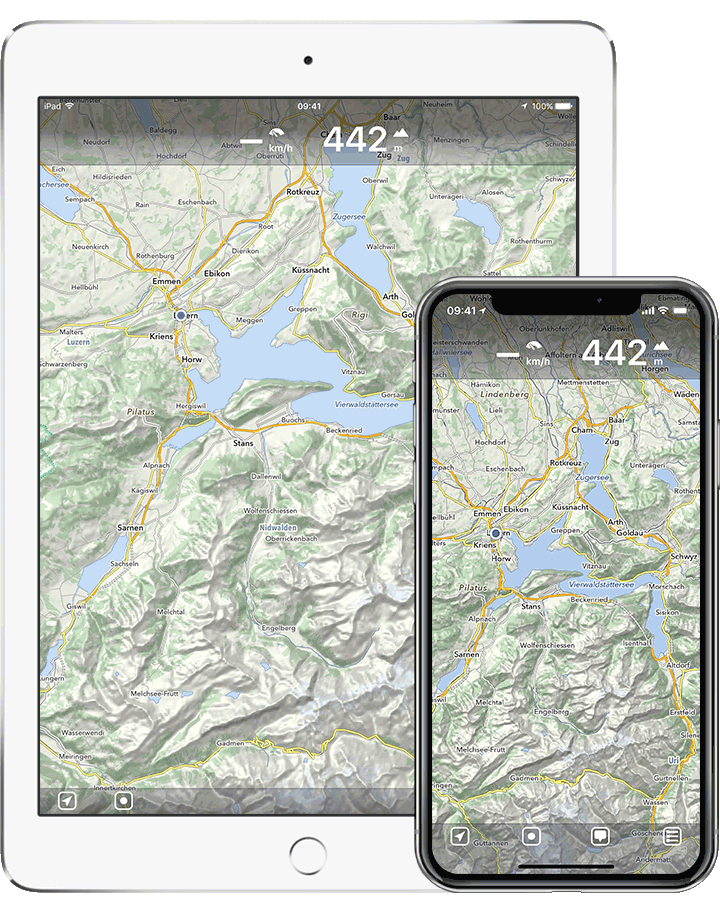
The Ultimate Guide to Offline Maps Apps
Are you tired of getting lost in unfamiliar territories without access to reliable internet? Do you dream of exploring the world with ease, even when your phone’s battery is dead or you’re in a remote area with no signal? Look no further! In this article, we’ll explore the best offline maps apps that will help you navigate the world like a pro.
Why Offline Maps Apps Matter
In today’s digital age, it’s easy to get caught up in using online navigation systems. However, these systems often rely on internet connectivity, which can be unreliable or non-existent in many parts of the world. That’s where offline maps apps come in – they allow you to download maps and navigate even when you don’t have access to the internet.
The Top Offline Maps Apps
Here are some of the best offline maps apps that will help you explore the world without worrying about connectivity:
1. Google Maps (Android/iOS/iPadOS)
Google Maps is one of the most popular navigation apps available, and for good reason – it’s incredibly accurate and user-friendly. But did you know that you can also use Google Maps offline? To do this, simply go to the app’s settings, select “Offline areas,” and choose the area you want to download. This will allow you to navigate even when your phone is not connected to the internet.
2. Maps.me (Android/iOS/iPadOS)
Another popular offline maps app is Maps.ME, which offers a range of features that make it perfect for outdoor enthusiasts and travelers. With Maps.ME, you can download maps for specific areas and use them even when your phone is not connected to the internet.
3. Osmand (Android/iOS)
OsmAnd is another highly-rated offline maps app that offers a range of features, including customizable maps, GPS tracking, and more. With OsmAnd, you can download maps for specific areas and use them even when your phone is not connected to the internet.
4. Apple Maps (iOS/iPadOS)
If you’re an iPhone or iPad user, then Apple Maps is definitely worth checking out. This app offers a range of features that make it perfect for navigating the world offline, including customizable maps and GPS tracking.
How to Use Offline Maps Apps
Using offline maps apps is surprisingly easy – simply download the map for the area you want to explore, and use the app’s navigation system to guide you. Here are some steps to follow:
- Download The Map: Go to the app’s settings and select “Offline areas” or “Download map.” Choose the area you want to explore and click “Download.”
- Use The App’s Navigation System: Once the map is downloaded, use the app’s navigation system to guide you through the area.
- Customize Your Map: Many offline maps apps allow you to customize your map by adding or removing features, such as roads, buildings, or points of interest.
Tips And Tricks
Here are some tips and tricks for using offline maps apps effectively:
- Download Maps in Advance: If you’re planning a trip to an area with no internet connectivity, download the map for that area in advance.
- Use Offline Maps Apps For Outdoor Activities: Offline maps apps are perfect for outdoor enthusiasts who love hiking, camping, or exploring the wilderness.
- Keep Your Phone’s Battery Charged: Make sure your phone’s battery is fully charged before embarking on a journey to an area with no internet connectivity.
Conclusion
Offline maps apps have revolutionized the way we navigate the world. With these apps, you can explore even the most remote areas without worrying about connectivity – making them perfect for outdoor enthusiasts and travelers alike. By following the tips and tricks outlined in this article, you’ll be able to use offline maps apps like a pro.
Faqs
Here are some frequently asked questions about offline maps apps:
Q: What is an offline map?
A: An offline map is a digital map that can be downloaded onto your phone or device, allowing you to navigate even when there’s no internet connectivity.
Q: How do I download an offline map?
A: To download an offline map, go to the app’s settings and select “Offline areas” or “Download map.” Choose the area you want to explore and click “Download.”
Q: Can I use offline maps apps for outdoor activities?
A: Yes – offline maps apps are perfect for outdoor enthusiasts who love hiking, camping, or exploring the wilderness.
Q: Do I need to pay for offline maps apps?
A: Some offline maps apps are free, while others require a subscription or payment. Be sure to check the app’s pricing and features before downloading.
Q: Can I customize my offline map?
A: Yes – many offline maps apps allow you to customize your map by adding or removing features, such as roads, buildings, or points of interest.
Q: What are some popular offline maps apps?
A: Some popular offline maps apps include Google Maps, Maps.ME, OsmAnd, and Apple Maps.
Frequently Asked Questions
Here are eight unique FAQs related to the topic:
- What is an Offline Map?
An offline map is a digital map that can be downloaded onto your phone or device, allowing you to navigate even when there’s no internet connectivity. - How do I Download an Offline Map?
To download an offline map, go to the app’s settings and select “Offline areas” or “Download map.” Choose the area you want to explore and click “Download.” - Can I Use Offline Maps Apps For Outdoor Activities?
Yes – offline maps apps are perfect for outdoor enthusiasts who love hiking, camping, or exploring the wilderness. - Do I Need to Pay For Offline Maps Apps?
Some offline maps apps are free, while others require a subscription or payment. Be sure to check the app’s pricing and features before downloading. - Can I Customize my Offline Map?
Yes – many offline maps apps allow you to customize your map by adding or removing features, such as roads, buildings, or points of interest. - What Are Some Popular Offline Maps Apps?
Some popular offline maps apps include Google Maps, Maps.ME, OsmAnd, and Apple Maps. - How do I Update my Offline Map?
To update your offline map, go to the app’s settings and select “Update map.” This will ensure that you have the most up-to-date information for the area you’re exploring. - Can I Use Offline Maps Apps For International Travel?
Yes – offline maps apps are perfect for international travelers who want to navigate unfamiliar territories without worrying about connectivity.
I hope this article has provided you with a comprehensive guide to offline maps apps!


