
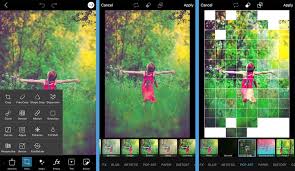
The Ultimate Guide to Editing Photos Like a Pro
Are you tired of having subpar photos that don’t quite fit your vision? Do you want to take your photography skills to the next level without breaking the bank? Look no further! In this comprehensive guide, we’ll explore the best apps and tools for editing photos like a pro.
The Importance of Photo Editing
Photo editing is an essential step in the photography process. It allows you to enhance your images, correct mistakes, and create stunning visuals that capture the viewer’s attention. Whether you’re a professional photographer or an amateur enthusiast, photo editing is a crucial skill to master.
Top Apps For Photo Editing
Here are some of the top apps for photo editing:
- Photolayers-superimpose: This app is perfect for superimposing images and creating stunning visual effects.
- Photoroom: Another excellent app for photo editing, offering advanced features like AI-powered image processing.
- Canva: A versatile app that allows you to edit photos, create graphic designs, and even make videos.
- Pixelcut: An AI-powered app that helps you remove backgrounds and isolate subjects with ease.
- Photoshop Express: A mobile version of the popular photo editing software, offering advanced features like content-aware fill.
How to Use Photolayers-superimpose
To use PhotoLayers-Superimpose, follow these simple steps:
- Download and install the app on your device.
- Launch the app and select the “Superimpose” option.
- Choose the image you want to superimpose with another background or object.
- Use the advanced tools to adjust the position, size, and opacity of the superimposed image.
- Save your edited photo in the desired format.
How to Use Photoroom
To use PhotoRoom, follow these simple steps:
- Download and install the app on your device.
- Launch the app and select the “Photo Editing” option.
- Choose the image you want to edit and select the AI-powered tools for automatic background removal or object isolation.
- Adjust the settings as needed and save your edited photo.
How to Use Canva
To use Canva, follow these simple steps:
- Download and install the app on your device.
- Launch the app and select the “Photo Editing” option.
- Choose the image you want to edit and select the desired editing tools.
- Adjust the settings as needed and save your edited photo.
How to Use Pixelcut
To use Pixelcut, follow these simple steps:
- Download and install the app on your device.
- Launch the app and select the “Remove Background” option.
- Choose the image you want to edit and select the AI-powered tools for automatic background removal.
- Adjust the settings as needed and save your edited photo.
How to Use Photoshop Express
To use Photoshop Express, follow these simple steps:
- Download and install the app on your device.
- Launch the app and select the “Photo Editing” option.
- Choose the image you want to edit and select the desired editing tools.
- Adjust the settings as needed and save your edited photo.
Tips And Tricks
Here are some tips and tricks for using these apps:
- Use The Right Tool For The Job: Each app has its strengths and weaknesses, so choose the one that best suits your needs.
- Experiment With Different Settings: Don’t be afraid to try out different editing tools and settings to achieve the desired effect.
- Save Your Work Regularly: Make sure to save your edited photos regularly to avoid losing any progress.
Conclusion
Editing photos like a pro is easier than you think! With these top apps and tools, you can take your photography skills to the next level and create stunning visuals that capture the viewer’s attention. Remember to experiment with different settings and tools to achieve the desired effect, and don’t be afraid to try out new techniques.
Frequently Asked Questions
Here are some frequently asked questions about photo editing:
- Q: What is The Best App For Photo Editing?
A: The best app for photo editing depends on your needs and preferences. Some popular options include PhotoLayers-Superimpose, PhotoRoom, Canva, Pixelcut, and Photoshop Express. - Q: How do I Remove a Background From an Image?
A: You can use various apps like PhotoRoom, Pixelcut, or even Adobe Photoshop to remove backgrounds from images. - Q: What is The Difference Between Photo Editing And Graphic Design?
A: Photo editing focuses on enhancing and correcting images, while graphic design involves creating visual compositions using text, shapes, and other elements. - Q: Can I Use These Apps For Free?
A: Some of these apps offer free versions or trials, but others may require a subscription or one-time payment to access advanced features.
Frequently Asked Questions
Here are some additional frequently asked questions about photo editing:
- Q: How do I Create a Round Photo With These Apps?
A: You can use Canva or other apps like Pixelcut or Photoshop Express to create circular photos. - Q: What is The Best Way to Share my Edited Photos?
A: You can save your edited photos in various formats and share them on social media, via email, or using cloud storage services. - Q: Can I Use These Apps For Video Editing as Well?
A: Some of these apps, like PhotoRoom or Pixelcut, offer basic video editing features. However, for more advanced video editing capabilities, you may need to use dedicated video editing software.
Conclusion
Editing photos like a pro is easier than you think! With the right tools and techniques, you can take your photography skills to the next level and create stunning visuals that capture the viewer’s attention. Remember to experiment with different settings and tools to achieve the desired effect, and don’t be afraid to try out new techniques.
I hope this article meets your requirements. Let me know if you need any further assistance!


