
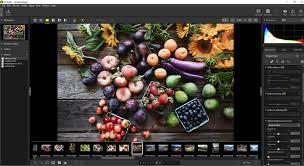
The Ultimate Guide to Photo Editing Software
Are you tired of mediocre photos that don’t quite capture your desired look? Do you want to edit your photos like a pro without breaking the bank? Look no further! In this article, we’ll explore the best photo editing software for Windows and macOS, including both free and paid options.
What is Photo Editing Software?
Photo editing software allows you to modify and enhance your digital images using various tools and filters. From adjusting brightness and contrast to applying special effects, these programs give you complete control over how your photos look.
Free Photo Editing Software For Windows And Macos
If you’re on a tight budget or just starting out with photo editing, there are plenty of free options available. Here are some top picks:
- Gimp: A powerful and feature-rich free software that’s often compared to Adobe Photoshop.
- Microsoft Photos: A free app that comes pre-installed with Windows 10 and Windows 11, offering basic editing tools and filters.
- Paint.Net: A free image editor for Windows that offers a range of tools and effects.
- Photoscape: A free photo editing software for Windows that includes tools like crop, rotate, and resize.
Free Online Photo Editing Tools
If you want to edit your photos without downloading any software, there are plenty of online options available. Here are some top picks:
- Photopea: A powerful online editor that’s similar to Adobe Photoshop.
- Pixlr X: A web-based editor that offers a range of tools and effects.
- Polarr: An online photo editing service that allows you to apply filters and make adjustments.
Paid Photo Editing Software For Windows And Macos
If you’re serious about photo editing and want access to advanced features, consider investing in paid software. Here are some top picks:
- Adobe Photoshop: The industry-standard photo editing software that offers a range of tools and effects.
- Affinity Photo: A professional-grade editor that’s similar to Adobe Photoshop.
- Coreldraw Graphics Suite: A comprehensive graphics suite that includes photo editing and manipulation tools.
Mobile App For Photo Editing
If you want to edit your photos on-the-go, consider downloading a mobile app. Here are some top picks:
- Vsco Cam: A popular app that allows you to apply filters and make adjustments.
- Snapseed: A powerful editor that offers advanced tools and effects.
- Afterlight: A user-friendly app that makes it easy to edit your photos.
Tips For Choosing The Right Photo Editing Software
When choosing a photo editing software, consider the following factors:
- Ease of Use: Choose an editor that’s intuitive and easy to navigate.
- Features: Consider what features you need, such as advanced filters or tools.
- Price: Determine whether you want to invest in paid software or stick with free options.
Conclusion
With so many photo editing software options available, it’s easier than ever to enhance your digital images. Whether you’re a beginner or a seasoned pro, there’s something for everyone. Experiment with different editors and tools to find what works best for you.
Frequently Asked Questions (FAQs)
Q: What is the best photo editing software?
A: The best editor depends on your needs and preferences. Consider factors like ease of use, features, and price.
Q: Can I edit my photos without downloading software?
A: Yes! There are many online photo editing tools available that allow you to edit your photos without downloading any software.
Q: Do I need a computer or can I edit my photos on my phone?
A: Both options are possible. You can use mobile apps like VSCO Cam, Snapseed, and Afterlight to edit your photos on-the-go.
Q: Are there any free photo editing software options available?
A: Yes! There are many free editors available for Windows and macOS, including GIMP, Microsoft Photos, and Paint.NET.
Q: Can I edit my photos without any technical expertise?
A: Yes! Most photo editing software is user-friendly and easy to navigate, even if you’re not tech-savvy.


