
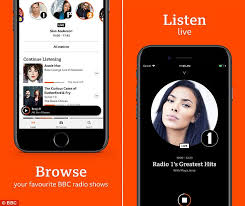
Discovering New Podcasts: A Guide to Finding Your Favorite Shows
Are you a passionate listener of podcasts? Do you enjoy discovering new shows on various platforms? If so, this guide is perfect for you! We’ll take you through the best apps for listening to podcasts, exploring their features, and helping you find your next favorite show.
Why Use Podcast Apps?
Podcast apps offer a convenient way to access and manage your podcast library. They often come with advanced features like personalized recommendations, playback controls, and discovery tools that make it easy to find new shows. By using a dedicated podcast app, you can:
- Discover new podcasts based on your interests
- Organize and prioritize your favorite shows
- Easily find and listen to specific episodes or series
- Enjoy exclusive content from popular creators
Top Podcast Apps
Here are some of the most popular podcast apps available for both Android and iOS devices:
1. Spotify (Android, Ios, Ipados)
Spotify is a well-known music streaming service that also offers a vast library of podcasts. With its clean interface and seamless playback experience, Spotify is an excellent choice for podcast enthusiasts.
- Features: Wide catalog, exclusive content, personalized recommendations
- Subscription: Free with ads; Premium subscription available
2. Google Podcasts (Android, Ios, Ipados)
Google Podcasts is a dedicated app that allows you to discover and listen to podcasts on your Android or iOS device. Its user-friendly interface makes it easy to navigate and find new shows.
- Features: Personalized recommendations, playback controls, discovery tools
- Subscription: Free; No ads
3. Apple Podcasts (iOS, Ipados)
As the default podcast app for Apple devices, Apple Podcasts offers an extensive library of podcasts, including exclusive content from popular creators.
- Features: Wide catalog, personalized recommendations, playback controls
- Subscription: Free; No ads
4. Pocket Casts (Android, Ios, Ipados)
Pocket Casts is a popular podcast app that offers advanced features like customizable playlists, speed control, and playback settings. Its user-friendly interface makes it easy to navigate.
- Features: Customizable playlists, playback controls, discovery tools
- Subscription: Free; Premium subscription available
5. Other Podcast Apps
Other notable podcast apps include Audible, Overcast, Castbox, Stitcher, and more. Each app has its unique features and strengths, so feel free to explore and find the one that suits your preferences.
Finding Your Next Favorite Show
Now that you know about these amazing podcast apps, let’s dive into some tips for discovering new shows:
- Explore categories like comedy, news, or true crime
- Search for specific titles or keywords
- Browse through recommended playlists or curated lists
- Check out exclusive content from popular creators
Tips And Tricks
Here are some additional tips to enhance your podcast listening experience:
- Use playback controls to adjust speed, silence, and volume
- Create custom playlists with your favorite shows
- Discover new podcasts based on your interests
- Enjoy exclusive content from popular creators
Conclusion
In conclusion, this guide has walked you through the best apps for listening to podcasts. By exploring these apps and their features, you can discover new shows, manage your podcast library, and enjoy a seamless playback experience.
Frequently Asked Questions (FAQs)
- What is The Best Podcast App?
The best podcast app depends on your personal preferences and device. Spotify, Google Podcasts, Apple Podcasts, and Pocket Casts are popular choices. - How do I Find New Podcasts?
You can explore categories, search for specific titles or keywords, browse through recommended playlists, or check out exclusive content from popular creators. - Can I Download Podcasts For Offline Listening?
Yes, most podcast apps allow you to download episodes for offline listening. Check the app’s settings or features section for more information. - Do I Need a Subscription to Listen to Podcasts?
Some podcast apps offer free versions with ads or limited features. You may need a premium subscription to access exclusive content or advanced features. - Can I Create Custom Playlists With my Favorite Shows?
Yes, most podcast apps allow you to create custom playlists with your favorite shows. Check the app’s settings or features section for more information.


