
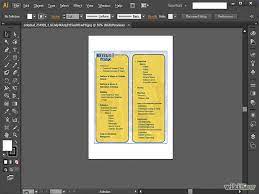
Creating Volantini: A Step-by-step Guide
Are you looking for a way to create stunning volantini without breaking the bank? Look no further! In this article, we’ll explore the best programs to use for creating volantini, both free and paid options.
What is a Volantino?
A volantino is a type of flyer or brochure that is typically used to advertise a product, service, or event. It’s an effective way to grab people’s attention and showcase your offerings in a visually appealing way.
Programs to Create Volantini: Free Options
If you’re on a tight budget, don’t worry! There are plenty of free programs out there that can help you create amazing volantini. Here are some of our top picks:
Microsoft Publisher is a user-friendly program that’s perfect for creating volantini. It offers a range of templates and design tools to make your flyer stand out.
- Download the free 30-day trial version to get started.
- Create a new document by selecting “Volantino” from the template list.
- Choose your desired layout, add images and text, and customize as needed.
- Save or print your final design using the “File” menu.
LibreOffice Draw is another free option that’s available for Windows, Mac, and Linux. It offers a range of features and tools to create professional-looking volantini.
- Download the program from the LibreOffice website.
- Create a new document by selecting “Draw” from the menu.
- Use the drawing tools to add shapes, lines, and text to your design.
- Save or export your final design using the “File” menu.
Other free programs available that can help you create volantini include InDesign, Scribus, and Pages (Mac).
Programs to Create Volantini: Paid Options
If you’re looking for more advanced features or want to create high-end designs, consider using paid programs. Here are some of our top picks:
Adobe InDesign is a professional-grade program that’s perfect for creating complex designs. It offers a range of features and tools to help you bring your vision to life.
- Purchase the program from Adobe’s website.
- Create a new document by selecting “Volantino” from the template list.
- Use the design tools to add images, text, and other elements to your design.
- Save or export your final design using the “File” menu.
Canva is an online program that’s perfect for creating volantini. It offers a range of templates and design tools to make your flyer stand out.
- Sign up for a free account on Canva’s website.
- Choose your desired template or create a new design from scratch.
- Use the design tools to add images, text, and other elements to your design.
- Save or share your final design using the “File” menu.
Other paid programs available that can help you create volantini include Adobe Express, Visme, and VisaCreate.
Conclusion
Creating volantini doesn’t have to break the bank! With these free and paid programs, you can create stunning flyers that grab people’s attention. Whether you’re a beginner or an advanced user, there’s something on this list for everyone. So why wait? Get started today and see what amazing designs you can create!
Faqs
Here are some frequently asked questions to help you get started:
-
What is The Best Program to Use For Creating Volantini?
While it ultimately depends on your personal preference, Canva is a popular choice among designers due to its user-friendly interface and range of templates. -
Can I Create Volantini Without Downloading Any Software?
Yes! There are many online programs that allow you to create volantini directly in your web browser. Canva and Adobe Express are two great options. -
How do I Save my Volantino Design?
Simply use the “File” menu to save or export your design as a PDF, JPEG, or other file format of your choice. -
Can I Create Volantini For Mobile Devices?
Yes! Many programs on this list allow you to create designs specifically for mobile devices, including Android and iOS apps. -
What is The Cost of Using These Programs?
Most programs on this list offer free or paid options. Canva and Adobe Express have a range of pricing plans available, while LibreOffice Draw and other free programs are completely free to use.


