
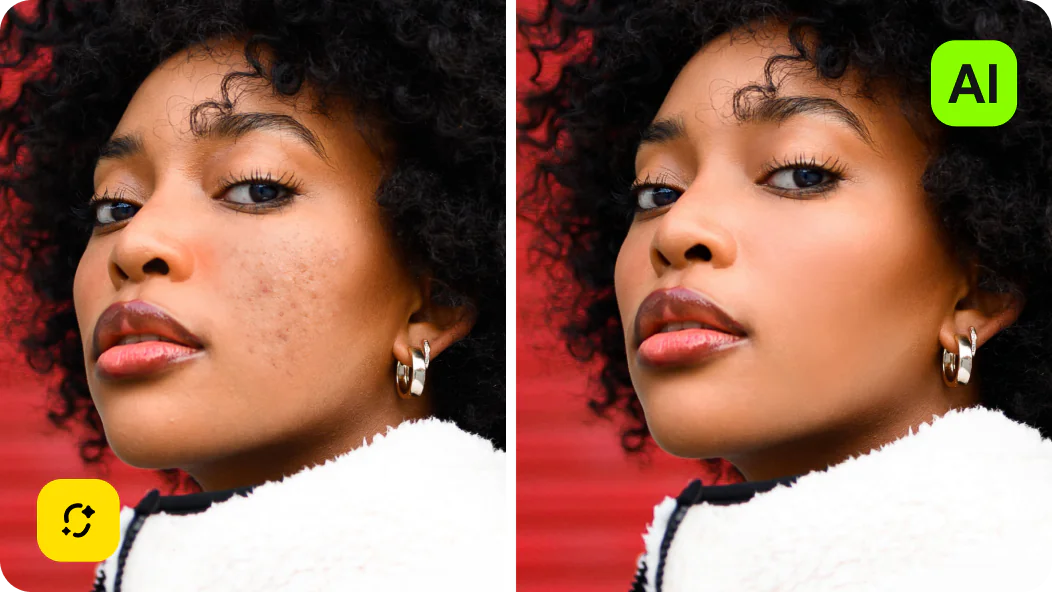
Free Photo Editing Software: A Comprehensive Guide
Are you tired of spending hundreds of euros on photo editing software? Do you want to enhance the appearance of your photos without breaking the bank? Look no further! In this article, we’ll explore the best free photo editing software available for Windows, macOS, and Linux.
Introduction
In today’s digital age, having high-quality photos is essential. Whether you’re a professional photographer or an enthusiast, editing your photos can make all the difference in showcasing your work. While Adobe Photoshop remains the gold standard, it comes with a hefty price tag. Fortunately, there are many free alternatives that offer similar functionality.
Gimp: The Best Free Photo Editing Software
GIMP (GNU Image Manipulation Program) is an open-source photo editing software that’s widely regarded as the best free alternative to Adobe Photoshop. With a user-friendly interface and a vast array of features, GIMP is perfect for beginners and professionals alike.
Key Features of Gimp
- Comprehensive Toolset: GIMP offers a wide range of tools, including brushes, selection tools, and effects.
- Compatibility: GIMP is compatible with Windows, macOS, and Linux operating systems.
- Customization: GIMP allows you to customize your workspace, making it easy to access the tools you need.
- Free And Open-source: GIMP is free to download and use, with no licensing fees.
How to Use Gimp
Using GIMP is relatively straightforward. Here’s a step-by-step guide:
- Download and install GIMP from the official website.
- Launch GIMP and create a new image or open an existing one.
- Access the toolbar on the left-hand side, where you’ll find various tools and effects.
- Select the tool you need and use it to edit your image.
- Use the menu bar to access advanced features, such as levels and filters.
Other Free Photo Editing Software
While GIMP is an excellent choice, there are other free photo editing software options available. Here are a few alternatives:
- Xnview: A powerful image viewer and editor that offers advanced features.
- Photoshop Express: A simplified version of Adobe Photoshop, perfect for beginners.
- Photoworks: A user-friendly photo editing software with a range of tools.
Online Photo Editing Software
If you prefer to edit your photos online, there are several free options available. Here are a few:
- Photopea: A popular online photo editor that offers advanced features and filters.
- Lunapic: A simple yet effective online photo editor with a range of tools.
- Pixlr: A powerful online photo editor that offers advanced features.
Mobile Photo Editing Apps
If you’re on-the-go, there are several free mobile apps available for editing photos. Here are a few:
- Snapseed: A popular photo editing app that offers advanced features and filters.
- Photo Studio: A deep photo editing app with a range of tools and effects.
- Vsco: A filter-based photo editing app perfect for enthusiasts.
Conclusion
Free photo editing software is no longer a compromise on quality. With GIMP, XnView, and other alternatives available, you can edit your photos to perfection without breaking the bank. Whether you’re a professional photographer or an enthusiast, these free options offer advanced features and tools that’ll take your photography to the next level.
Faqs
- What is The Best Free Photo Editing Software?
GIMP is widely regarded as the best free alternative to Adobe Photoshop. - Can I Use Gimp on a Mac?
Yes, GIMP is compatible with macOS operating systems. - Is There an Online Version of Gimp?
No, but you can access similar features through Photopea or other online photo editors. - Are Mobile Photo Editing Apps Any Good?
Yes, Snapseed and VSCO are excellent options for on-the-go photo editing. - Do I Need a Subscription to Use Free Photo Editing Software?
No, most free photo editing software is completely free to download and use. - Can I Customize The Interface of Gimp?
Yes, GIMP allows you to customize your workspace, making it easy to access the tools you need. - Is Gimp Suitable For Beginners?
Yes, GIMP offers a user-friendly interface that’s perfect for beginners. - Are There Any Other Free Photo Editing Software Options Available?
Yes, XnView and PhotoWorks are excellent alternatives to GIMP.


