
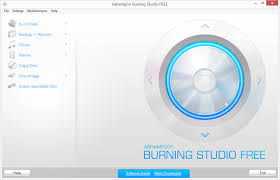
Are you looking for ways to create a musical masterpiece without breaking the bank? Look no further! In this article, we will explore the world of free Italian CD mastering programs that can help you achieve your audio goals.
What is CD Mastering?
CD mastering is the process of preparing digital audio files for physical media such as CDs. It involves converting digital data into a format that can be read by a CD player. This process ensures that your music sounds its best when played on any CD player.
Programs For Free Italian CD Mastering: Windows 10 Edition
If you’re using Windows 10, you’re in luck! There are several free Italian CD mastering programs available that can help you achieve your audio goals.
- Windows Media Player: This is the default media player that comes with Windows 10. Not only can it play multimedia files, but it also has a built-in CD mastering feature.
- Cdburnerxp: This program allows you to create CDs and DVDs from various digital formats, including MP3, WMA, and more.
Programs For Free Italian CD Mastering: Mac Edition
If you’re using a Mac, don’t worry! There are several free Italian CD mastering programs available that can help you achieve your audio goals.
- Itunes/music: This is the default media player that comes with macOS. Not only can it play multimedia files, but it also has a built-in CD mastering feature.
- Burn: This program allows you to create CDs and DVDs from various digital formats, including MP3, WMA, and more.
Programs For Free Italian Video Mastering: Windows Edition
If you’re looking to create videos on CD, there are several free Italian video mastering programs available that can help you achieve your goals.
- Cdburnerxp: This program allows you to create CDs and DVDs from various digital formats, including MP3, WMA, and more.
- Windows Media Player: This is the default media player that comes with Windows 10. Not only can it play multimedia files, but it also has a built-in CD mastering feature.
Programs For Free Italian Video Mastering: Mac Edition
If you’re looking to create videos on CD, there are several free Italian video mastering programs available that can help you achieve your goals.
- Burn: This program allows you to create CDs and DVDs from various digital formats, including MP3, WMA, and more.
- Itunes/music: This is the default media player that comes with macOS. Not only can it play multimedia files, but it also has a built-in CD mastering feature.
How to Use These Programs
Using these programs is relatively straightforward. Here’s a step-by-step guide:
- Download and install the program of your choice.
- Insert an empty CD or DVD into your computer’s disc drive.
- Open the program and select the desired CD mastering option.
- Choose the files you want to master and follow the on-screen instructions.
Tips And Tricks
Here are some tips and tricks to keep in mind when using these programs:
- Make sure to use the correct file format for your audio or video content.
- Use a consistent bit rate and sample rate for optimal sound quality.
- Experiment with different mastering settings to find the perfect balance for your music.
Conclusion
Creating a musical masterpiece has never been easier! With these free Italian CD mastering programs, you can achieve professional-grade audio quality without breaking the bank. Whether you’re using Windows 10 or macOS, there’s a program out there that can help you achieve your audio goals.
Faqs
- What is CD Mastering?
CD mastering is the process of preparing digital audio files for physical media such as CDs. - Which Programs Are Available For Free Italian CD Mastering?
Windows Media Player, CDBurnerXP, iTunes/Music, Burn, and more. - Can I Use These Programs on my Mac?
Yes, many of these programs have a Mac version or alternative options. - How do I Use These Programs?
Follow the step-by-step guide provided in this article. - What Are Some Tips And Tricks to Keep in Mind When Using These Programs?
Use the correct file format, consistent bit rate and sample rate, and experiment with different mastering settings. - Can I Create Videos on CD Using These Programs?
Yes, many of these programs allow you to create CDs and DVDs from various digital formats, including video content. - Are These Programs Compatible With my Operating System?
Most of these programs are compatible with Windows 10 and macOS, but be sure to check the system requirements before downloading. - Can I Customize The Settings For my Audio or Video Content?
Yes, most of these programs allow you to customize the settings for your audio or video content, including bit rate, sample rate, and more.
I hope this article has been informative and helpful! If you have any further questions or concerns, please don’t hesitate to ask.


