
The Ultimate Guide to Creating Images: Top Software And Apps
Are you looking for the best software and apps to create stunning images? Look no further! In this comprehensive guide, we will explore the top programs and tools to help you achieve your image creation goals.
Programmi To Create Images 3D
When it comes to creating 3D images, there are several software options available. Here are some of the best ones:
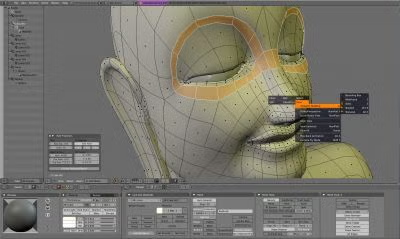
- Blender: A free, open-source software that is popular among cartoonists and animators.
- Sketchup: A user-friendly software that is ideal for beginners and professionals alike.
Programmi To Create Images Vettoriali
If you’re looking to create vector images, here are some of the best software options:
- Inkscape: A free, open-source software that is perfect for creating logos, graphics, and other vector images.
- Adobe Illustrator: A professional-grade software that is ideal for creating complex vector images.
Programmi To Create Images In Movimento
If you want to create animations or GIFs, here are some of the best software options:
- Openavitogif: A free, open-source software that can transform video files into GIFs.
- Videogif Free: A user-friendly app that allows you to create GIFs from videos.
Programmi To Create Images Con Scritte
If you want to add text to your images, here are some of the best software options:
- Paint: A classic software that is pre-installed on Windows operating systems.
- Trailer: An app that allows you to add text to images and save them as PDFs.
Programmi To Create Images Personalizzate
If you want to create custom images, here are some of the best software options:
- Gimp: A free, open-source software that is perfect for editing photos and creating custom images.
- Photoshop: A professional-grade software that is ideal for creating complex images.
App To Create Immagini
If you’re looking to create images on your smartphone or tablet, here are some of the best apps:
- 3DC.Io: An app that allows you to create 3D images and animations.
- Gnacad: A CAD software that is perfect for creating technical drawings.
Conclusion
In conclusion, there are many amazing software options available for creating images. Whether you’re a beginner or a professional, there’s something for everyone. From 3D images to vector graphics, animations, and custom images, the possibilities are endless. With these top software and apps, you can unleash your creativity and bring your vision to life.
Frequently Asked Questions
Here are some frequently asked questions related to creating images:
- Q: What is The Best Software For Creating 3D Images?
- A: Blender and SketchUp are two of the top software options for creating 3D images.
- Q: Can I Create Vector Graphics With Free Software?
- A: Yes, Inkscape is a free, open-source software that can help you create vector graphics.
- Q: How do I Add Text to my Images?
- A: You can use Paint or Trailer to add text to your images.
- Q: Can I Create Custom Images on my Smartphone or Tablet?
- A: Yes, there are many apps available for creating custom images on mobile devices.
Conclusion
In conclusion, creating images is a fun and creative process that can be achieved with the right software and tools. Whether you’re a beginner or a professional, there’s something for everyone. With these top software and apps, you can unleash your creativity and bring your vision to life.


