
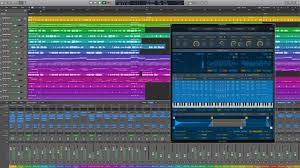
The Ultimate Guide to Modifying Music on Your PC
Are you a music enthusiast looking to edit and modify your favorite tunes? Look no further! In this comprehensive guide, we’ll walk you through the best programs to modify music on Windows, Mac, and online.
Why Modify Music?
Modifying music can be a fun and creative way to enhance your listening experience. Whether you want to cut out unwanted parts, add effects, or mix different tracks together, modifying music can help you achieve the perfect sound.
Programs to Modify Music on Windows
- Audacity
- Audacity is a free, open-source program that’s ideal for beginners and experts alike.
- With Audacity, you can cut, copy, paste, and edit audio files with ease.
- You can also apply effects, such as reverb, echo, and compression, to enhance your sound.
- Virtual DJ
- Virtual DJ is a popular program that lets you mix two tracks together, add effects, and export the final product.
- It’s available in both free and paid versions, with prices starting at €23/month.
- Lmms
- LMMS is a true music editor that’s perfect for users of all skill levels.
- With LMMS, you can record your own tracks from scratch or edit existing ones.
- Mp3directcut
- MP3DirectCut is a lightweight program that lets you cut, copy, and paste audio files with ease.
- Mp3gain
- MP3Gain is a simple program that normalizes the volume of your audio files.
Programs to Modify Music on Mac
- Garageband
- GarageBand is Apple’s official music editing software.
- With GarageBand, you can create and edit your own tracks, add effects, and export them in various formats.
- Audacity (also Available on Mac)
- Audacity is also available on Mac, offering the same features as its Windows counterpart.
Programs to Modify Music Online
- Audio Editor of Audiotoolset
- AudioEditor of AudioToolSet is a web-based program that lets you edit audio files online.
- With AudioEditor, you can cut, copy, and paste audio files, add effects, and export them in various formats.
Other Online Services to Modify Music
- Cut Audio of 123Apps
- Cut Audio of 123Apps is a web-based platform that lets you cut audio files online.
- Audio Trimmer
- Audio Trimmer is an online editor that lets you trim, cut, and edit audio files.
- Hya.Io
- Hya.Io is an online service that lets you apply filters and effects to your audio files.
Mobile Apps to Modify Music
- FL Mobile Studio (Android/iOS/iPadOS)
- FL Mobile Studio is the mobile version of the popular music editing software, FL Studio.
- Bandlab (Android/iOS/iPadOS)
- BandLab is a free app that lets you create and edit music on your mobile device.
- Walk Band (Android)
- Walk Band is another mobile app that lets you create and edit music on the go.
- Garageband (iOS/iPadOS)
- GarageBand is Apple’s official music editing software, available on iOS and iPadOS.
Conclusion
Modifying music can be a fun and creative way to enhance your listening experience. Whether you’re a beginner or an expert, there are plenty of programs available to help you achieve the perfect sound. From Audacity to GarageBand, and from online services like AudioEditor to mobile apps like FL Mobile Studio, we’ve got you covered.
Faqs
- What is The Best Program to Modify Music on Windows?
- The best program to modify music on Windows is Audacity.
- Can I Use Audacity on Mac?
- Yes, Audacity is also available on Mac.
- How do I Export my Edited Audio File From Garageband?
- To export your edited audio file from GarageBand, go to the “Share” menu and choose the desired format.
- Can I Use Online Services to Modify Music?
- Yes, there are several online services available that let you edit audio files online, such as AudioEditor of AudioToolSet.
- What is The Difference Between Audacity And Garageband?
- Audacity is a free, open-source program, while GarageBand is Apple’s official music editing software.
- Can I Use Mobile Apps to Modify Music?
- Yes, there are several mobile apps available that let you create and edit music on your mobile device.
- How do I Cut Audio Files Online?
- You can cut audio files online using services like Cut Audio of 123Apps or Audio Trimmer.
- Can I Apply Filters And Effects to my Audio Files Online?
- Yes, you can apply filters and effects to your audio files online using services like Hya.Io.


