
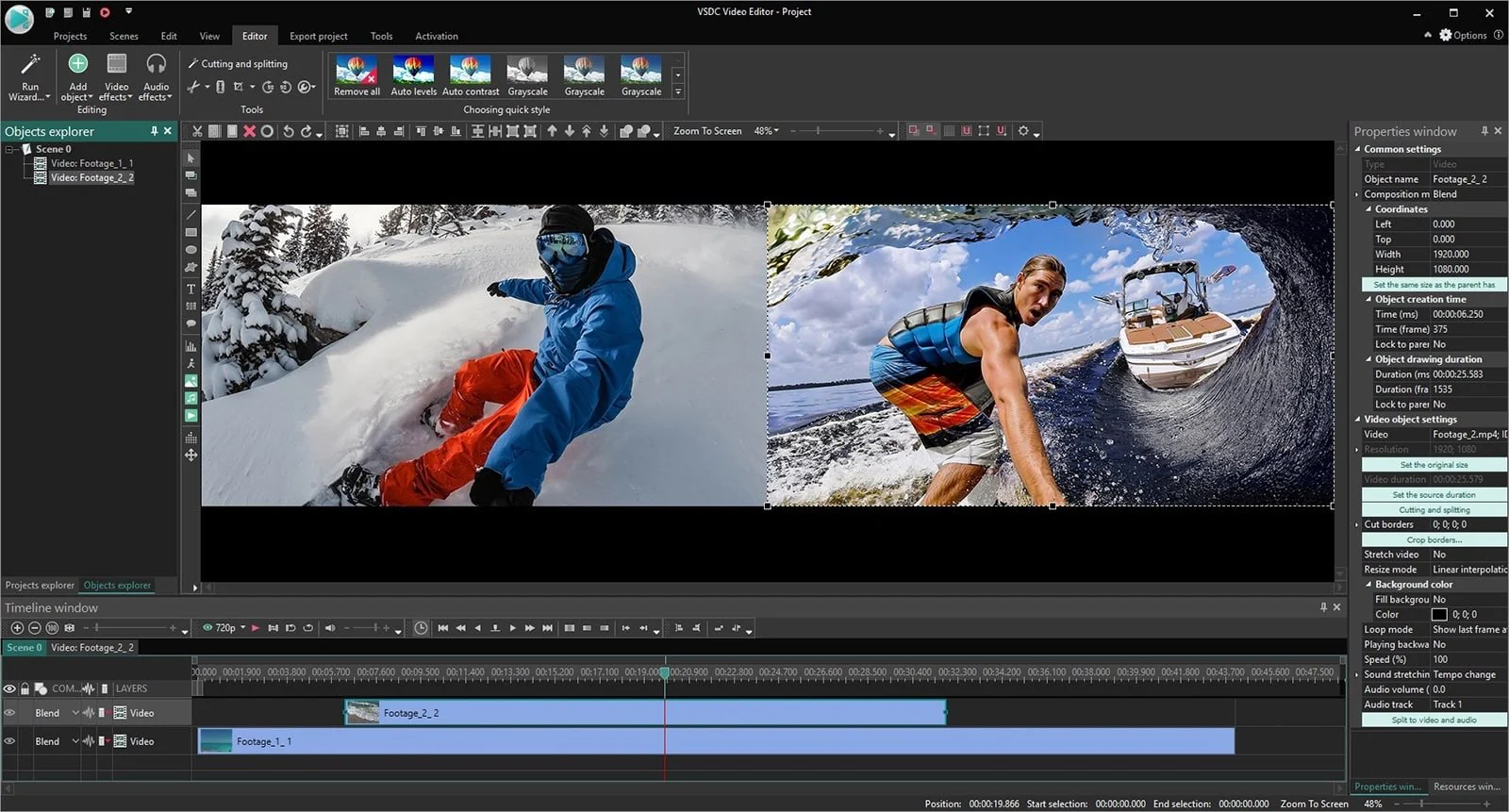
The Ultimate Guide to Video Editing Software: Top Programs For PC
Are you a video enthusiast looking for ways to edit and enhance your footage? Look no further! In this article, we’ll explore the best video editing software for PC, from free options to paid professional tools.
Why Edit Your Videos?
Before we dive into the top programs, let’s quickly discuss why video editing is essential. Whether you’re a YouTuber, filmmaker, or simply someone who wants to share their memories with family and friends, editing your videos can make all the difference. It allows you to:
- Remove unwanted footage
- Add transitions and effects
- Improve audio quality
- Enhance color and brightness
- And much more!
Free Video Editing Software For PC
If you’re on a budget or just starting out, don’t worry! There are plenty of free video editing software options available for PC. Here are some top picks:
Avidemux
The first free software we’ll explore is Avidemux. This powerful tool supports all popular video formats and includes various instruments and filters to help you edit your footage.
- Download: Www.Avidemux.Fr
- Platforms: Windows, macOS, Linux
Kdenlive
Next up is Kdenlive, another free and open-source video editing software for PC. This user-friendly program supports multiple formats, including HD and 4K.
- Download: Www.Kdenlive.Org
- Platforms: Windows, macOS, Linux
Imovie
For those using a Mac, iMovie is an excellent free video editing software option. This intuitive tool allows you to create stunning videos with ease.
- Available on: MacOS
- Download from: Mac App Store
Paid Video Editing Software For PC
Now that we’ve covered the free options, let’s move on to some top paid video editing software for PC:
Adobe Premiere Pro
As one of the most popular professional video editing tools, Adobe Premiere Pro is a must-try. This powerful software offers advanced features like multi-camera editing and color grading.
- Platforms: Windows, macOS
- Pricing: 24,39 Euros/month (Basic Plan) or 60,99 euros/month (Creative Cloud)
Sony Vegas Pro
Next up is Sony Vegas Pro, another top-notch video editing software for PC. This professional tool offers advanced features like 3D audio and color correction.
- Platforms: Windows
- Pricing: 16,67 Euros/month (Monthly Plan) or 299,00 euros (Annual Subscription)
Final Cut Pro X
For Mac users looking for a professional-grade video editing experience, Final Cut Pro X is an excellent choice. This powerful software offers advanced features like multi-camera editing and color grading.
- Platforms: MacOS
- Pricing: 329,99 Euros (Full Version) or 49,99 euros (Trial Version)
Other Noteworthy Video Editing Software For PC
Last but not least, here are some other notable video editing software options for PC:
Davinci Resolve
This free video editing software offers advanced features like color grading and audio editing. A paid version is also available.
- Platforms: Windows, macOS, Linux
- Pricing: Free (Basic Version) or 199 euros (Studio Version)
Lightworks
This professional-grade video editing software offers advanced features like multi-camera editing and color correction.
- Platforms: Windows, macOS, Linux
- Pricing: Free (Basic Version) or 25,90 euros/month (Monthly Subscription)
This user-friendly video editing software allows you to create stunning videos with ease. A paid version is also available.
- Platforms: Windows, macOS
- Pricing: Free (Basic Version) or 44,99 euros/year (Annual Subscription)
Avs Video Editor
This professional-grade video editing software offers advanced features like color correction and audio editing.
- Platforms: Windows
- Pricing: 199 Euros (Full Version) or 69 euros/year (Monthly Subscription)
Conclusion
In conclusion, whether you’re a beginner or a seasoned pro, there’s a video editing software out there for everyone. From free options like Avidemux and Kdenlive to paid professional tools like Adobe Premiere Pro and Final Cut Pro X, the choice is yours.
Frequently Asked Questions (FAQs)
Here are some frequently asked questions about video editing software:
-
What’s The Best Video Editing Software For Beginners?
A: Avidemux or iMovie are excellent options for beginners. -
Which Video Editing Software Offers Advanced Features Like Color Grading And Multi-camera Editing?
A: Adobe Premiere Pro, Sony Vegas Pro, Final Cut Pro X, DaVinci Resolve, Lightworks, and AVS Video Editor offer these features. -
Is There a Free Video Editing Software Available For Pc?
A: Yes, Avidemux, Kdenlive, iMovie, and DaVinci Resolve are some top free video editing software options for PC. -
Which Video Editing Software Offers The Best User Interface?
A: IMovie, Wondershare Filmora, and Avidemux have an intuitive and user-friendly interface. -
Can I Use Video Editing Software on a Mac?
A: Yes, Adobe Premiere Pro, Final Cut Pro X, and DaVinci Resolve are some top video editing software options available for Mac. -
Which Video Editing Software Offers The Best Customer Support?
A: Adobe Premiere Pro, Final Cut Pro X, and Sony Vegas Pro have excellent customer support. -
Is There a Free Trial Version of Any Paid Video Editing Software Available?
A: Yes, many paid video editing software options offer a free trial version or a limited-time free trial. -
Can I Use Video Editing Software on Multiple Platforms (Windows, Macos, Linux)?
A: Yes, some top video editing software options like Avidemux, Kdenlive, DaVinci Resolve, Lightworks, and AVS Video Editor offer multi-platform support.


