
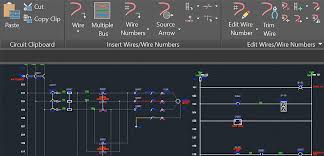
Electrical Diagrams: The Ultimate Guide
Are you tired of designing electrical diagrams by hand? Do you want to create professional-looking diagrams with ease? Look no further! In this article, we’ll explore the best programs for electrical diagrams that are free and easy to use.
What Are Electrical Diagrams?
Before we dive into the world of software, let’s first understand what electrical diagrams are. Electrical diagrams are visual representations of electrical systems, showing how components are connected and interacting with each other. They’re essential for designing, testing, and maintaining electrical systems in various industries, including construction, manufacturing, and renewable energy.
The Benefits of Using Software For Electrical Diagrams
Using software to create electrical diagrams offers several benefits over traditional methods:
- Accuracy: Software ensures accurate representations of electrical systems, reducing errors and misinterpretations.
- Speed: Software allows you to create diagrams quickly and efficiently, saving time and increasing productivity.
- Collaboration: Software enables multiple users to collaborate on the same diagram, facilitating teamwork and communication.
Top Programs For Electrical Diagrams
Now that we’ve covered the benefits of using software, let’s explore the top programs for electrical diagrams:
Kicad
Free, Open-source, and available for Windows, macOS, and Linux, KiCad is a popular choice among electrical engineers. It allows you to create 2D and 3D electrical diagrams, simulate circuits, and perform calculations.
- Pros: Free, open-source, and feature-rich.
- Cons: Steep learning curve.
Circuit Diagram
Online, Windows, and Macos versions available, Circuit Diagram is another excellent option for creating electrical diagrams. It’s easy to use, intuitive, and perfect for beginners.
- Pros: Easy to use, online version available.
- Cons: Limited features compared to KiCad.
Easyeda
Online, Windows, Macos, and Linux versions available, EasyEDA is a versatile platform for creating electrical diagrams. It allows you to design 2D and 3D diagrams, simulate circuits, and perform calculations.
- Pros: Versatile, feature-rich, and online version available.
- Cons: Steep learning curve.
Other Programs
Other notable programs for electrical diagrams include:
- Autocad (Windows and macOS): A powerful CAD software with extensive features.
- Proficad (Windows): A user-friendly program for creating electrical diagrams.
- Capital Electra X (online): A cloud-based CAD software for designing electrical systems.
Choosing The Right Program
With so many options available, choosing the right program can be daunting. Consider the following factors:
- Purpose: What do you want to achieve with your diagram? Do you need to create a simple circuit or a complex system?
- Skill Level: Are you an experienced engineer or a beginner?
- Platform: Which platform will you use most frequently?
Conclusion
In conclusion, using software for electrical diagrams offers numerous benefits over traditional methods. KiCad, Circuit Diagram, EasyEDA, and other programs are excellent options to consider. Choose the right program based on your needs, skill level, and platform of choice.
Frequently Asked Questions (FAQs)
- What is The Best Program For Electrical Diagrams?
The best program depends on your specific needs and preferences. KiCad, Circuit Diagram, and EasyEDA are popular choices among electrical engineers.
- Are These Programs Free to Use?
Yes, most of these programs offer free versions or trials. However, some may require a subscription or purchase a license for advanced features.
- Can I Create 3D Diagrams Using These Programs?
Yes, KiCad and EasyEDA allow you to create 3D diagrams in addition to 2D designs.
- Do These Programs Have Online Versions Available?
Yes, Circuit Diagram and EasyEDA offer online versions that can be accessed directly from a web browser.
- Can I Collaborate With Others on Electrical Diagrams Using These Programs?
Yes, most of these programs allow multiple users to collaborate on the same diagram in real-time.
- Do These Programs Have Tutorials or Guides For Beginners?
Yes, KiCad, Circuit Diagram, and EasyEDA offer extensive documentation and tutorials to help you get started.
- Can I Use These Programs on a Mobile Device?
Some of these programs, such as EasyEDA, have mobile apps available. However, functionality may be limited compared to desktop versions.


