
The Ultimate Guide to Conceptual Maps: Top Programs And Services
Are you looking for a way to organize your ideas, improve your productivity, and enhance your cognitive abilities? Look no further than conceptual maps! These visual tools can help you map out complex concepts, relationships, and ideas in a clear and concise manner. In this article, we’ll explore the best programs and services for creating conceptual maps, including free options and paid subscriptions.
What Are Conceptual Maps?
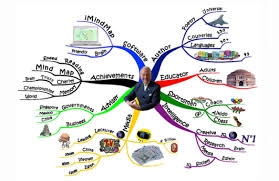
Conceptual maps are visual representations of ideas, concepts, and relationships. They’re often used in education, business, and personal development to help individuals organize their thoughts, identify patterns, and make connections between seemingly unrelated concepts.
Top Programs For Creating Conceptual Maps
- Xmind: This is a popular program for creating conceptual maps, available for Windows, macOS, and Linux. It offers a free version with limited features, as well as a paid subscription with advanced features.
- Mindnode: A user-friendly program specifically designed for creating conceptual maps on macOS. It’s available for free, but requires a subscription to access advanced features.
- Cmap Tools: A free program that allows you to create conceptual maps and facilitate collaboration.
- Word: Yes, you can even use Microsoft Word to create conceptual maps! This is a great option if you’re already familiar with the software.
Online Services For Creating Conceptual Maps
- Mindmeister: An online service that allows you to create and share conceptual maps easily. It offers a free version with limited features, as well as a paid subscription.
- Creately: A service dedicated to creating conceptual maps, diagrams, and more. It’s available for free, but requires a subscription to access advanced features.
- Goconqr: Another online service that allows you to create conceptual maps quickly and easily.
- Canva: A popular graphic design platform that offers a section for creating customized conceptual maps.
Mobile Apps For Creating Conceptual Maps
- Mindmomo: An app available for Android, iOS, and iPadOS that allows you to create conceptual maps on the go.
- Mindly: An app designed specifically for creating impact-oriented conceptual maps.
- Cmaptools: A mobile app that enables you to create conceptual maps using a variety of digital objects.
Programs For Conceptual Maps in Education
- Geco: A program designed for students with learning difficulties, offering a range of tools and features for creating conceptual maps.
- Supermappe Evo: A software solution specifically designed for students, allowing them to create conceptual maps using various digital objects.
- Supermappex: The online version of SuperMappe Evo, offering additional features and functionality.
Conclusion
Conceptual maps are a powerful tool for improving productivity, creativity, and cognitive abilities. Whether you’re an individual or part of a team, there’s a program or service out there to help you create the perfect conceptual map. From free options like XMind and MindNode to paid subscriptions like MindMeister and Creately, we’ve got you covered.
Frequently Asked Questions
- What Are Conceptual Maps?
Conceptual maps are visual representations of ideas, concepts, and relationships. - Which Program is Best For Creating Conceptual Maps?
The best program depends on your specific needs and preferences. XMind and MindNode are popular choices for individuals, while Geco and SuperMappe Evo are designed for educational purposes. - Are There Any Free Options Available?
Yes! XMind, MindNode, Cmap Tools, and more offer free versions or trials. - How do I Create a Conceptual Map?
To create a conceptual map, simply select the program or service you prefer, follow the instructions, and start mapping out your ideas! - Can I Use Conceptual Maps For Educational Purposes?
Absolutely! Conceptual maps are an excellent tool for students to organize their thoughts, identify patterns, and develop critical thinking skills. - How do I Share my Conceptual Map With Others?
Most programs and services allow you to export or share your conceptual map via email, cloud storage, or social media platforms.
Get Started Today!
Take the first step towards improving your productivity, creativity, and cognitive abilities by exploring these top programs and services for creating conceptual maps.


