
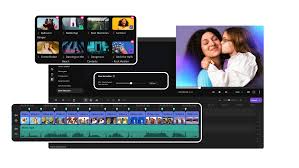
Creating Engaging Videos With Photos, Music, And Effects: A Guide
Are you looking to create engaging videos without breaking the bank? Look no further! With a plethora of free software options available, you can now make high-quality videos with photos, music, and effects that will captivate your audience.
In this article, we’ll explore some of the best free programs for creating video projects on PC and Mac. We’ll also delve into online services that offer similar features, making it easy to produce stunning visuals without the need for professional software.
Programs For Creating Videos With Photos, Music, And Text on PC
1. Photo Legacy (Windows)
If you’re using a Windows PC, Photo Legacy is an excellent choice. This program offers specific solutions for video mounting, making it comfortable, intuitive, and functional.
- Getting Started: Search for “Legacy” in the Windows search bar, click on the first result, and then select the “Editor Video” option.
- Adding Content: Select the “Add” button in the Project window, choose the content type (Photo, Video, or Audio), and drag the desired elements into the Storyboard below.
2. Imovie (macOS)
If you’re using a Mac, iMovie is an excellent choice. This program offers specific solutions for video mounting, making it comfortable, intuitive, and functional.
- Getting Started: Launch iMovie from your Applications folder, click on the “Create New” button, and select the “Filmed” option.
- Adding Content: Select the “Media” tab, choose the content type (Photo, Video, or Audio), and drag the desired elements into the Timeline below.
Other Programs For Creating Videos With Photos, Music, And Text on PC
1. Smartshow 3D (Windows)
SmartSHOW 3D is a user-friendly program that offers specific solutions for video mounting, making it comfortable, intuitive, and functional.
- Getting Started: Search for “SmartSHOW 3D” in the Windows search bar, click on the first result, and then select the “New Project” option.
- Adding Content: Select the “Add” button in the Project window, choose the content type (Photo, Video, or Audio), and drag the desired elements into the Storyboard below.
2. Openshot (Windows/macOS/Linux)
OpenShot is an open-source program that offers specific solutions for video mounting, making it comfortable, intuitive, and functional.
- Getting Started: Search for “OpenShot” in your system’s search bar, click on the first result, and then select the “New Project” option.
- Adding Content: Select the “Add” button in the Project window, choose the content type (Photo, Video, or Audio), and drag the desired elements into the Timeline below.
3. Shotcut (Windows/macOS/Linux)
Shotcut is a cross-platform program that offers specific solutions for video mounting, making it comfortable, intuitive, and functional.
- Getting Started: Search for “Shotcut” in your system’s search bar, click on the first result, and then select the “New Project” option.
- Adding Content: Select the “Add” button in the Project window, choose the content type (Photo, Video, or Audio), and drag the desired elements into the Timeline below.
Online Services For Creating Videos With Photos, Music, And Text
1. Canva
Canva is a user-friendly online platform that offers specific solutions for video mounting, making it comfortable, intuitive, and functional.
- Getting Started: Visit Canva’s website, click on the “Sign Up” button, and then select the “Video” option.
- Adding Content: Select the “Uploads” tab, choose the content type (Photo, Video, or Audio), and drag the desired elements into the Timeline below.
2. Adobe Express
Adobe Express is a user-friendly online platform that offers specific solutions for video mounting, making it comfortable, intuitive, and functional.
- Getting Started: Visit Adobe’s website, click on the “Sign Up” button, and then select the “Video” option.
- Adding Content: Select the “Uploads” tab, choose the content type (Photo, Video, or Audio), and drag the desired elements into the Timeline below.
Other Online Services For Creating Videos With Photos, Music, And Text
1. Clipchamp
Clipchamp is a user-friendly online platform that offers specific solutions for video mounting, making it comfortable, intuitive, and functional.
- Getting Started: Visit Clipchamp’s website, click on the “Sign Up” button, and then select the “Video” option.
- Adding Content: Select the “Uploads” tab, choose the content type (Photo, Video, or Audio), and drag the desired elements into the Timeline below.
2. Animoto
Animoto is a user-friendly online platform that offers specific solutions for video mounting, making it comfortable, intuitive, and functional.
- Getting Started: Visit Animoto’s website, click on the “Sign Up” button, and then select the “Video” option.
- Adding Content: Select the “Uploads” tab, choose the content type (Photo, Video, or Audio), and drag the desired elements into the Timeline below.
3. Clideo
Clideo is a user-friendly online platform that offers specific solutions for video mounting, making it comfortable, intuitive, and functional.
- Getting Started: Visit Clideo’s website, click on the “Sign Up” button, and then select the “Video” option.
- Adding Content: Select the “Uploads” tab, choose the content type (Photo, Video, or Audio), and drag the desired elements into the Timeline below.
By utilizing these free software options and online services, you can create high-quality videos with photos, music, and effects that will captivate your audience. So why wait? Get started today!


