
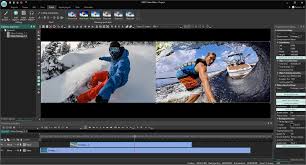
Creating Videos on Pc: A Comprehensive Guide
Are you interested in creating videos on your PC but don’t know where to start? Look no further! In this article, we’ll guide you through the process of creating stunning videos using various programs available for Windows and macOS.
What You Need to Know
Before we dive into the details, let’s cover some basics. To create a video, you’ll need:
- A computer with a compatible operating system (Windows or macOS)
- A program designed for video editing
- Input media files (photos, videos, and audio)
Microsoft Clipchamp: The Ultimate Video Editing Solution
When it comes to video editing on PC, Microsoft Clipchamp is the ultimate solution. This powerful tool offers a wide range of features, including:
- Importing and exporting video and audio files
- Applying filters and effects
- Creating animated GIFs
Clipchamp’s user-friendly interface makes it easy to navigate, even for beginners. With its robust feature set and seamless integration with Windows 10 and 11, Clipchamp is the perfect choice for creating stunning videos.
Imovie: The Go-to Video Editing App For Mac
If you’re using a Mac, iMovie is the go-to video editing app. This intuitive tool allows you to:
- Import photos and videos
- Add music and sound effects
- Apply transitions and filters
With its sleek design and user-friendly interface, iMovie makes it easy to create professional-looking videos.
Other Video Editing Programs
While Clipchamp and iMovie are excellent choices, there are other video editing programs available for Windows and macOS. Some notable options include:
- Wondershare Filmora: A feature-rich program with a modern interface
- DaVinci Resolve: An advanced video editing tool for professionals
- Avidemux: A free, open-source video editor
Video Editing on Mobile Devices
If you’re looking to create videos on-the-go, there are several excellent mobile apps available. Some popular options include:
- Splice: A user-friendly app with a wide range of features
- IMovie (iOS and iPadOS): The mobile version of the popular Mac app
- GoPro Quik: An official app for editing footage from your GoPro camera
Conclusion
Creating videos on PC is easier than ever, thanks to the abundance of powerful programs available. Whether you’re a beginner or an experienced user, there’s a program out there that suits your needs.
In this article, we’ve explored some of the best video editing software for Windows and macOS, including Microsoft Clipchamp and iMovie. We’ve also touched on other programs and mobile apps that can help you create stunning videos.
Frequently Asked Questions
- What is The Best Video Editing Program For Beginners?
Microsoft Clipchamp is an excellent choice for beginners, with its user-friendly interface and robust feature set. - Can I Use Imovie on my Pc?
No, iMovie is exclusive to Mac devices. - What Are Some Other Video Editing Programs Available?
Some notable options include Wondershare Filmora, DaVinci Resolve, and Avidemux. - Can I Create Videos on Mobile Devices?
Yes, there are several excellent mobile apps available for creating videos, including Splice, iMovie (iOS and iPadOS), and GoPro Quik. - What is The Difference Between Video Editing Software And a Video Editing App?
Video editing software refers to programs installed on your computer, while video editing apps refer to mobile applications designed specifically for video editing. - Can I Export Videos in 4K Resolution Using These Programs?
Yes, many of these programs allow you to export videos in 4K resolution or higher.
We hope this article has been helpful in guiding you through the world of video editing on PC and mobile devices!


