
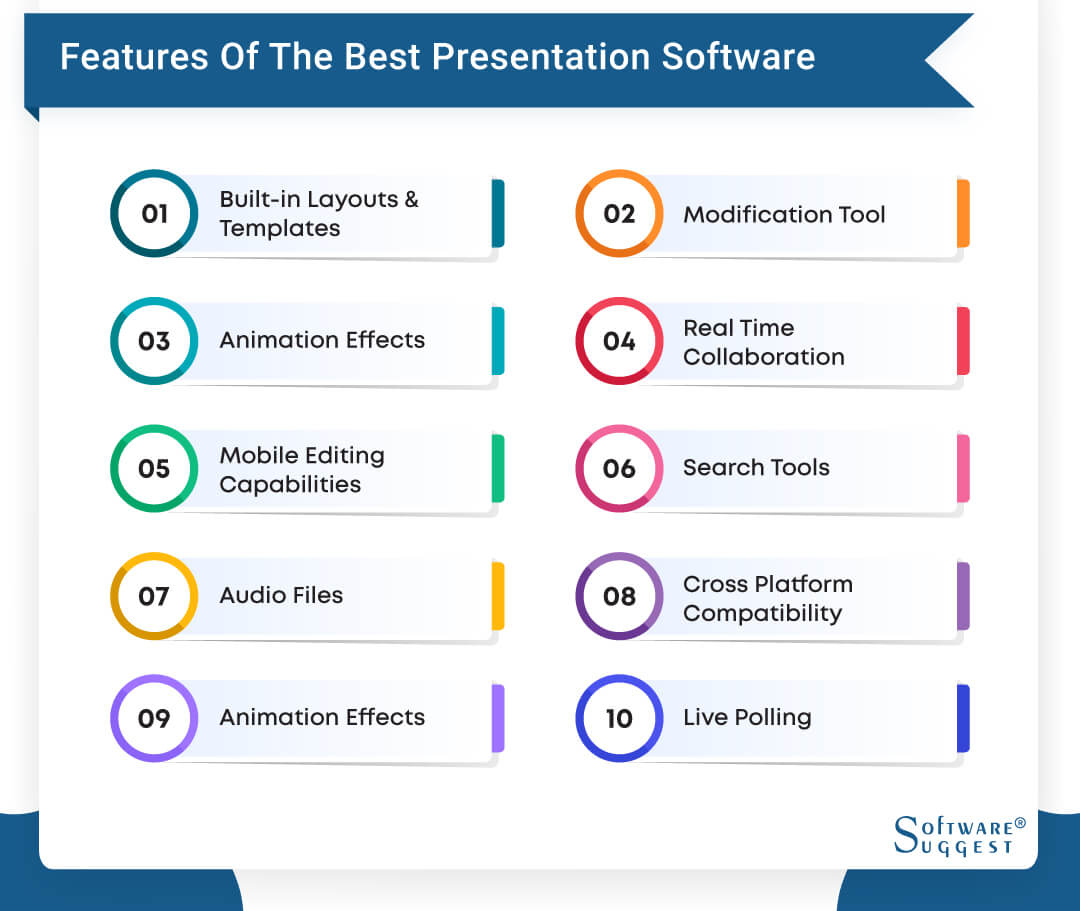
The Best Programs For Powerpoint: A Comprehensive Guide
Are you looking for ways to create stunning presentations without breaking the bank? Look no further! In this article, we’ll explore the top programs for PowerPoint that will help you take your presentation game to the next level.
Why Use a Program For Powerpoint?
Presentations are an essential part of any business or academic setting. Whether you’re pitching an idea, showcasing a product, or presenting research findings, having a well-designed presentation can make all the difference. However, creating a great presentation from scratch can be time-consuming and overwhelming, especially if you’re not tech-savvy.
Microsoft Powerpoint (Free)
The first program on our list is Microsoft PowerPoint, which comes free with a Windows or macOS operating system. Yes, you read that right – it’s completely free! With PowerPoint, you’ll have access to a vast array of templates, design tools, and multimedia features to help you create stunning presentations.
Libreoffice (Free)
Next up is LibreOffice, a free and open-source suite of productivity software. The presentation module, called Impress, is fully compatible with Microsoft PowerPoint files and offers many of the same features, including animations, transitions, and collaboration tools.
Apple Keynote (Free For Mac)
If you’re a Mac user, Apple’s Keynote is an excellent option. This program is designed specifically for creating presentations and comes with a wide range of templates, design tools, and multimedia features.
Other Programs For Powerpoint
There are many other programs available that can help you create professional-looking presentations without breaking the bank. Some popular options include:
- Openoffice.Org: A free and open-source suite of productivity software that includes a presentation module called Presentation.
- Wps Office Free: A free version of WPS Office, a suite of office software that includes a presentation module called Presentation.
- Softmaker Freeoffice: A free version of SoftMaker’s office software, which includes a presentation module called Presentations.
Programs For Powerpoint Online
If you need to create presentations on the go or don’t have access to a computer, there are many programs available online that can help. Some popular options include:
- Powerpoint Online: Microsoft’s free online version of PowerPoint, which allows you to create and edit presentations directly in your web browser.
- Presentations Google: A free online presentation tool from Google, which integrates seamlessly with Google Drive.
Apps For Powerpoint
If you need to access your presentations on the go, there are many apps available that can help. Some popular options include:
- Powerpoint (Android/iOS/iPadOS): The official PowerPoint app, which allows you to create and edit presentations directly on your mobile device.
- Presentations Google (Android/iOS/iPadOS): The official Google Presentation app, which allows you to create and edit presentations directly on your mobile device.
Conclusion
Creating a great presentation doesn’t have to break the bank. With these top programs for PowerPoint, you’ll be able to create stunning presentations that will impress your audience without overspending.
Faqs
- What is The Best Program For Powerpoint?
The best program for PowerPoint depends on your specific needs and preferences. Microsoft PowerPoint, LibreOffice, Apple Keynote, and other programs listed above are all great options. - Can I Use a Program For Powerpoint Online?
Yes! Many programs, including Microsoft PowerPoint Online and Presentations Google, allow you to create and edit presentations directly in your web browser. - Do I Need to Pay For a Subscription to Use These Programs?
Some of the programs listed above require a subscription or payment to access their full features. However, many offer free versions or trials that can get you started. - Can I Use These Programs on my Mobile Device?
Yes! Many of the programs listed above have mobile apps that allow you to create and edit presentations directly on your smartphone or tablet. - What is The Difference Between Microsoft Powerpoint And Libreoffice?
Microsoft PowerPoint is a proprietary software program developed by Microsoft, while LibreOffice is a free and open-source suite of productivity software. Both programs offer many of the same features, but LibreOffice is often considered more affordable and flexible.
Conclusion
In conclusion, creating a great presentation doesn’t have to be expensive or time-consuming. With these top programs for PowerPoint, you’ll be able to create stunning presentations that will impress your audience without breaking the bank.
TheBest Programs for PowerPoint: A Comprehensive Guide**
Are you looking for ways to create stunning presentations without breaking the bank? Look no further! In this article, we’ll explore the top programs for PowerPoint that will help you take your presentation game to the next level.
Why Use a Program For Powerpoint?
Presentations are an essential part of any business or academic setting. Whether you’re pitching an idea, showcasing a product, or presenting research findings, having a well-designed presentation can make all the difference. However, creating a great presentation from scratch can be time-consuming and overwhelming, especially if you’re not tech-savvy.
Microsoft Powerpoint (Free)
The first program on our list is Microsoft PowerPoint, which comes free with a Windows or macOS operating system. Yes, you read that right – it’s completely free! With PowerPoint, you’ll have access to a vast array of templates, design tools, and multimedia features to help you create stunning presentations.
Libreoffice (Free)
Next up is LibreOffice, a free and open-source suite of productivity software. The presentation module, called Impress, is fully compatible with Microsoft PowerPoint files and offers many of the same features, including animations, transitions, and collaboration tools.
Apple Keynote (Free For Mac)
If you’re a Mac user, Apple’s Keynote is an excellent option. This program is designed specifically for creating presentations and comes with a wide range of templates, design tools, and multimedia features.
Other Programs For Powerpoint
There are many other programs available that can help you create professional-looking presentations without breaking the bank. Some popular options include:
- Openoffice.Org: A free and open-source suite of productivity software that includes a presentation module called Presentation.
- Wps Office Free: A free version of WPS Office, a suite of office software that includes a presentation module called Presentation.
- Softmaker Freeoffice: A free version of SoftMaker’s office software, which includes a presentation module called Presentations.
Programs For Powerpoint Online
If you need to create presentations on the go or don’t have access to a computer, there are many programs available online that can help. Some popular options include:
- Powerpoint Online: Microsoft’s free online version of PowerPoint, which allows you to create and edit presentations directly in your web browser.
- Presentations Google: A free online presentation tool from Google, which integrates seamlessly with Google Drive.
Apps For Powerpoint
If you need to access your presentations on the go, there are many apps available that can help. Some popular options include:
- Powerpoint (Android/iOS/iPadOS): The official PowerPoint app, which allows you to create and edit presentations directly on your mobile device.
- Presentations Google (Android/iOS/iPadOS): The official Google Presentation app, which allows you to create and edit presentations directly on your mobile device.
Conclusion
Creating a great presentation doesn’t have to break the bank. With these top programs for PowerPoint, you’ll be able to create stunning presentations that will impress your audience without overspending.
Faqs
- What is The Best Program For Powerpoint?
The best program for PowerPoint depends on your specific needs and preferences. Microsoft PowerPoint, LibreOffice, Apple Keynote, and other programs listed above are all great options. - Can I Use a Program For Powerpoint Online?
Yes! Many programs, including Microsoft PowerPoint Online and Presentations Google, allow you to create and edit presentations directly in your web browser. - Do I Need to Pay For a Subscription to Use These Programs?
Some of the programs listed above require a subscription or payment to access their full features. However, many offer free versions or trials that can get you started. - Can I Use These Programs on my Mobile Device?
Yes! Many of the programs listed above have mobile apps that allow you to create and edit presentations directly on your smartphone or tablet. - What is The Difference Between Microsoft Powerpoint And Libreoffice?
Microsoft PowerPoint is a proprietary software program developed by Microsoft, while LibreOffice is a free and open-source suite of productivity software. Both programs offer many of the same features, but LibreOffice is often considered more affordable and flexible.
Conclusion
In conclusion, creating a great presentation doesn’t have to be expensive or time-consuming. With these top programs for PowerPoint, you’ll be able to create stunning presentations that will impress your audience without breaking the bank.


