
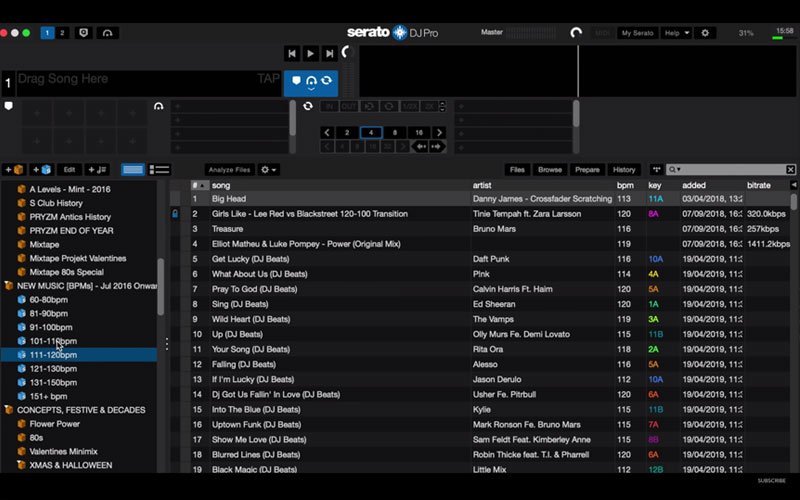
Organizing Your Music Library: A Guide to Software Solutions
As a music lover, having an organized music library can be a dream come true. With so many songs and albums to keep track of, it’s easy to get lost in the chaos. That’s why we’ve put together this guide to help you find the perfect software solution for organizing your music collection.
What is Music Organization Software?
Music organization software is a program that helps you categorize and manage your digital music library. These programs can be used on both Windows and Mac operating systems, and some even offer mobile apps for easy access on-the-go.
Benefits of Using Music Organization Software
- Improved Library Management: With music organization software, you’ll be able to easily find and play specific songs or albums.
- Space-saving: By categorizing your music files, you can free up space on your computer or mobile device.
- Easy Playlist Creation: Create playlists with ease using the built-in playlist features of these programs.
Popular Music Organization Software
- Windows Media Player (Windows): A free program that comes pre-installed on Windows computers, allowing you to organize and play digital music files.
- Itunes/music (Windows/macOS): Apple’s official music management software for both Macs and PCs, offering advanced features like playlist creation and album artwork display.
- Vlc (Android/iOS/iPadOS): A versatile media player that can also be used to organize digital music files on mobile devices.
Other Programs to Consider
- Musicbrainz Picard: An open-source program for organizing digital music libraries, offering advanced features like tagging and cataloging.
- Foobar2000 (Windows): A lightweight music player with built-in organization features, perfect for those seeking a simple solution.
- Mediamonkey (Windows): A powerful music management software that can help you organize, tag, and play digital music files.
Tips For Effective Music Organization
- Use Folders: Organize your music files into folders by artist, album, or genre to make it easier to find specific songs.
- Update Tags: Make sure to update tags with accurate information like song titles, artists, and genres.
- Create Playlists: Use the built-in playlist features of these programs to create playlists based on your favorite songs or albums.
Mobile Apps For Music Organization
- Vlc (Android/iOS/iPadOS): A mobile app that can be used to organize digital music files on-the-go.
- Musicolet (Android): A free media player with built-in organization features, perfect for those seeking a simple solution.
Conclusion
Organizing your music library can seem daunting, but with the right software solutions and tips, you’ll be able to keep track of your favorite songs and albums in no time. Whether you’re using Windows Media Player, iTunes/Music, or VLC on your mobile device, these programs will help you create a well-organized music library that’s easy to navigate.
Frequently Asked Questions
- Q: What is The Best Software For Organizing my Music Library?
A: The best software depends on your specific needs and preferences. - Q: Can I Use Music Organization Software on Both Windows And Mac?
A: Yes, most of these programs are compatible with both operating systems. - Q: How do I Update Tags in my Music Files?
A: You can update tags using the built-in features of your chosen program or by manually editing them. - Q: Can I Use Mobile Apps to Organize my Music Library?
A: Yes, many of these programs offer mobile apps for easy access on-the-go. - Q: How do I Create Playlists With Music Organization Software?
A: Most of these programs have built-in playlist features that allow you to create and customize playlists based on your favorite songs or albums. - Q: Can I Use Music Organization Software For Free?
A: Some of these programs offer free versions, while others require a subscription or purchase. - Q: How do I Back up my Music Library Using Music Organization Software?
A: Most of these programs have built-in backup features that allow you to save your music files and settings to an external drive or cloud storage service. - Q: Can I Use Music Organization Software For Organizing Other Types of Media Files?
A: Some of these programs can also be used to organize video, image, and other file types.


