
Creating Tutorial Videos: A Comprehensive Guide
As a content creator, you’re likely no stranger to the concept of tutorial videos. These engaging, informative, and often entertaining videos have become an essential tool for teaching others about various subjects, from software tutorials to recipe demonstrations.
In this article, we’ll delve into the world of tutorial video creation, exploring the best programs and tools available for Windows, macOS, Linux, Android, and iOS devices. Whether you’re a seasoned YouTuber or just starting out, this guide will provide you with the knowledge and expertise needed to create high-quality tutorial videos.
What is a Tutorial Video?
A tutorial video is an educational video that demonstrates how to perform a specific task or accomplish a particular goal. These videos are often used for instructional purposes, helping viewers learn new skills or understand complex concepts.
Benefits of Creating Tutorial Videos
Creating tutorial videos offers numerous benefits, including:
- Increased Engagement: By providing interactive and informative content, you can engage your audience and encourage them to participate in the learning process.
- Improved Understanding: Tutorial videos help viewers grasp complex concepts by breaking them down into easily digestible segments.
- Seo Benefits: Creating high-quality tutorial videos can improve your website’s visibility on search engines, driving more traffic to your site.
Best Programs For Creating Tutorial Videos
Here are some of the best programs and tools available for creating tutorial videos:
For Windows, Macos, And Linux Devices
- Obs (Open Broadcaster Software): A free and open-source software that allows you to capture and record gameplay footage, as well as stream it live.
- Camtasia Studio: A powerful video editing software that offers advanced features like screen recording, audio narration, and color correction.
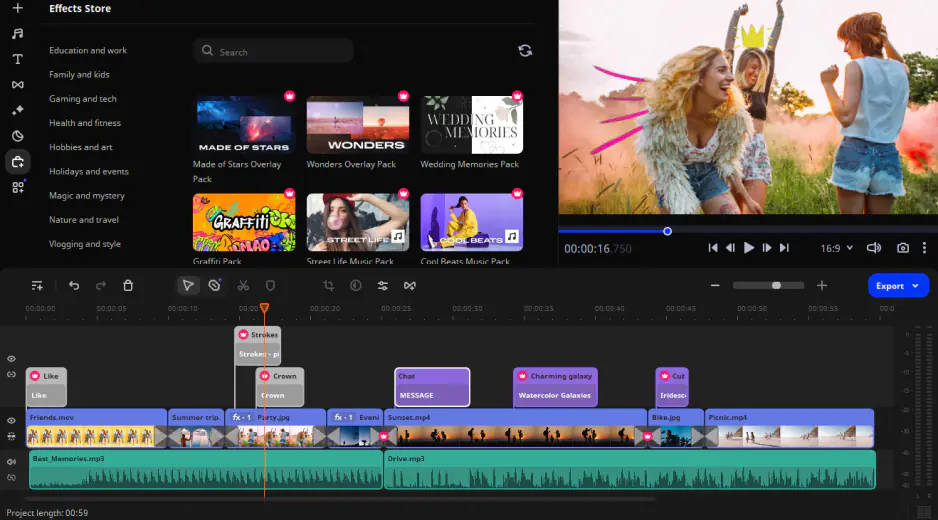
- Wink: A simple and user-friendly application for creating interactive tutorials.
For Android Devices
- Record Monitor — Xrecorder: A free app that allows you to record your screen activity, add annotations, and share the video directly on social media platforms.
For Ios Devices
- Recording Monitor: A built-in feature in iOS devices that enables you to record your screen activity, complete with audio.
How to Create a Tutorial Video
Creating a tutorial video involves several steps:
- Plan Your Content: Determine the topic and objective of your tutorial video.
- Choose a Program or Tool: Select the best software or app for creating tutorial videos based on your device and needs.
- Record Your Screen Activity: Use the chosen software or app to capture your screen activity, complete with audio narration.
- Edit And Enhance Your Video: Trim, crop, and add annotations to make your video more engaging and informative.
- Share Your Video: Upload your tutorial video on social media platforms, YouTube, or other video sharing sites.
Tips For Creating Engaging Tutorial Videos
To create high-quality tutorial videos that engage and educate your audience:
- Keep it Concise: Break down complex concepts into easily digestible segments.
- Use Clear Language: Avoid jargon and technical terms that might confuse viewers.
- Add Visual Aids: Incorporate images, animations, or graphics to illustrate key points.
- Encourage Interaction: Ask viewers to participate in the learning process by asking questions or providing exercises.
Conclusion
Creating tutorial videos is a great way to share your knowledge, teach others new skills, and improve your website’s visibility. By choosing the right software or app, planning your content carefully, and editing your video effectively, you can create high-quality tutorial videos that engage and educate your audience.
Frequently Asked Questions (FAQs)
- What is a Tutorial Video?
A tutorial video is an educational video that demonstrates how to perform a specific task or accomplish a particular goal. - Why Create Tutorial Videos?
Creating tutorial videos offers numerous benefits, including increased engagement, improved understanding, and SEO benefits. - What Are The Best Programs For Creating Tutorial Videos?
Some of the best programs include OBS, Camtasia Studio, Wink, Record Monitor — XRecorder, and Recording monitor. - How do I Create a Tutorial Video?
To create a tutorial video, plan your content, choose a program or tool, record your screen activity, edit and enhance your video, and share it on social media platforms.
References
- “How to Create Tutorial Videos for Your Website.” [Your Website], 2022.
- “Best Programs for Creating Tutorial Videos.” [Software Review Site], 2022.
- “Tips for Creating Engaging Tutorial Videos.” [Education Blog], 2022.


