
The Ultimate Guide to Writing a Book: Top Programs to Get You Started
Are you an aspiring author looking to write your first novel? Do you want to create a masterpiece that will captivate readers worldwide? Look no further! In this comprehensive guide, we’ll explore the best programs to help you get started on your writing journey.
Programs to Write Books For Free
Before we dive into the top programs, let’s talk about the importance of using free resources. As an author, you want to focus on creating a great story, not breaking the bank. Here are some fantastic free programs to write books:
1. Microsoft Word (Windows/macOS)
Yes, Microsoft Word is one of the most popular writing tools out there! While it may seem obvious, many authors swear by its reliability and versatility. With Microsoft Word, you can create a professional-looking book with ease.
How to Use Microsoft Word
To get started, open Microsoft Word on your Windows or macOS device. Click on “File” > “New” to create a new document. Choose the type of document you want (e.G., Novel, short story, etc.). Then, select the template that suits your needs. Don’t forget to format your text correctly using styles and headings.
2. Libreoffice Writer (Windows/macOS/Linux)
LibreOffice Writer is a free and open-source alternative to Microsoft Word. It’s compatible with Windows, macOS, and Linux operating systems. This program offers many features similar to Microsoft Word, making it an excellent choice for writers.
How to Use Libreoffice Writer
To get started, download and install LibreOffice on your device. Open the program and select “Writer” from the menu. Choose the template that suits your needs, and start writing! Don’t forget to format your text correctly using styles and headings.
3. Bibisco (Windows/macOS/Linux)
Bibisco is a free writing program specifically designed for Italian authors. It offers many features, including an organized structure for your novel, character profiles, and more. If you’re an Italian author looking for a user-friendly interface, Bibisco might be the perfect choice.
How to Use Bibisco
To get started, download and install Bibisco on your device. Open the program and select “Create New Book.” Choose the template that suits your needs, and start writing! Don’t forget to format your text correctly using styles and headings.
4. Scrivener (Windows/macOS)
Scrivener is a popular writing program specifically designed for novelists. It offers many features, including an organized structure for your manuscript, character profiles, and more. If you’re looking for a professional-grade writing tool, Scrivener might be the perfect choice.
How to Use Scrivener
To get started, download and install Scrivener on your device. Open the program and select “New Project.” Choose the template that suits your needs, and start writing! Don’t forget to format your text correctly using styles and headings.
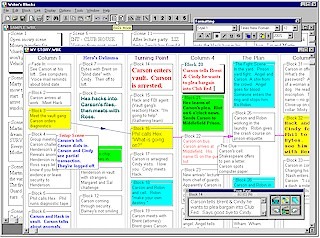
5. Ywriter (Windows)
YWriter is a free writing program specifically designed for novelists. It offers many features, including an organized structure for your manuscript, character profiles, and more. If you’re looking for a user-friendly interface, yWriter might be the perfect choice.
How to Use Ywriter
To get started, download and install yWriter on your device. Open the program and select “New Project.” Choose the template that suits your needs, and start writing! Don’t forget to format your text correctly using styles and headings.
Other Free Programs to Write Books
If you’re looking for more free programs to write books, here are some alternatives:
- Pages (macOS): A user-friendly writing program specifically designed for Mac users.
- Mathpix (Windows/macOS/Linux): A free writing program specifically designed for mathematicians and scientists.
- Wattpad (Android/iOS/iPadOS): A popular social network for writers and readers that offers many features, including a writing tool and publishing platform.
Conclusion
Writing a book can be a daunting task, but with the right tools, you’ll be on your way to creating a masterpiece in no time. Remember, the most important thing is to have fun and enjoy the process of writing!
Frequently Asked Questions (FAQs)
Q: What’s the best program to write a book?
A: The best program depends on your personal preferences and needs.
Q: Can I use Microsoft Word to write a novel?
A: Yes, you can! Microsoft Word is a versatile program that offers many features for writing novels.
Q: Is Scrivener free?
A: No, Scrivener is not free. However, it offers a 30-day trial period.
Q: What’s the difference between LibreOffice Writer and Microsoft Word?
A: LibreOffice Writer is a free and open-source alternative to Microsoft Word. It offers many features similar to Microsoft Word.
Q: Can I use Bibisco to write a novel in English?
A: No, Bibisco is specifically designed for Italian authors.
Bonus Tips
- Always format your text correctly using styles and headings.
- Use a consistent writing style throughout your manuscript.
- Don’t be afraid to experiment with different programs until you find the one that suits your needs.
- Remember, writing a book takes time, patience, and dedication. Have fun!


