
How to Adjust Errors on Your PC or Mac: A Step-by-step Guide
Are you tired of dealing with errors on your computer? Look no further! In this article, we will guide you through the best programs to adjust errors on both Windows and Mac.
Windows: The Best Programs to Fix Errors
When it comes to fixing errors on Windows, there are several programs that can help. Here are some of the best ones:
1. Instruments Integrated in Windows
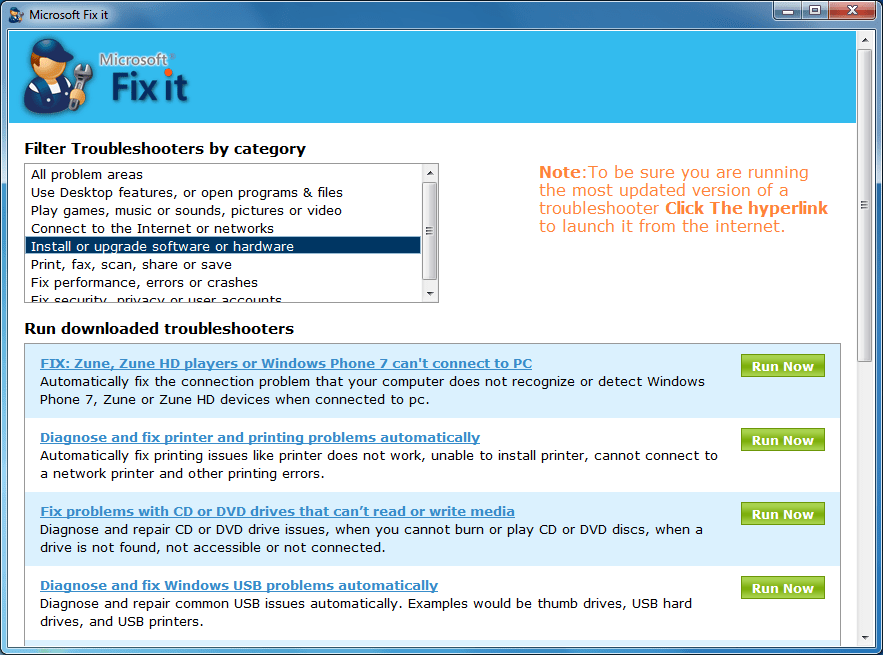
The first step is to try out the built-in tools that come with Windows. These instruments are designed to resolve common problems and may be able to fix your issue.
To Access These Tools:
- Click on the Start button
- Select Settings
- Go to Update & Security
- Click on Troubleshoot
- Follow the prompts to run a scan
2. Bleachbit
BleachBit is a free and open-source program that can help you clean up temporary files, cache, and other unnecessary data.
To Download Bleachbit:
- Go to the official website
- Click on Download Now
- Choose the correct version for your Windows system
3. Other Solutions to Fix Errors on Windows
If you’ve tried the above steps but still experience errors, there are other solutions you can try:
- Run a virus scan using an anti-virus program like Windows Defender or Bitdefender
- Test your RAM and hard drive for any issues
- Try reinstalling Windows or resetting it to its default settings
Mac: The Best Programs to Fix Errors
When it comes to fixing errors on Mac, there are also several programs that can help. Here are some of the best ones:
1. Cleanmymac X
CleanMyMac X is a popular program that can help you clean up your Mac and get rid of temporary files, cache, and other unnecessary data.
To Download Cleanmymac X:
- Go to the official website
- Click on Download Now
- Choose the correct version for your macOS system
2. Onyx
OnyX is another powerful program that can help you optimize your Mac’s performance by cleaning up cache, rebuilding databases, and performing other tasks.
To Download Onyx:
- Go to the official website
- Click on Download Now
- Choose the correct version for your macOS system
3. Other Solutions to Fix Errors on Mac
If you’ve tried the above steps but still experience errors, there are other solutions you can try:
- Run a virus scan using an anti-virus program like CleanMyMac X or OnyX
- Test your RAM and hard drive for any issues
- Try reinstalling macOS or resetting it to its default settings
Conclusion
Fixing errors on your PC or Mac doesn’t have to be a daunting task. By trying out the best programs listed above, you can get back to work without any interruptions.
Faqs
Here are some frequently asked questions about fixing errors on Windows and Mac:
- Q: What is Bleachbit?
A: BleachBit is a free and open-source program that helps clean up temporary files, cache, and other unnecessary data. - Q: How do I Download Cleanmymac X?
A: You can download CleanMyMac X from the official website. - Q: What is Onyx?
A: OnyX is a powerful program that helps optimize your Mac’s performance by cleaning up cache, rebuilding databases, and performing other tasks.
Let us know if you have any questions or need further assistance!


