
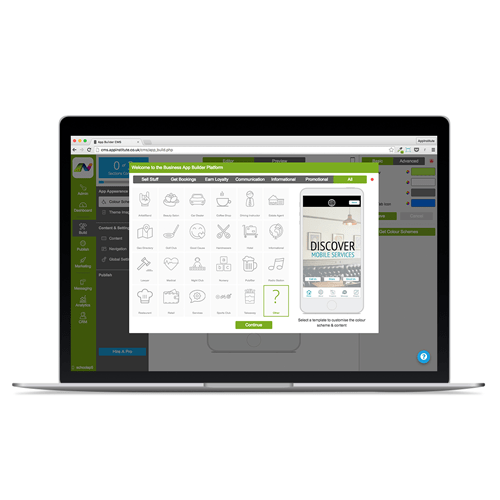
Creating a Mobile App: A Comprehensive Guide
Are you interested in developing a mobile app but don’t know where to start? With the rise of smartphones, creating an app has become more accessible than ever. In this article, we will guide you through the process of creating a mobile app for both Android and iOS platforms.
Why Create a Mobile App?
Creating a mobile app can be beneficial for individuals and businesses alike. It allows you to reach a wider audience, promote your brand, and provide value to users. Whether it’s a game, an e-commerce platform, or a utility tool, having a mobile presence is crucial in today’s digital age.
Understanding The Basics
Before diving into app development, it’s essential to understand the basics of programming languages. For Android apps, Java and XML are the primary languages used, while Swift and Objective-C are the preferred languages for iOS apps. If you’re new to coding, don’t worry – we’ll provide a brief introduction to these languages later in this article.
Android App Development
To develop an Android app, you’ll need to use an Integrated Development Environment (IDE) called Android Studio. This is the official IDE provided by Google, and it’s free to download for Windows, macOS, and Linux platforms.
Here’s how to get started with Android Studio:
- Download and install Android Studio from the official website.
- Launch Android Studio and select “Start a new Android Studio project.”
- Choose the app type (e.G., Empty activity or login activity) and enter your project name.
- Configure your project settings, such as language and SDK version.
- Start coding using Java or Kotlin.
Ios App Development
For iOS app development, you’ll need to use Xcode, which is also a free IDE provided by Apple. Xcode allows you to create, design, and develop apps for iPhone and iPad devices.
Here’s how to get started with Xcode:
- Download and install Xcode from the Mac App Store.
- Launch Xcode and select “Create a new project.”
- Choose the template type (e.G., Single view app or game) and enter your project name.
- Configure your project settings, such as language and SDK version.
- Start coding using Swift or Objective-C.
Other Options For App Development
While Android Studio and Xcode are excellent choices for developing mobile apps, there are other options available. Some popular alternatives include:
- Corona SDK: A cross-platform development tool that allows you to create apps for Android, iOS, and Windows devices.
- Unity: A game engine that can also be used for app development, with features like drag-and-drop functionality and a large community of developers.
Tips And Best Practices
Here are some tips and best practices to keep in mind when developing your mobile app:
- Keep it simple: Focus on providing value to users rather than creating complex features.
- Test thoroughly: Ensure that your app is stable, efficient, and user-friendly.
- Design for usability: Create an intuitive interface that’s easy to navigate.
- Optimize for performance: Use caching, caching libraries, or other techniques to improve app speed.
- Follow platform guidelines: Familiarize yourself with platform-specific guidelines and best practices.
Conclusion
Creating a mobile app can be a rewarding experience, but it requires dedication and hard work. By following this guide, you’ll gain a solid understanding of the basics of app development for both Android and iOS platforms. Remember to keep your app simple, user-friendly, and optimized for performance. With persistence and practice, you’ll become proficient in developing high-quality mobile apps.
Frequently Asked Questions
- What Programming Languages do I Need to Learn to Develop a Mobile App?
- For Android apps, Java and XML are the primary languages used, while Swift and Objective-C are preferred for iOS apps.
- How do I Get Started With Android Studio or Xcode?
- Download and install the respective IDEs from their official websites, then follow the on-screen instructions to set up your project.
- Can I Develop a Mobile App Without Coding Knowledge?
- While it’s possible to use visual development tools like Corona SDK or Bubble, having some programming knowledge will make the process more efficient and enjoyable.
- What Are The Best Practices For App Development?
- Keep your app simple, test thoroughly, design for usability, optimize for performance, and follow platform guidelines.
- How do I Publish my Mobile App on The App Store or Google Play Store?
- Follow the official guidelines provided by Apple (for iOS apps) or Google (for Android apps), which include creating an account, preparing your app metadata, and submitting your app for review.
Bonus Resources
For further learning and resources, check out these additional links:
I hope this article has provided you with a comprehensive guide to creating mobile apps. Remember, developing an app takes time and effort, but the rewards are well worth it!


