
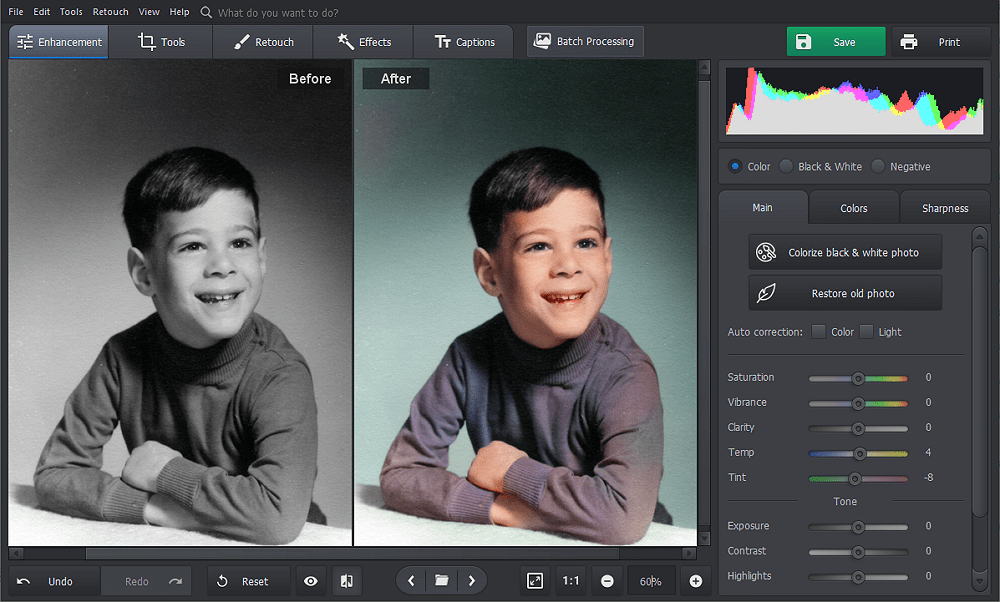
The Ultimate Guide to Photo Editing: Top Programs And Apps
Are you tired of mediocre photos? Do you want to enhance your images and make them stand out? Look no further! In this comprehensive guide, we’ll explore the top programs and apps for photo editing, both free and paid.
Why Edit Your Photos?
Editing your photos can greatly improve their quality and make them more visually appealing. Whether you’re a professional photographer or an enthusiast, photo editing is an essential skill to master. With the right tools, you can:
- Enhance colors and contrast
- Remove blemishes and imperfections
- Crop and resize images
- Add filters and effects
Free Photo Editing Programs For PC And Mac
If you’re on a budget or prefer free software, here are some excellent options:
Gimp: The Ultimate Free Editor
GIMP (GNU Image Manipulation Program) is a powerful and feature-rich editor that’s available for Windows, macOS, and Linux. With GIMP, you can perform advanced editing tasks, such as layering, masking, and retouching.
- Key features: Layer support, masking, retouching, and more
- System requirements: Windows 7 or later, macOS High Sierra or later
Photopea
Photopea is another popular free editor that’s similar to Adobe Photoshop. It offers a wide range of tools and filters for editing photos.
- Key features: Layer support, masking, retouching, and more
- System requirements: Windows 7 or later, macOS High Sierra or later
Online Photo Editing Services
If you don’t want to install software on your computer, online photo editing services are a great alternative. Here are some top options:
Vance Ai
Vance AI is an artificial intelligence-powered service that can enhance and edit your photos with ease.
- Key features: Automatic enhancement, removal of blemishes, and more
- Pricing: Free trial, then $19.95/Month
Photopea Online
Photopea’s online version offers a similar experience to its desktop counterpart, but without the need for installation.
- Key features: Layer support, masking, retouching, and more
- Pricing: Free, with optional paid upgrades
Mobile Photo Editing Apps
For those who prefer editing photos on-the-go, here are some top mobile apps:
Snapseed
Snapseed is a popular photo editing app for Android and iOS devices. It offers advanced tools and filters for enhancing your images.
- Key features: Advanced filters, layer support, and more
- Pricing: Free
Google Photos
Google Photos is a versatile app that not only allows you to edit photos but also provides automatic organization and sharing features.
- Key features: Automatic organization, sharing, and editing capabilities
- Pricing: Free
Other Notable Mentions
In addition to the programs and apps mentioned above, here are some other notable mentions:
Lightroom
Lightroom is a powerful editor for Windows and macOS users. It offers advanced tools for editing photos.
- Key features: Advanced editing tools, batch processing, and more
- Pricing: $149 (One-time purchase)
Pixlr
Pixlr is an online photo editor that offers a range of tools and filters for enhancing your images.
- Key features: Layer support, masking, retouching, and more
- Pricing: Free, with optional paid upgrades
Conclusion
Editing photos can greatly enhance their quality and make them more visually appealing. With the top programs and apps mentioned in this guide, you’ll be able to edit your photos like a pro, whether you’re on a budget or not.
Frequently Asked Questions (FAQs)
- What is The Best Photo Editing Software?
The best photo editing software depends on your specific needs and preferences. GIMP, Photopea, and Lightroom are excellent options for advanced editing tasks.
- Can I Edit Photos on my Phone?
Yes! There are many great mobile apps for editing photos, such as Snapseed, Google Photos, and Pixlr.
- Do I Need to Pay For Photo Editing Software?
Not necessarily! Many free photo editors are available online or for download.
- What is The Difference Between Lightroom And Photoshop?
Lightroom is primarily designed for editing photos, while Photoshop offers a broader range of features, including graphic design capabilities.
- Can I Use Photo Editing Software on my Tablet?
Yes! Most photo editing software can be used on tablets with a stylus or touchscreen interface.
- How do I Remove Blemishes From my Photos?
You can use various tools and filters in photo editing software to remove blemishes, such as the Clone tool in GIMP or Lightroom.
- Can I Enhance Colors And Contrast in my Photos?
Yes! Many photo editors offer advanced tools for enhancing colors and contrast, such as layering and masking in Photopea.
- Do I Need a Subscription to Use Photo Editing Software?
Some photo editing software requires a subscription or one-time purchase fee, while others are free or have optional paid upgrades.


