
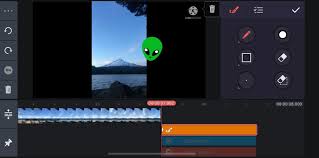
The Future of Video Creation: Top 10 Free Video Editing Software
In today’s digital age, video content has become an essential part of our lives. From social media to YouTube, video creation has never been more popular or accessible. However, with so many options available, it can be overwhelming for beginners and professionals alike to choose the right video editing software. In this article, we will explore the top 10 free video editing software that are perfect for creating high-quality videos without breaking the bank.
What is Video Editing Software?
Video editing software is a program that allows you to edit and manipulate video footage, audio files, and images to create a cohesive and engaging visual experience. These programs can range from simple, user-friendly interfaces to complex, feature-rich platforms that cater to professionals.
Benefits of Using Free Video Editing Software
Using free video editing software has numerous benefits, including:
- Cost-effectiveness: Save money by using free software instead of expensive, proprietary options.
- Flexibility: Choose from a wide range of programs to suit your specific needs and preferences.
- Customization: Tailor your videos to perfection with advanced features and effects.
Top 10 Free Video Editing Software
- Davinci Resolve: A professional-level video editing software that is free to use, with optional paid upgrades.
- Openshot Video Editor: An open-source video editor that offers a user-friendly interface and advanced features like keyframe animation.
- Obs (Open Broadcaster Software): A live streaming and video editing platform that allows for real-time broadcasting and video editing.
- Imovie: A free video editing software developed by Apple, perfect for beginners and professionals alike.
- Avidemux: A free video editor that supports multiple formats, including AVI, MP4, and more.
- Shotcut: A user-friendly video editor with a simple interface and advanced features like keyframe animation.
- Blender: A 3D creation software that can be used for video editing, animation, and visual effects.
- Youcut: A free video editing app for mobile devices that offers a user-friendly interface and advanced features like transitions and effects.
- Kinemaster: A professional-level video editing app with advanced features like multi-track audio editing and chroma keying.
- Powerdirector: A feature-rich video editing software that offers advanced features like motion tracking, object removal, and more.
Choosing The Right Video Editing Software
When selecting a free video editing software, consider the following factors:
- Ease of Use: Choose a program with an intuitive interface that suits your level of expertise.
- Features: Select a software that offers the advanced features you need to create high-quality videos.
- System Requirements: Ensure the software is compatible with your operating system and hardware specifications.
- Community Support: Opt for a program with an active community, online tutorials, and customer support.
Conclusion
Free video editing software has come a long way in recent years, offering users a wide range of options to create high-quality videos without breaking the bank. By considering the factors mentioned above and selecting one of the top 10 free video editing software listed in this article, you can take your video creation skills to the next level.
Frequently Asked Questions
Q: What is the best free video editing software?
A: The best free video editing software depends on your specific needs and preferences. Consider factors like ease of use, features, system requirements, and community support when making a decision.
Q: Can I use free video editing software for professional projects?
A: Yes, many free video editing software programs are suitable for professional use, offering advanced features and capabilities.
Q: Are there any limitations to using free video editing software?
A: While most free video editing software programs offer advanced features, some may have limitations like watermarks, export file size restrictions, or compatibility issues with certain formats.
Q: Can I upgrade to a paid version of free video editing software?
A: Yes, many free video editing software programs offer optional paid upgrades for additional features and capabilities.


