
The Ultimate Guide to Voice Changers: Enhance Your Voice Quality And Privacy
Are you tired of using your original voice on video calls or online streaming? Do you want to add some flair to your audio recordings or protect your privacy from unwanted listeners? Look no further! In this comprehensive guide, we’ll explore the best voice changer programs available for Windows, macOS, and even smartphones. Get ready to unleash your creativity and take control of your digital voice.
Programs to Modify Your Voice in Real-time
When it comes to real-time voice modification, you want a program that’s easy to use, efficient, and compatible with your operating system. Here are the top picks:
Voxal Voice Changer (Windows/macOS)
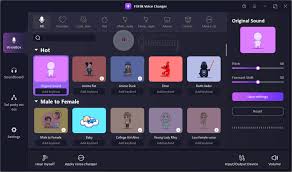
One of the most popular and user-friendly voice changers is Voxal. This free application offers an impressive array of effects, including pitch, speed, and distortion adjustments. With over 50 pre-set effects, you’ll find it easy to customize your voice to suit any mood or occasion.
How to Use Voxal:
- Download and install the program from the official website.
- Launch the application and select the effect you want to apply.
- Adjust the settings as needed and preview your modified voice.
- Apply the changes during a video call, online streaming, or audio recording.
Other Programs to Modify Your Voice on Pc
If Voxal doesn’t meet your expectations, don’t worry! There are plenty of other excellent options available:
- Clownfish Voice Changer (Windows): A free program that allows you to modify your voice pitch and tone, with additional effects like environmental sounds.
- Morphvox Free Voice Changer (Windows): A user-friendly application that enables you to transform your voice into a male or female voice, with a free version available for personal use.
- Voicemod (Windows): A program that offers 7 diverse effects updated weekly by the developers, with a paid version providing additional features and effects.
- AV Voice Changer (Windows): A paid application that allows you to apply effects and distortions to your voice in real-time, with a free trial period available.
Programs to Modify Your Voice in Video
If you want to modify the voice of a video recording, Shotcut is an excellent open-source option. This program integrates a filter called Intonation, which enables you to make the vocal stroke more acute or graver. You can also use Shotcut’s keyframe functionality to apply distortions and effects at specific points in the video.
Programs to Modify Your Voice on Smartphones
If you’re looking for voice changer apps specifically designed for smartphones, consider these options:
- Funcalls (Play Store/android Alternative): An app that allows you to change your voice during phone calls.
- Call Voice Changer (Android Apk/iphone): A popular app that enables you to modify your voice during phone calls.
- Full Phone Call (iPhone): An app that offers a range of voice effects and filters for use during phone calls.
Conclusion
With these top-notch voice changer programs, you’ll be able to enhance your digital voice and protect your privacy with ease. Whether you’re looking for real-time modifications or post-recording editing, there’s an option available to suit your needs. Happy modifying!
Frequently Asked Questions (FAQs)
Here are some additional questions and answers to help you get the most out of these voice changer programs:
- Q: Are These Voice Changer Programs Safe to Use?
A: Yes, all the mentioned programs are safe to use and compatible with your operating system. - Q: Can I Use These Programs For Commercial Purposes?
A: Some programs have restrictions on commercial use; be sure to check the terms of service before using them for business purposes. - Q: Are There Any Free Versions Available?
A: Yes, many of the mentioned programs offer a free version or trial period, allowing you to test their features and effects. - Q: Can I Use These Programs on my Smartphone?
A: Yes, some programs have mobile apps specifically designed for smartphones, enabling you to modify your voice during phone calls or online streaming. - Q: Are There Any Tutorials Available to Help me Learn How to Use These Programs?
A: Many of the mentioned programs come with user-friendly interfaces and guides to help you get started; additional resources are also available online.
Feel free to reach out if you have any further questions or need additional assistance!


