
The Ultimate Guide to Opening Doc Files: Top Programs And Services
Are you struggling to open a .Doc file on your computer or mobile device? Do you want to know the best programs and services to use without breaking the bank? Look no further! In this comprehensive guide, we’ll walk you through the top options for opening and editing .Doc files, including free and paid alternatives.
Understanding Doc Files
Before we dive into the solutions, let’s quickly understand what a .Doc file is. A .Doc file is a word processing document format created by Microsoft Word. It’s widely used for creating and sharing text documents, but can also be opened and edited using other programs.
Top Programs to Open Doc Files
Here are our top picks for programs that can open and edit .Doc files:
1. Microsoft Word
The granddaddy of word processing software, Microsoft Word is still the most widely used program for creating and editing .Doc files. If you have an Office 365 subscription, you already have access to Word.
Pros: Industry-standard formatting, powerful editing tools
Cons: Paid subscription required (unless you have Office 365)
2. Libreoffice
LibreOffice is a free and open-source office suite that includes a word processor compatible with .Doc files. It’s available for Windows, macOS, and Linux.
Pros: Free, feature-rich, compatible with Microsoft Word
Cons: Steeper learning curve compared to Microsoft Word
3. Pages (for Mac)
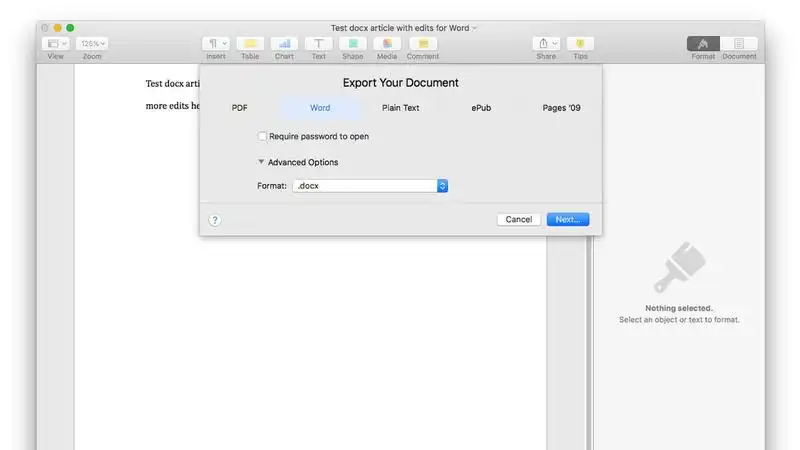
Pages is Apple’s free word processing app that can open and edit .Doc files. It’s a great alternative for Mac users who want a simple and intuitive editing experience.
Pros: Free, user-friendly interface
Cons: Limited features compared to Microsoft Word or LibreOffice
4. Google Docs
Google Docs is a free online service that allows you to create, edit, and share .Doc files from anywhere. It’s accessible via web browser on any device with an internet connection.
Pros: Free, cloud-based, seamless collaboration
Cons: Limited offline access, may not be suitable for complex documents
5. Microsoft Word Online
Microsoft Word Online is a free online version of the popular word processing software. You can access it from your web browser and edit .Doc files without installing any software.
Pros: Free, cloud-based, similar features to Microsoft Word
Cons: Limited offline access, may not be suitable for complex documents
6. Wps Office
WPS Office is a free mobile app that allows you to create, edit, and share .Doc files on your Android or iOS device.
Pros: Free, feature-rich, compatible with Microsoft Word
Cons: Limited offline access, may require in-app purchases for additional features
Services to Open Doc Files
In addition to the programs listed above, there are several services that allow you to open and edit .Doc files online:
1. Google Document
Google Document is a free service that allows you to create, edit, and share .Doc files from anywhere.
Pros: Free, cloud-based, seamless collaboration
Cons: Limited offline access, may not be suitable for complex documents
2. Microsoft Word Online
Microsoft Word Online is a free online version of the popular word processing software.
Pros: Free, cloud-based, similar features to Microsoft Word
Cons: Limited offline access, may not be suitable for complex documents
Conclusion
In conclusion, there are many top-notch programs and services that can open and edit .Doc files without breaking the bank. Whether you’re a student, professional, or simply need to quickly view a document, these options should meet your needs.
Frequently Asked Questions (FAQs)
- What is The Best Program to Open Doc Files?
The best program to open DOC files depends on your specific needs and preferences. Microsoft Word is still the industry standard, but LibreOffice, Pages, and Google Docs are also great alternatives. - Can I Edit Doc Files Online?
Yes, you can edit .Doc files online using services like Google Docs or Microsoft Word Online. - What if I Need to Collaborate With Others on a Document?
Google Docs is an excellent choice for collaborative editing, as it allows real-time changes and commenting features. - Are There Any Mobile Apps That Allow me to Open Doc Files?
Yes, WPS Office and Microsoft Word Mobile are two popular mobile apps that can open and edit .Doc files. - Can I Convert .Doc Files to Other Formats?
Some programs like LibreOffice or Google Docs allow you to export your document in various formats, such as PDF or HTML. - Is There a Free Version of Microsoft Word?
While there isn’t a completely free version of Microsoft Word, you can access the online version (Microsoft Word Online) for free and edit .Doc files without any watermarks.
Hope this helps!


